Lyrics and chords
OS MIDI Editor reads the lyrics and chords of karaoke files in the M-Live, GM (also .kar), Yamaha XF, Solton and Soft Karaoke formats, and shows them below the notes, at their place in time.
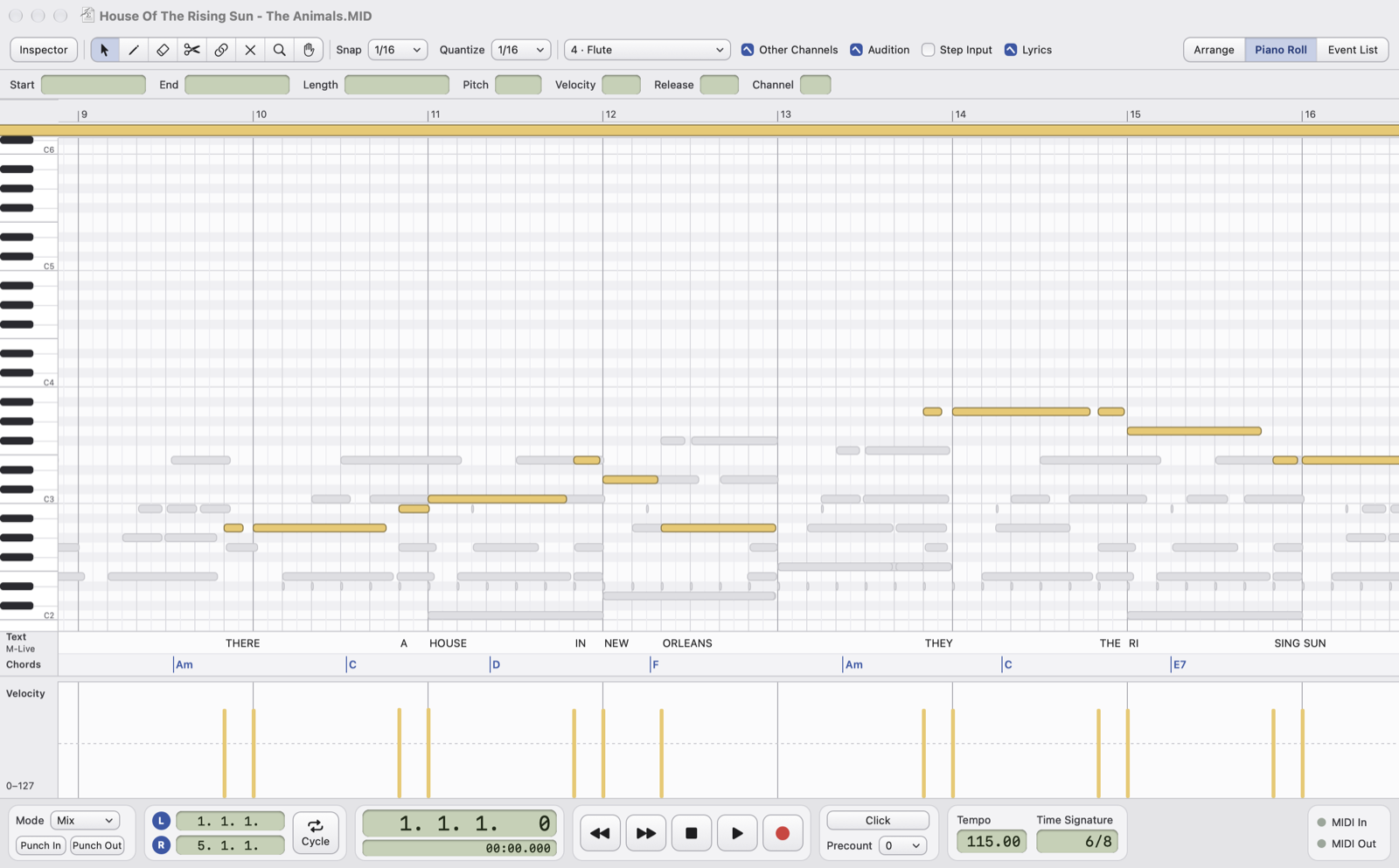
- LyricsThe toolbar checkbox opens the lanes below the Piano Roll or the Drum Editor, on any channel: the melody channel works best.
- FormatThe format of the lyrics in the file; "read-only" if it can't be edited.
- Text laneThe syllables at their ticks, below the notes that sing them.
- Chords laneThe chords at their ticks, as written in the file.
Editing
GM and M-Live lyrics can be edited:
- Click selects a syllable or a chord, double-click corrects it (empty text = delete).
- Drag to move it, with Snap; ⌫ deletes the selected one.
- With the pencil, or by double-clicking an empty area, add a syllable on the note under the cursor, or a chord at the grid point.
- A chord must be a valid chord name (
Am,F#m7,C/G…): words like "Bass" are refused. - When you correct a syllable, the file's line and verse breaks are kept.
M-Live: the lyrics are stored in SysEx messages, so only unaccented letters (use the apostrophe) and no new lines: you correct the existing ones. A moved syllable stays in its line. It can be edited only if the song, written back, comes out byte for byte identical; otherwise it stays read-only.
Converting to GM
XF, Solton and Soft Karaoke are read but not edited. Notes › Convert Lyrics and Chords to GM rewrites them in the GM format, which can then be edited: syllables and chords stay at the same ticks, title and performer go at the top of the lyrics. It works with M-Live too. It is a change like any other: ⌘Z undoes it.
- Solton only has whole lines: each line becomes one syllable.
- M-Live: each stretch highlighted by the cursor becomes a syllable.
To add lyrics and chords to a song that has none, or chords to lyrics without them, use Guided lyrics and chords.