Inspector and outputs
The panel on the left with the channel settings: where it plays, with which instrument, at what volume. Open and close it with the Inspector button or the I key; it shows the Piano Roll channel, the Event List channel or, in the Arrange, the selected one.
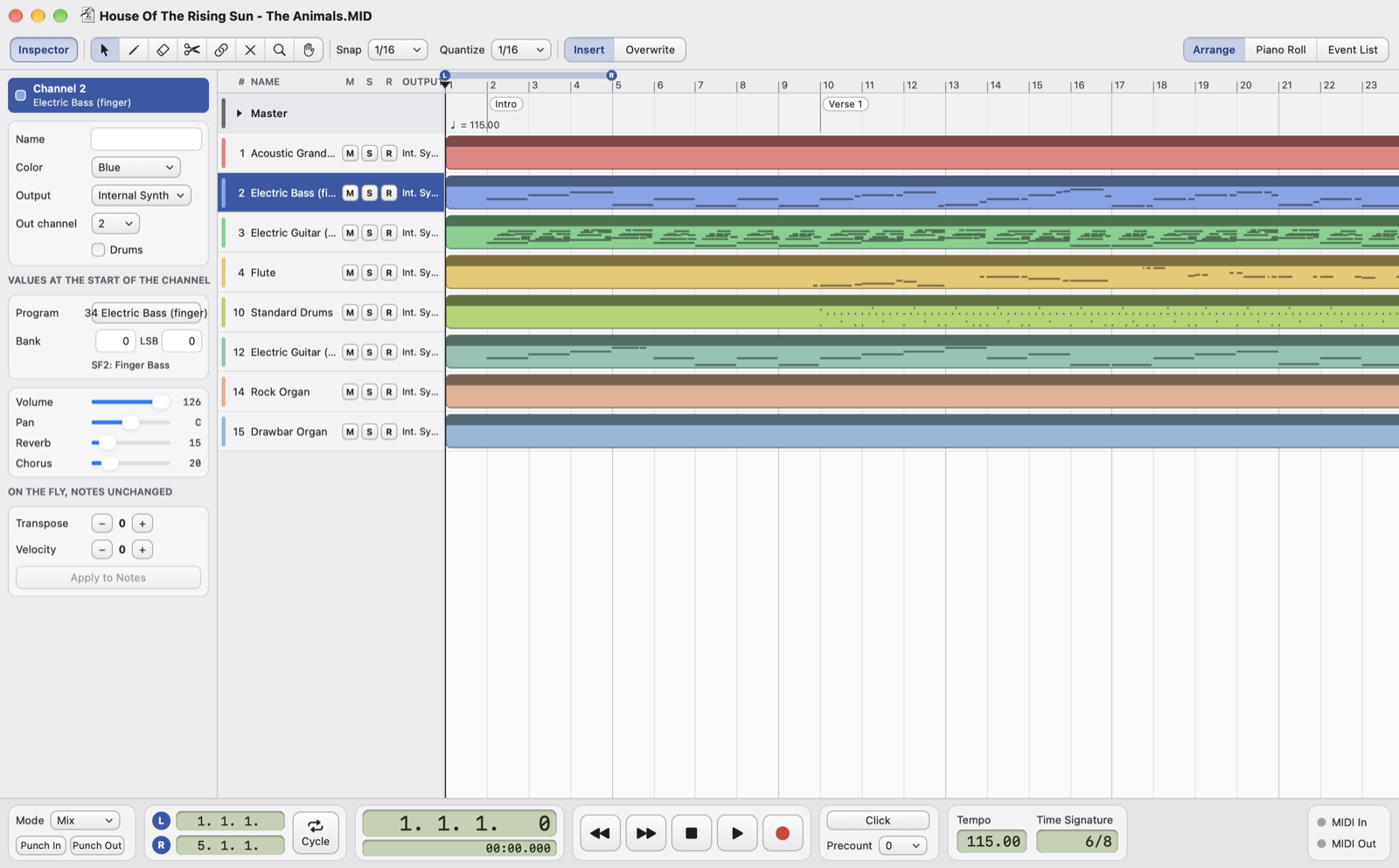
- ChannelNumber and instrument of the channel shown.
- Name, color, outputThe row name, the color of the parts, the output (the built-in synthesizer or a MIDI device) and the MIDI channel it plays on. Drums opens it in the Drum Editor: it is on by default for channel 10.
- Program and bankThe instrument, from a menu grouped by General MIDI families, and the bank (MSB and LSB); below, the name of the sound in the SF2 bank.
- Volume, pan, reverb, chorusThe values at the start of the channel.
- On the fly, notes unchangedTranspose (±48 semitones) and velocity (±127): they apply when the song plays and when you save it, but the notes stay as they were. Apply to Notes writes them into the notes and resets them. ⌥-click on − and + changes by an octave or by 10.
Values at the start of the channel
Program, bank, volume, pan, reverb and chorus are the events at the start of the channel, before the first note. Changing them in the Inspector edits those events, or creates them at the start of the first part. If the song changes them later, the Inspector shows the starting value: later changes are visible in the Event List.
Outputs
- Each channel has its own output: the built-in synthesizer or a MIDI output, for example a sound module or a keyboard.
- Transport › Output for All Channels sends the whole song to one output at once.
- In Settings you choose the default output for new songs and opened MIDI files.
- Output and output channel are for listening, not for the file. If a device is not connected the channel plays on the built-in synthesizer and the Inspector marks it "(not connected)".