Drum Editor
The Piano Roll for drums: instead of the keyboard, one row per instrument with its name. It opens instead of the Piano Roll on channel 10 and on channels marked Drums in the Inspector.
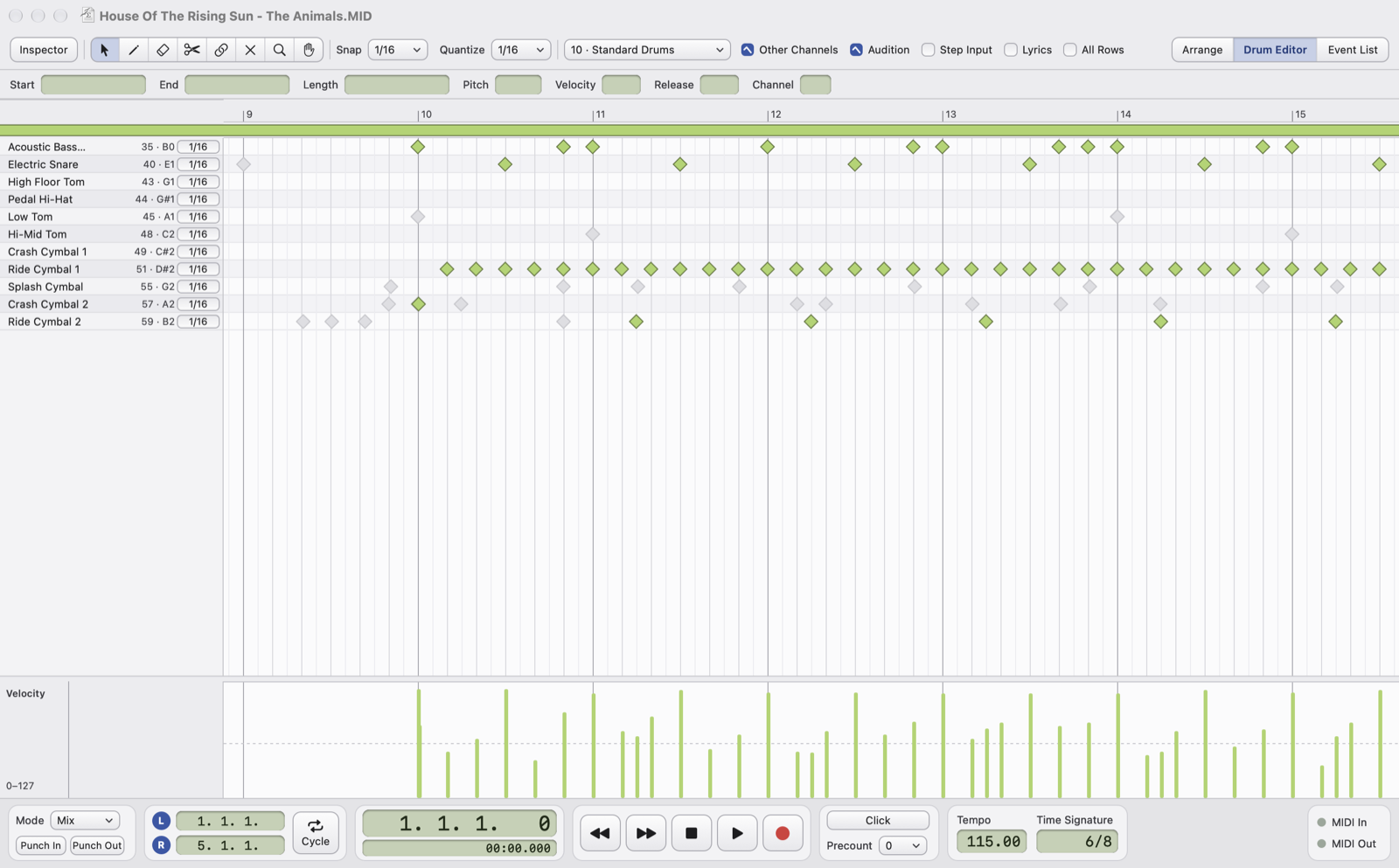
- InstrumentsThe General MIDI (or GS) name of each instrument. Click a name to play it; drag a name to change the order of the rows. The All Rows checkbox in the toolbar also shows the unused instruments.
- NoteThe number and name of the note that plays the instrument.
- Row stepThe step the pencil uses to place hits in that row: click to choose it. By default it is the Quantize value.
- HitsEach note is a diamond: for drums the length doesn't matter. The arrow moves hits, even to another row.
- Pencil: a click places a hit; dragging to the right places one at every step of the row.
- Info line, velocity lane, tools, Notes menu, zoom, audition and Other Channels work as in the Piano Roll.
- A drum channel is not transposed: the Inspector transposition doesn't apply.
- View › Open as Piano Roll shows the drums in the normal Piano Roll, for example to see the lengths.
Row order, steps and All Rows are saved in the .osmid project.