Event List
Every message, one per row: notes, controllers, program changes, pitch bend, aftertouch, SysEx and meta events. It is the view for checking and fixing the details the Piano Roll doesn't show. Open it with ⌘G on the Piano Roll channel or on the channel selected in the Arrange.
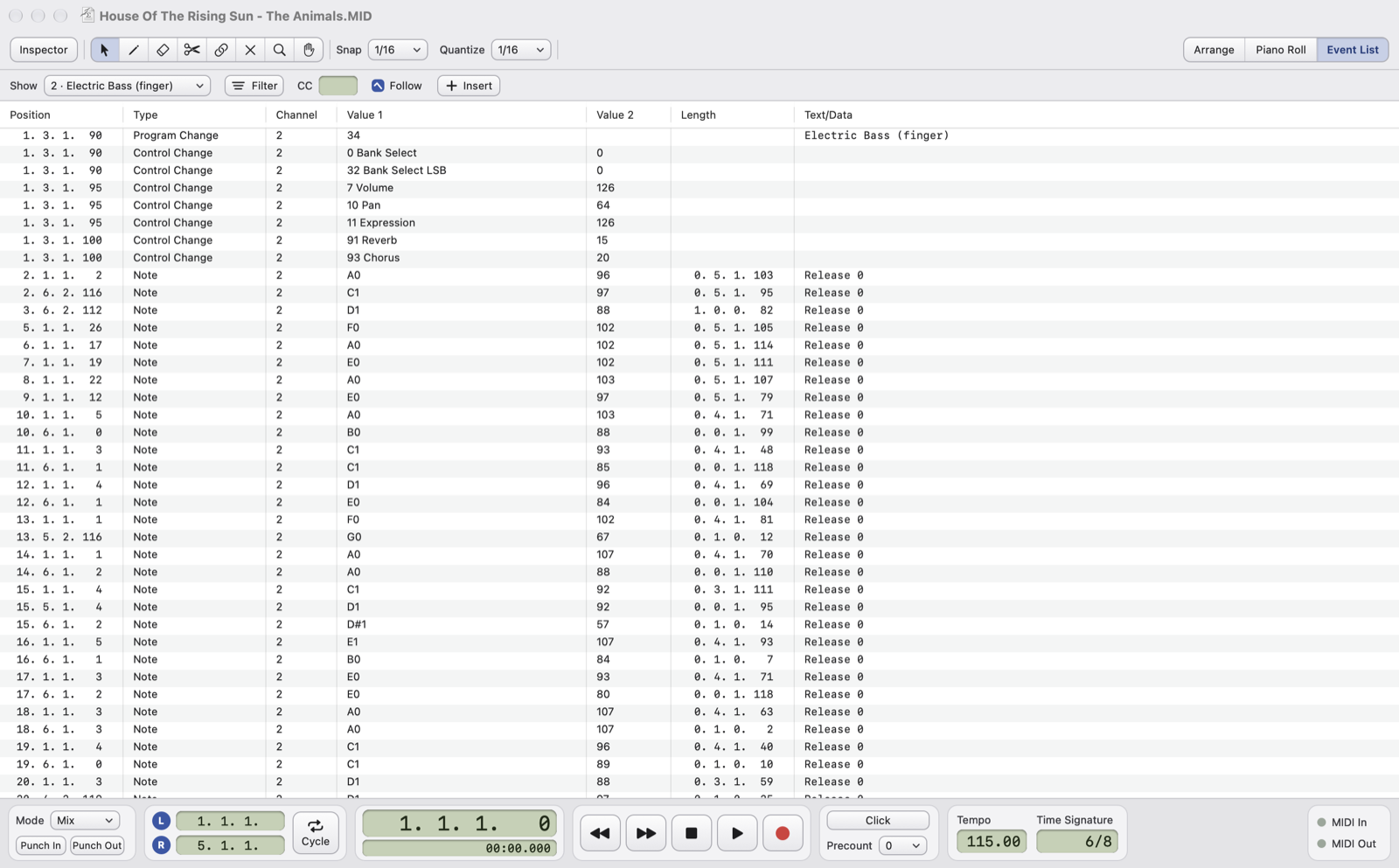
- ShowOne channel, all of them (16 channels and Master) or only the Master.
- FilterWhich types to show: notes, controllers (also a single number, in the CC box next to it), program changes, pitch bend, aftertouch, SysEx, meta events, lyrics, tempo.
- FollowDuring playback the list scrolls and highlights the event being played.
- InsertA new event at the cursor: note, controller, program change, pitch bend, aftertouch in the channel shown; SysEx (GM On), tempo, time signature, key, marker and text in the Master.
- ColumnsPosition, type, channel, value 1, value 2, length, text or data.
What's in the columns
- Note: pitch, velocity, length; the release velocity in the data.
- Control Change: the number with its name (e.g.
7 Volume) and the value. - Program Change: 1–128 with the General MIDI name.
- Pitch Bend: from −8192 to +8191, 0 in the middle.
- Tempo in BPM, time signature like
6/8, key likeAm. - SysEx in hexadecimal; text meta events as text.
- M-Live: the karaoke SysEx read as "M-Live Line", "M-Live Chord", "M-Live Sync", and the song tags as "M-Live Genre", "M-Live Performer", "M-Live Authors".
Hidden events, left outside a shortened part, are shown in grey.
Editing
- Double-click a value and type; Return confirms, Esc cancels.
- ⌫ deletes the selected rows; ⌘X, ⌘C and ⌘V cut, copy and paste rows at the cursor.
- A moved or inserted event goes into the part where it starts, like notes in the Piano Roll.