AR Midi Patchbox
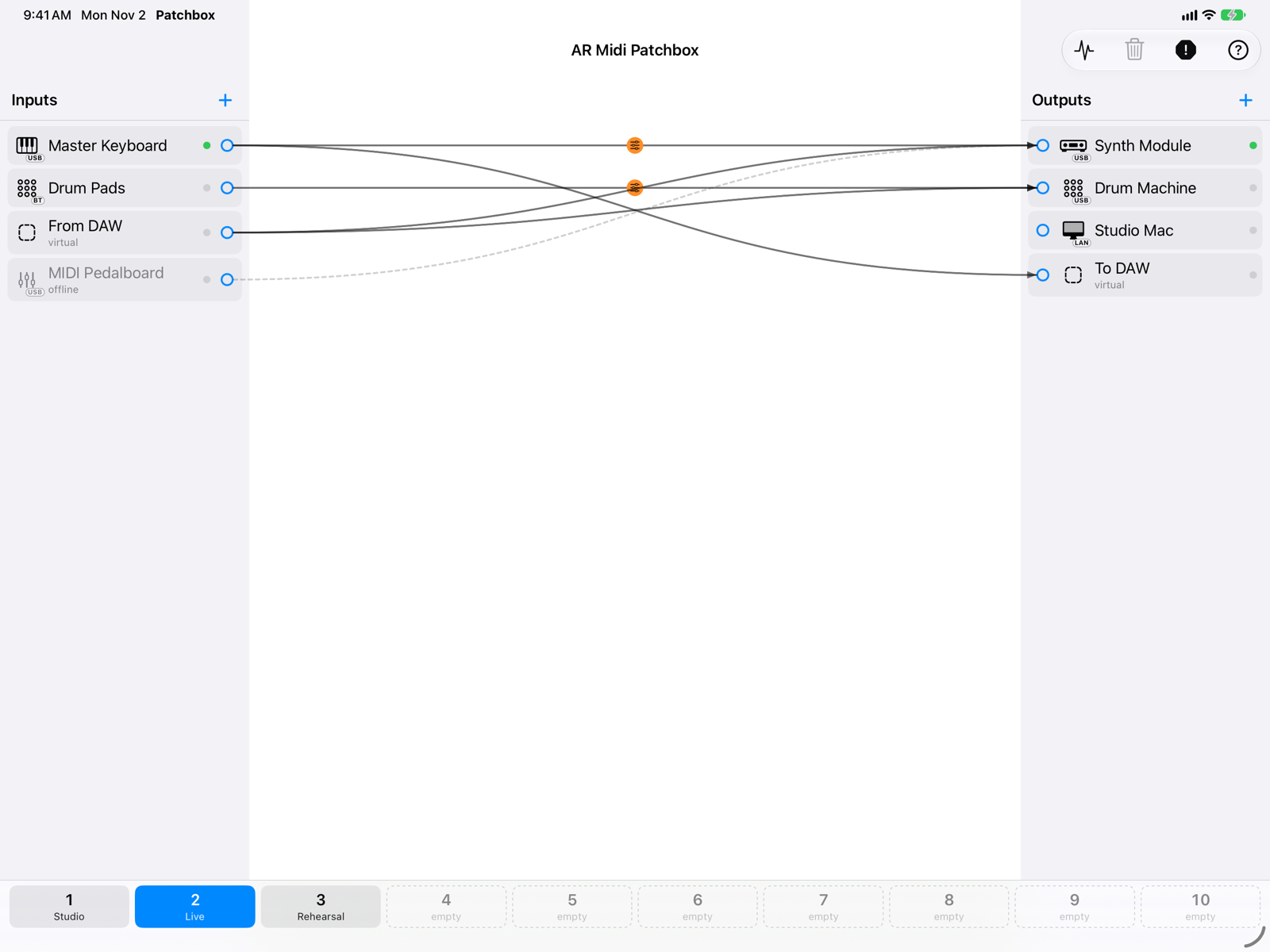
A virtual MIDI patchbay for Mac, iPad and iPhone. Inputs on the left, outputs on the right: drag an arrow from an input to an output and MIDI starts flowing. Every connection has its own filters and transformations, and you can save your setups in ten slots and recall them with one tap.
What you can do
- Connect anything: USB, Bluetooth, network and IAC ports, and virtual ports that other apps (DAWs, synths, sequencers) see as regular MIDI ports.
- Many-to-many connections: one input to several outputs, several inputs to the same output.
- Transform the MIDI of each connection: event type and channel filters, channel router, transpose, velocity, monophonic mode and Hold.
- Save ten setups in the slots at the bottom and switch between them on the fly, with no stuck notes.
- See the MIDI going through with the event monitor, incoming and outgoing.
- Stop everything with the Panic button, always in view.
Getting started
- Connect your instruments (USB, Bluetooth or network) and open the app.
- Press + at the top of the Inputs column and choose the keyboard or controller that sends MIDI. Do the same with the + of Outputs for the sound module, synth or app that should receive it.
- Drag from the small circle on the right of the input to the output: an arrow appears and MIDI flows.
- Tap the arrow (click on the Mac) to filter or transform that connection.
- Touch and hold a slot at the bottom (⌥-click on the Mac) to save the setup.
Requirements: macOS 14, iPadOS/iOS 17 or later. The app is free, with no in-app purchases and no ads, in English and Italian (it follows the device language). It collects no data: your MIDI stays between your devices.
Screens
Inputs and outputsSystem ports and virtual ports.
ConnectionsArrows, dragging, deleting.
Routing parametersFilters and transformations per connection.
Memory slotsTen setups to recall.
Event monitorThe MIDI coming in and going out.
Panic and stuck notesHow the app avoids hanging notes.
Routing examplesReady-made recipes for common cases.
Bluetooth MIDIWireless keyboards and controllers.
Network MIDIMIDI between Mac, iPad and iPhone over Wi-Fi.
In the backgroundRouting keeps running with other apps.
FAQCommon problems and solutions.