Network MIDI
Network MIDI (RTP-MIDI) carries MIDI between Apple devices on the same network, without cables: for example from an iPad to a Mac running a DAW.
On iPad and iPhone
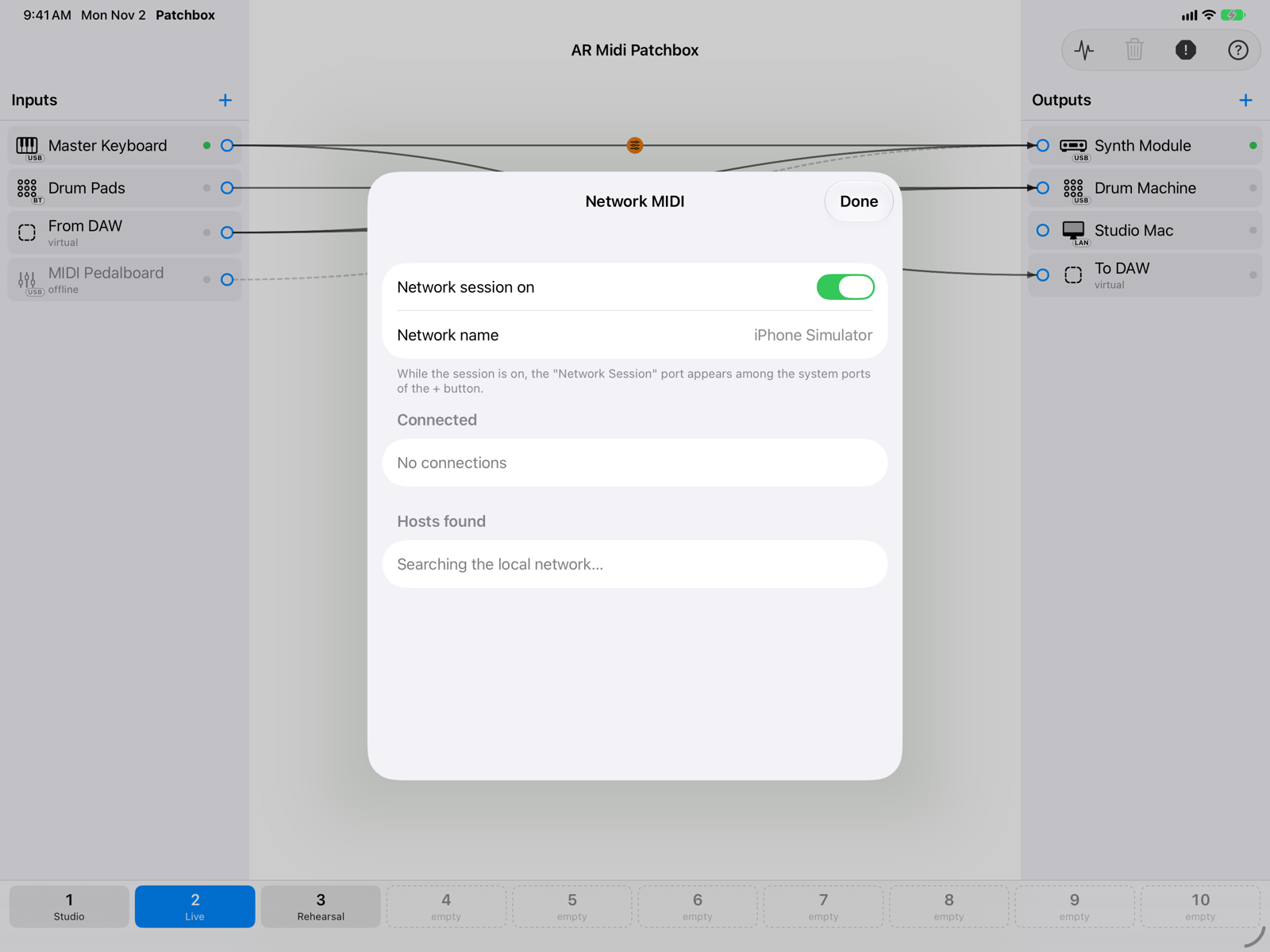
- Network session onTurns on this device's session: other devices see it with the name shown in Network name.
- Hosts found and connectedWith the session on, the Macs and other devices found on the network appear: Connect and Disconnect manage the link.
With the session on, the Network Session port appears among the system ports of the + button, in both inputs and outputs, with the LAN badge. The first time, iOS asks for permission to access the local network. The choice is remembered on this device.
On the Mac
On the Mac, network sessions are created in Audio MIDI Setup (Window › Show MIDI Network Setup): + › Network MIDI… has a button that opens it. Each active session then appears among the system ports with the LAN badge.
Network MIDI works best on a wired network or a lightly loaded Wi-Fi. Some public or company networks block devices from talking to each other.