Routing parameters
Tapping an arrow opens the parameters of that connection: a popover on Mac and iPad, a panel from the bottom on iPhone. The sections are numbered in the order they are applied to every message. Each one has its own switch and a Reset button.
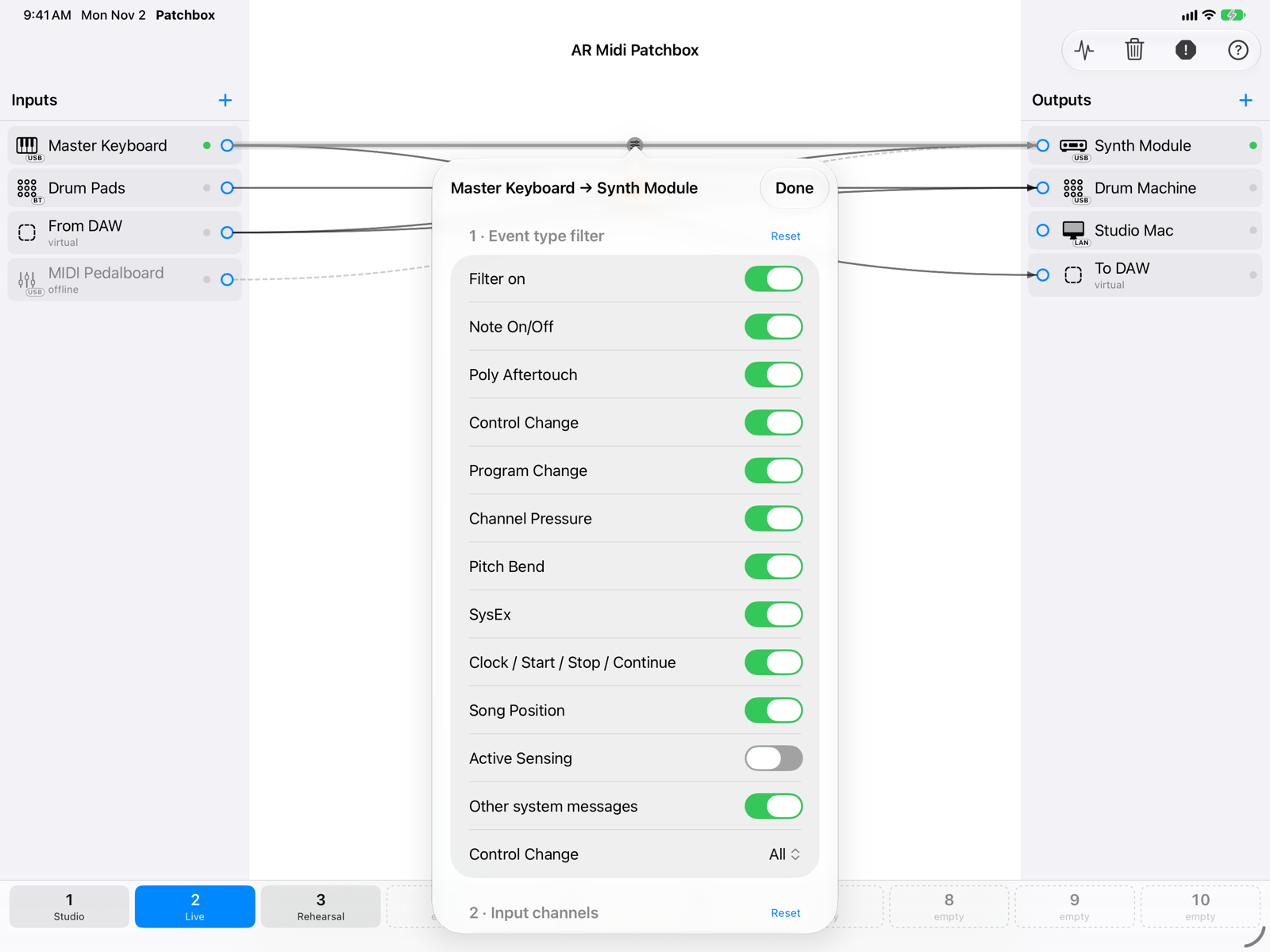
- TitleInput → output of the connection.
- 1 · Event type filterLets through only the message types that are on: Note On/Off, Poly Aftertouch, Control Change, Program Change, Channel Pressure, Pitch Bend, SysEx, Clock/Start/Stop/Continue, Song Position, Active Sensing and the other system messages.
- ResetPuts the section back to its initial values.
With Control Change on you can choose All, Only these or All except these and type the list of CCs: numbers from 0 to 127 separated by commas, ranges with a hyphen (e.g. 1, 7, 64-67).
Channels and router
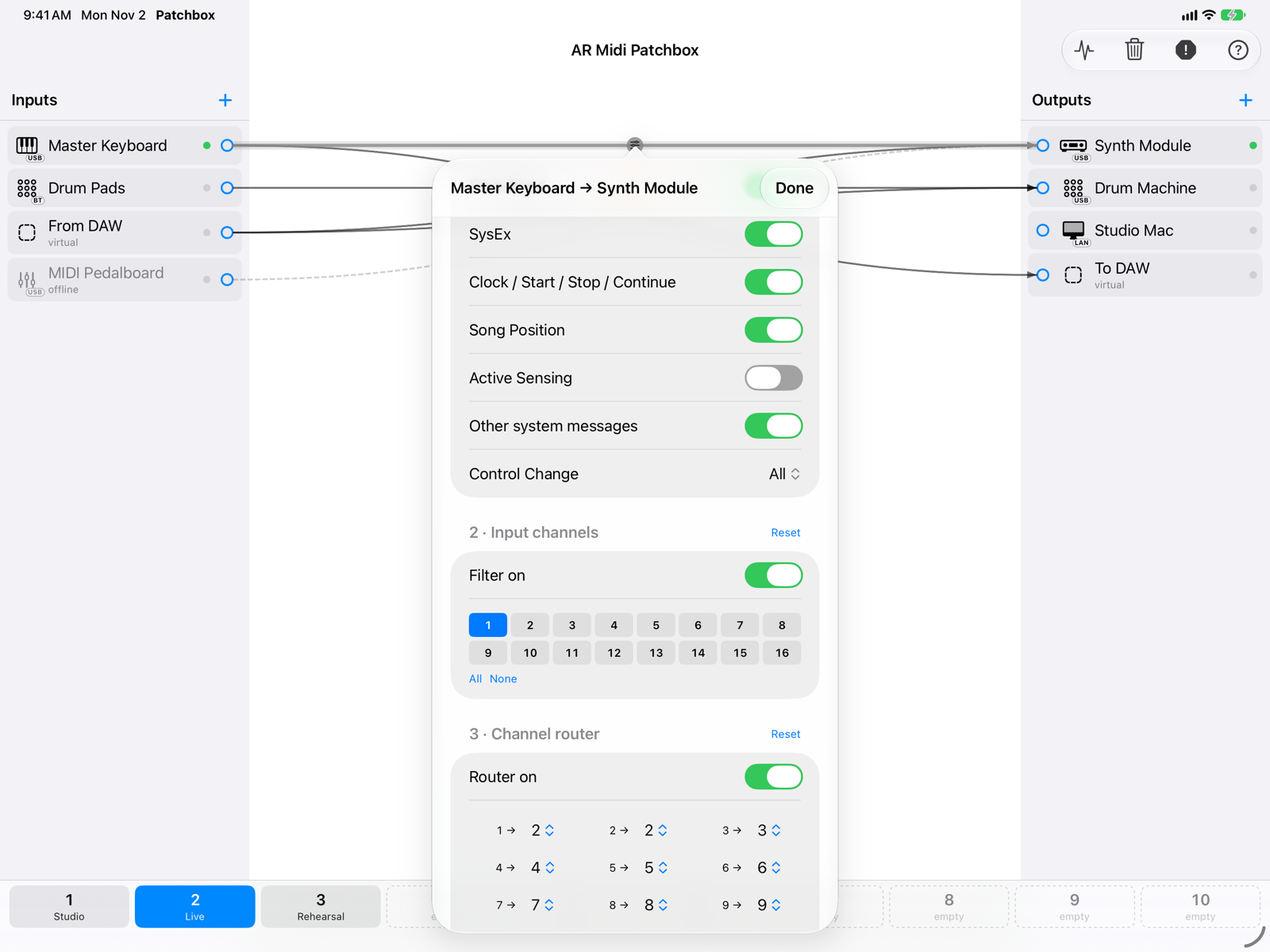
- 2 · Input channelsSixteen switches: only messages on the channels that are on go through. All and None change them all at once.
- 3 · Channel routerFor each input channel, the channel it goes out on. In this example the keyboard plays on channel 1 and the module receives on channel 2.
Transpose and velocity
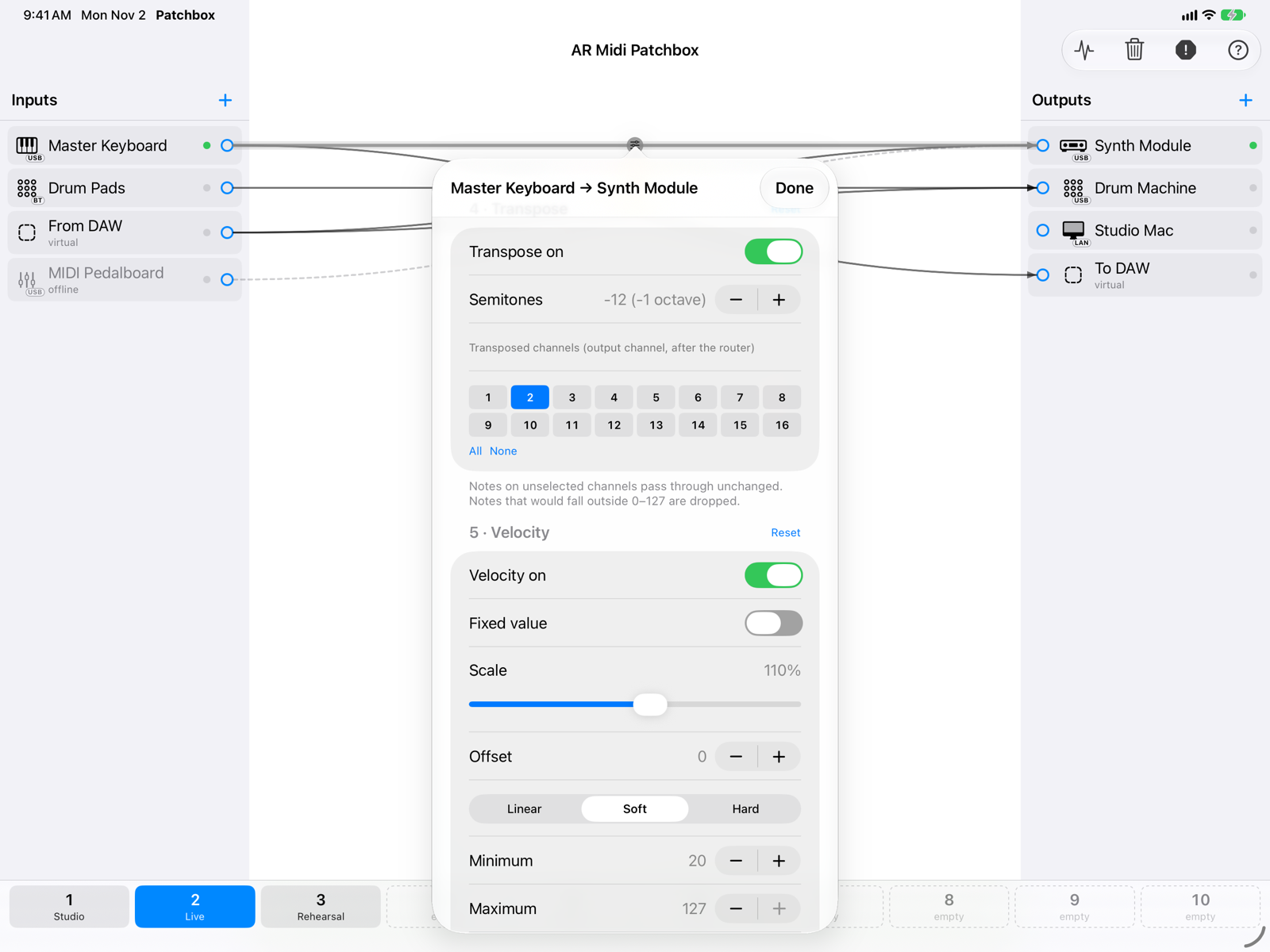
- 4 · TransposeA value in semitones (±48) applied to the chosen channels. These are output channels, after the router: here the transpose applies to channel 2.
- 5 · VelocityNote On only, in this order: Fixed value (when on it replaces everything else), Scale as a percentage, Offset, Curve (linear, soft, hard), Minimum and Maximum. Further down, a graph shows the resulting curve. A note never goes out with velocity 0.
Notes that the transpose would push outside the MIDI range (0–127) are dropped. If you change transpose or router while holding a note, its Note Off still reaches the right note.
Monophonic and Hold
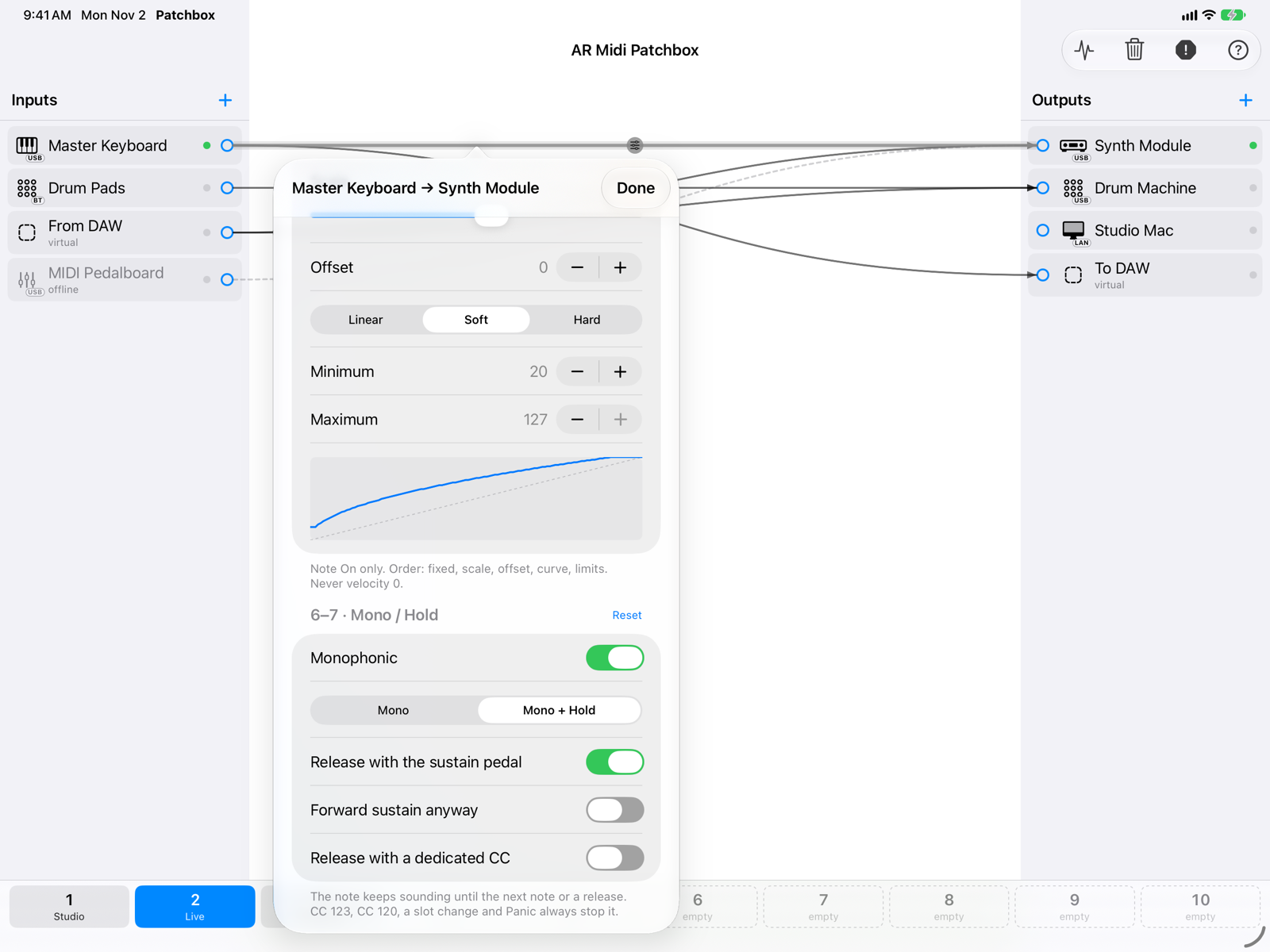
- MonoOne note at a time per output channel, last-note priority: a new note ends the previous one. Useful for basses and monophonic synths.
- Mono + HoldLike Mono, but when you release the key the note keeps sounding until the next note or a release.
- Releasing HoldRelease with the sustain pedal: lifting the pedal (CC64) ends the note; the sustain itself is then not forwarded, unless you turn on Forward sustain anyway. Release with a dedicated CC: a controller of your choice, with a value above 0. CC 123, CC 120, a slot change and Panic always end the note.
Changes are applied after a short pause, so dragging a slider does not send a stream of Note Offs. When a parameter changes, the notes playing on that connection get their Note Off.
On iPhone
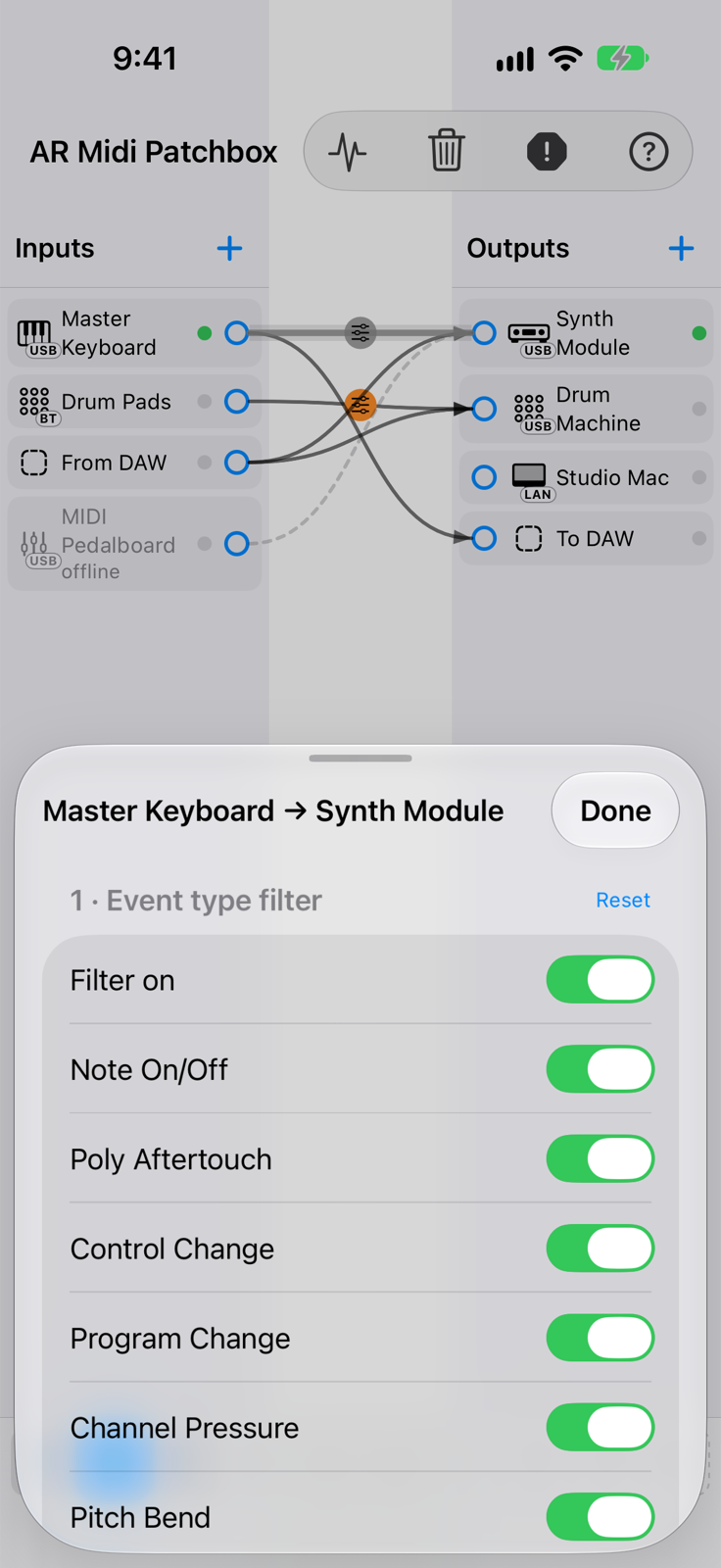
The panel opens from the bottom: drag it up to see it at full height. Done closes it.