
AR Midi Patchbox
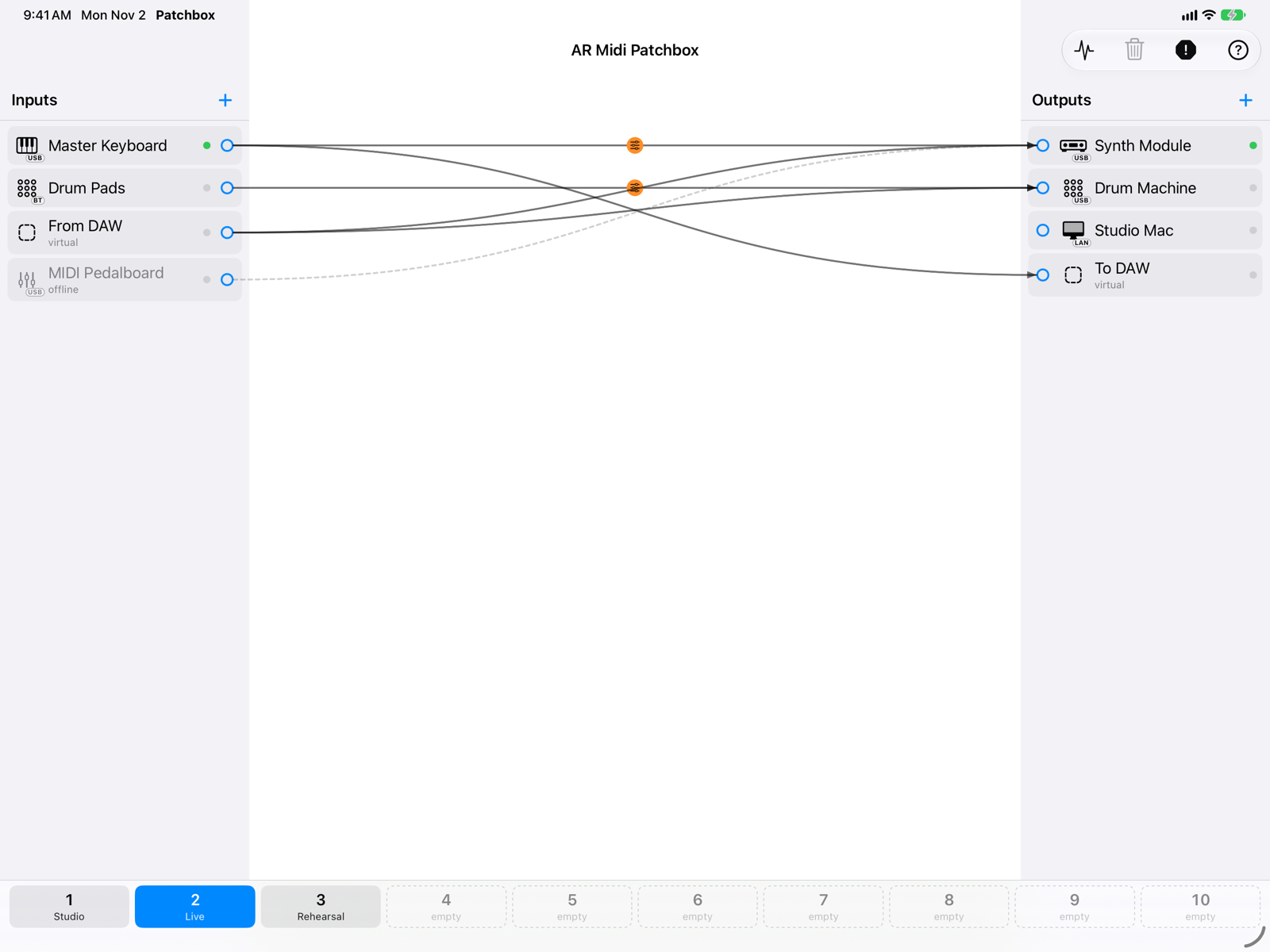
A virtual MIDI patchbay for Mac, iPad and iPhone. Inputs on the left, outputs on the right: drag an arrow from one to the other and the MIDI flows. Every connection has its own filters and transformations, and ten memory slots switch your whole setup with one tap.
How it works
Connect anything to anything
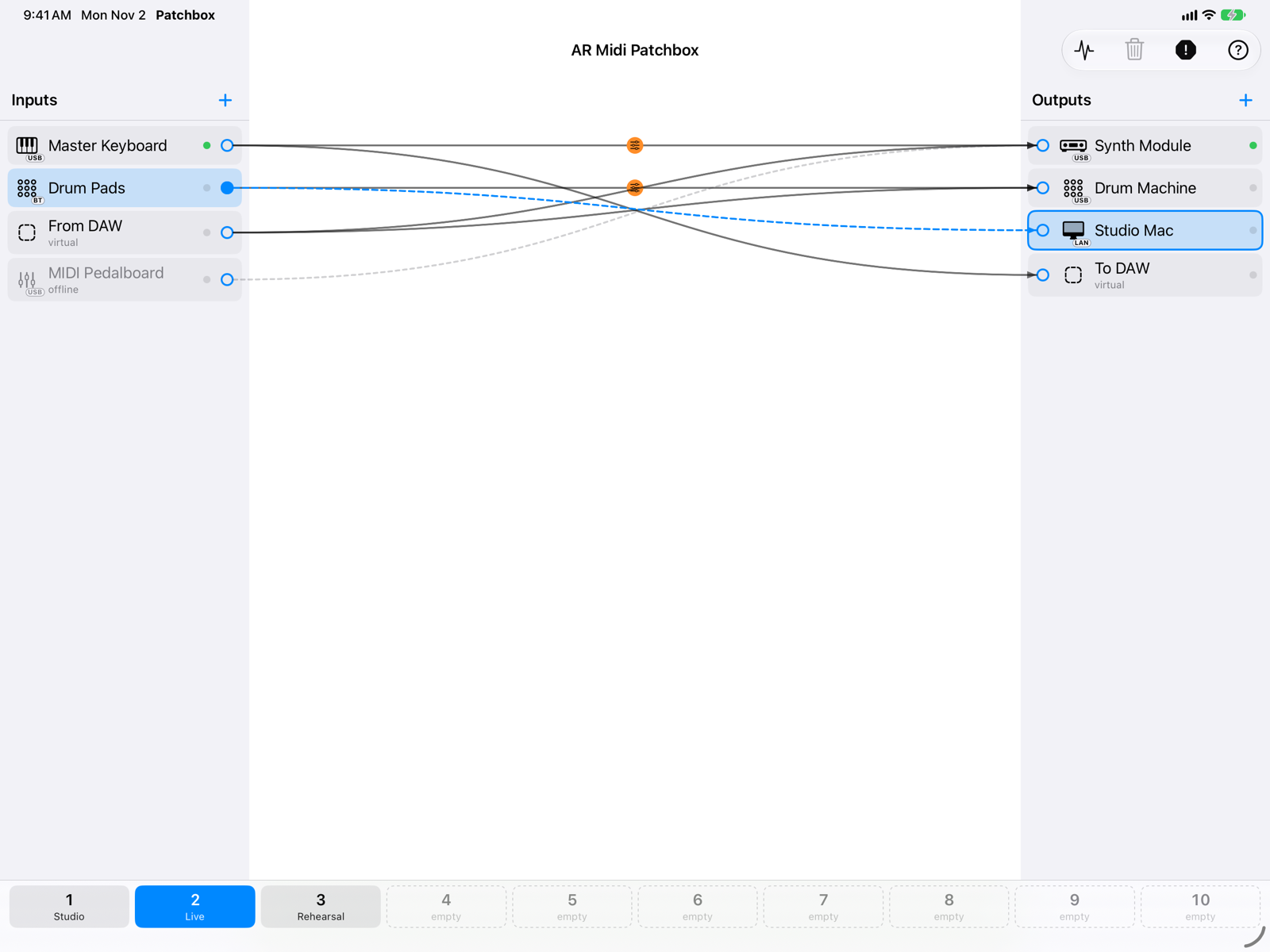
Add your instruments to the two columns and drag an arrow from an input to an output. One input can play several instruments and several inputs can reach the same instrument.
- USB, Bluetooth, network and IAC ports, with the connection type on every icon.
- Virtual ports that DAWs, synths and other apps see as regular MIDI ports, and find again at every launch.
- An unplugged instrument stays in place, greyed out, and comes back with its connections.
Every connection, its own rules
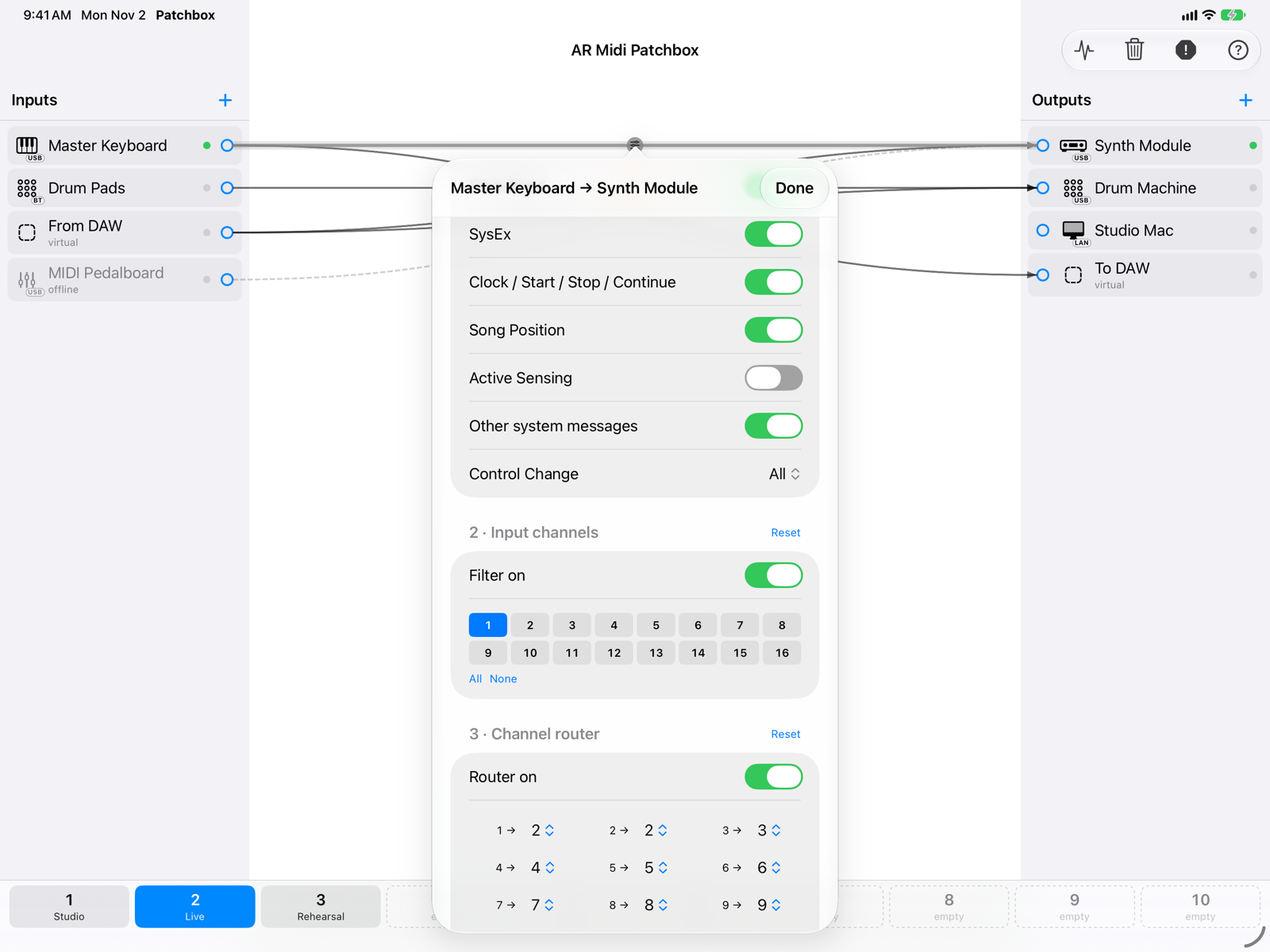
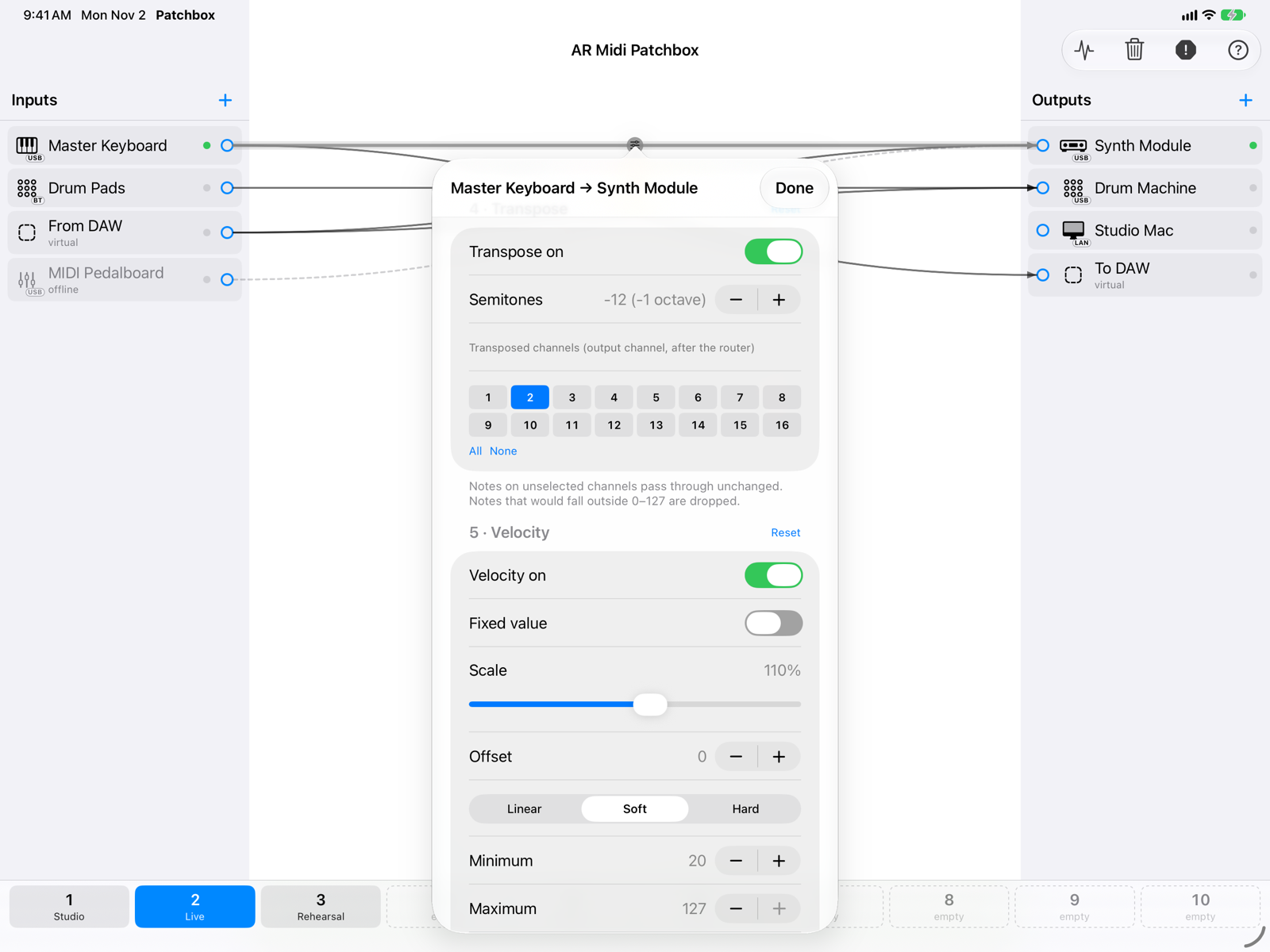
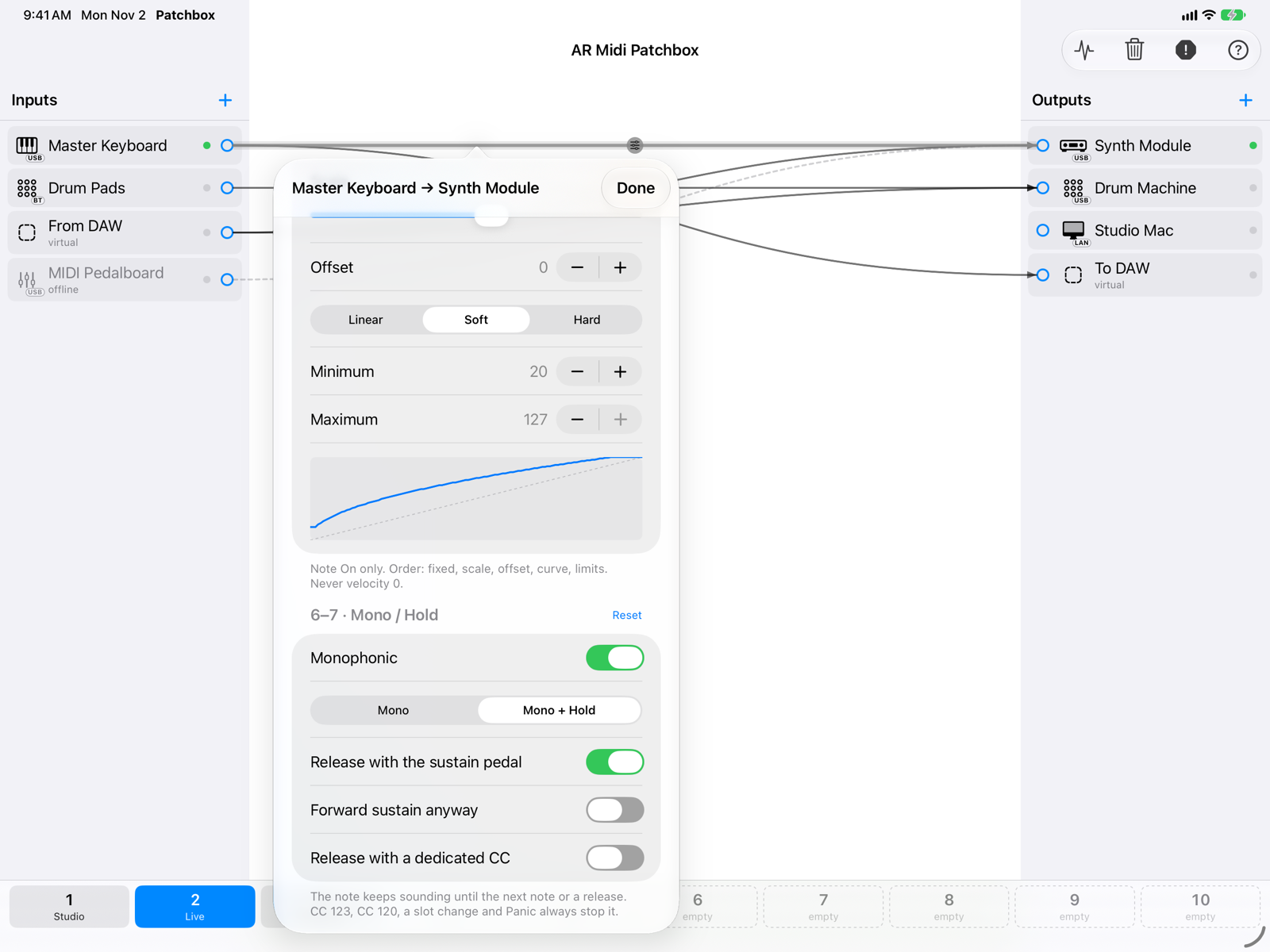
Tap an arrow to shape the MIDI that goes through it, in a fixed and predictable order.
- Event type filter, with a list of allowed or excluded controllers.
- Input channel filter and a 16-channel router.
- Transpose up to four octaves, evaluated on the output channel.
- Velocity: fixed value, scale, offset, curve and limits.
- Monophonic mode and Hold, released by the next note, the sustain pedal or a CC.
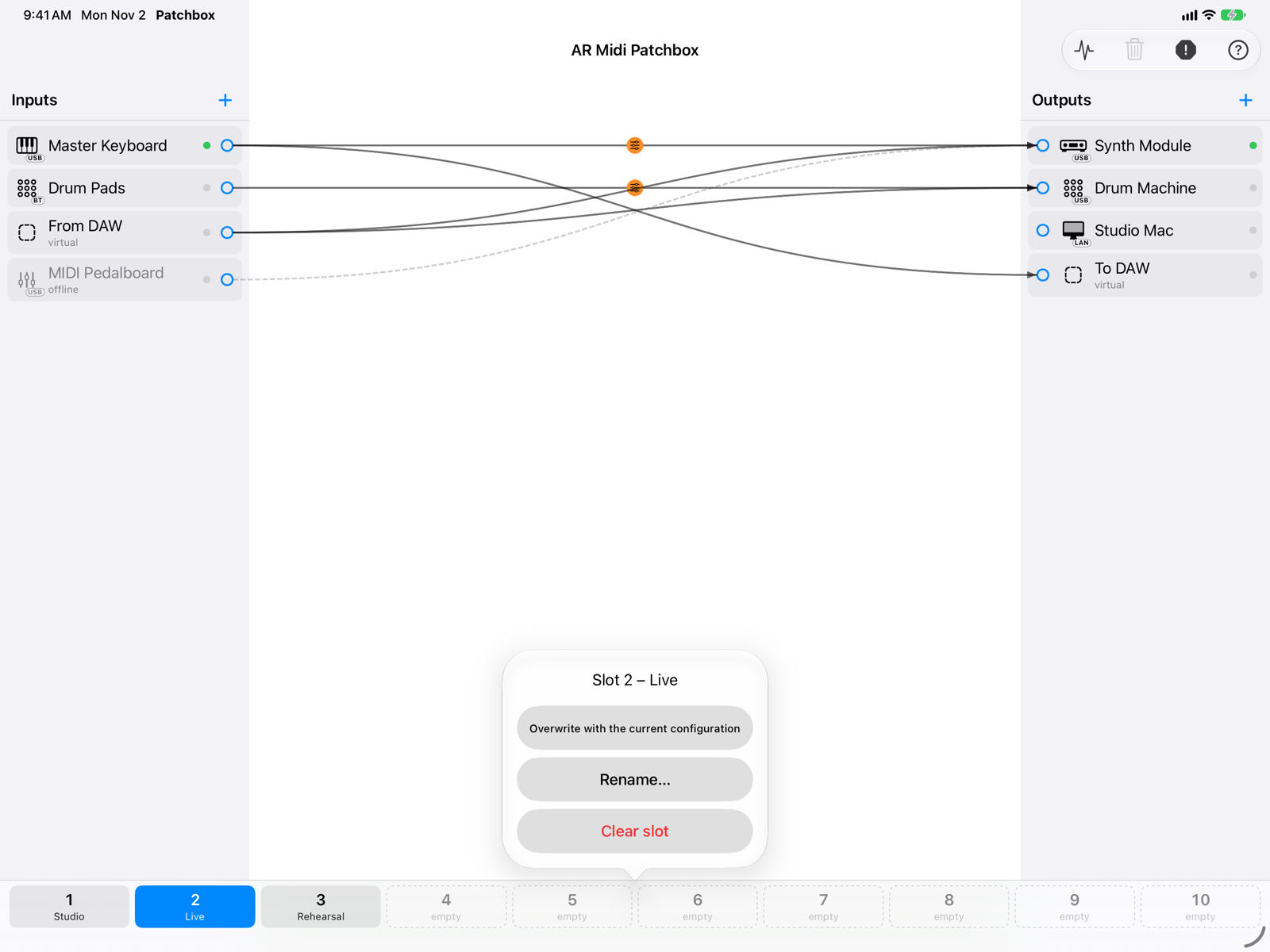
Ten setups, one tap away
Save the whole patchbay — ports, virtual ports, connections and parameters — in one of ten slots and recall it between songs or between studio and stage.
- Notes that are playing are ended before the switch: no stuck notes.
- Virtual ports shared by two slots are kept, so other apps stay connected.
- The current setup is saved automatically and restored at launch.
Built for playing live
The MIDI engine runs on its own real-time path, with every note tracked so that it always gets its Note Off.
- Panic button always in view: Note Off for every note and All Notes Off on every output.
- A rate limiter on every output stops MIDI loops before they lock up your instruments.
- On iPad and iPhone the routing keeps running while you play another app.
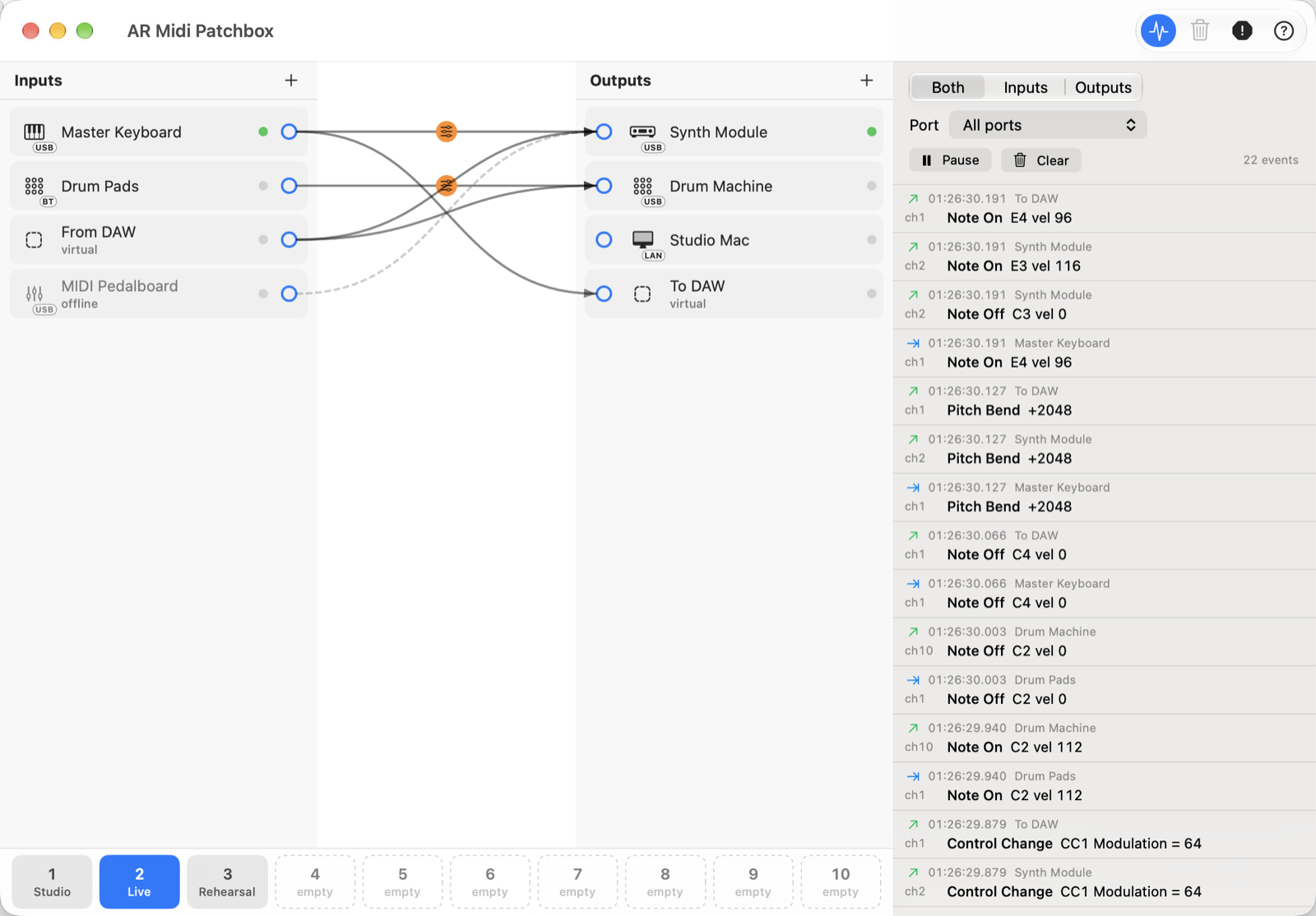
On the Mac too
Everything in the box
Virtual ports
Create named MIDI ports for your DAW and your apps; they keep their identity from one launch to the next.
Bluetooth MIDI
Pair Bluetooth LE keyboards and controllers from inside the app, on Mac, iPad and iPhone.
Network MIDI
Exchange MIDI with other Apple devices on your Wi-Fi or wired network.
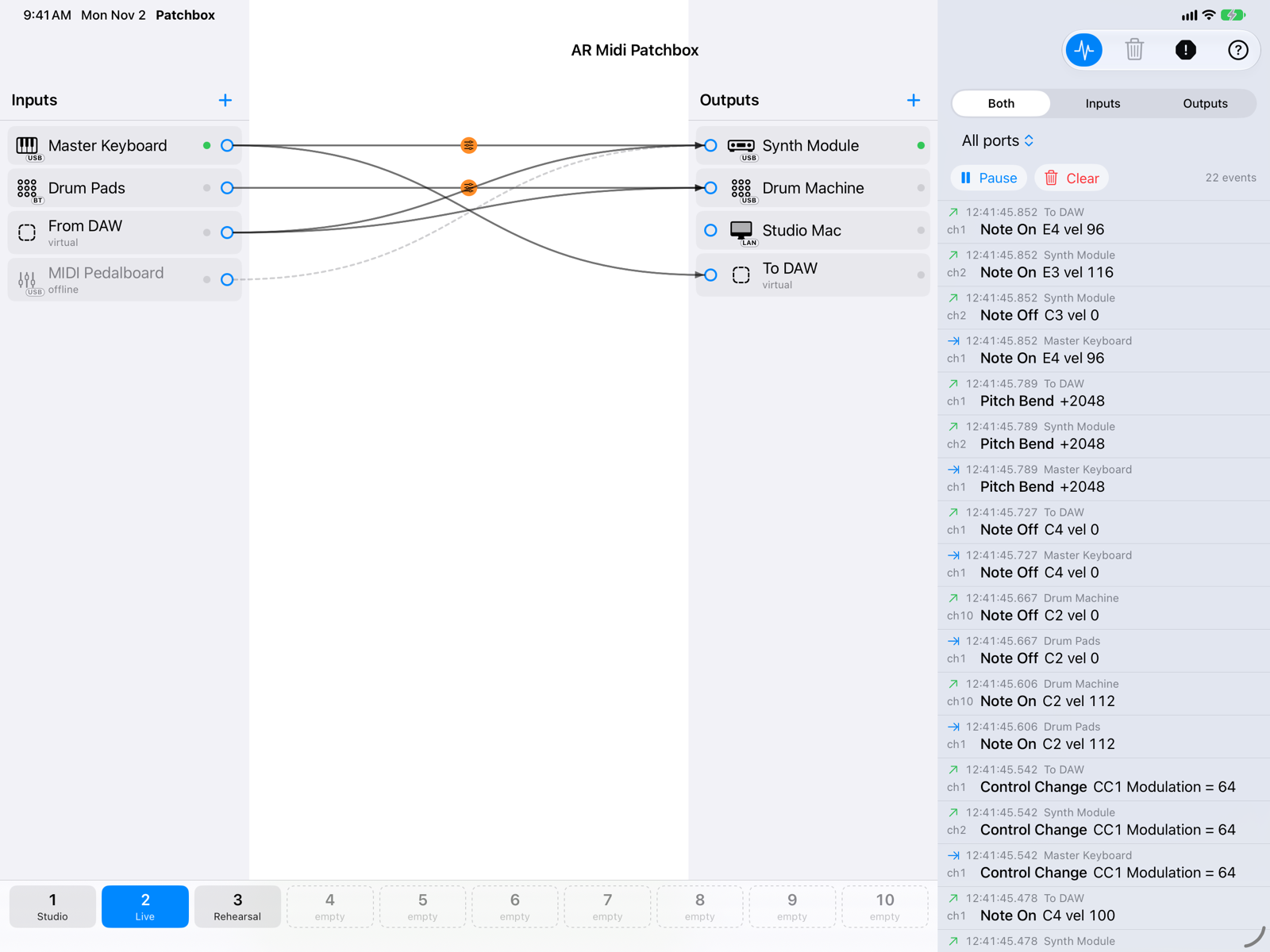
Event monitor
Incoming and outgoing messages with time, port, channel and decoded data, with filters and pause.
Instrument icons
Keyboards, modules, pads, controllers, computers and more, guessed from the device name or chosen by you.
SysEx
System exclusive messages go through whole, up to 64 KB each, never mixed between sources.
Accessible
Create and remove connections with VoiceOver, without dragging.
Free, no strings
No in-app purchases, no ads, no account, no data collected. In English and Italian.
Get the app
AR Midi Patchbox is free on the App Store for Mac, iPad and iPhone. The user guide shows every screen in detail. Privacy · Questions: info@armusic.dev.