Warm-up
Warm up your voice before singing a song. The Warm-up tab collects warm-up exercises that transpose themselves into your range: tap an exercise, the app switches to the Coach and you sing it with the voice line and the score, just like a song. With the editor you create your own.
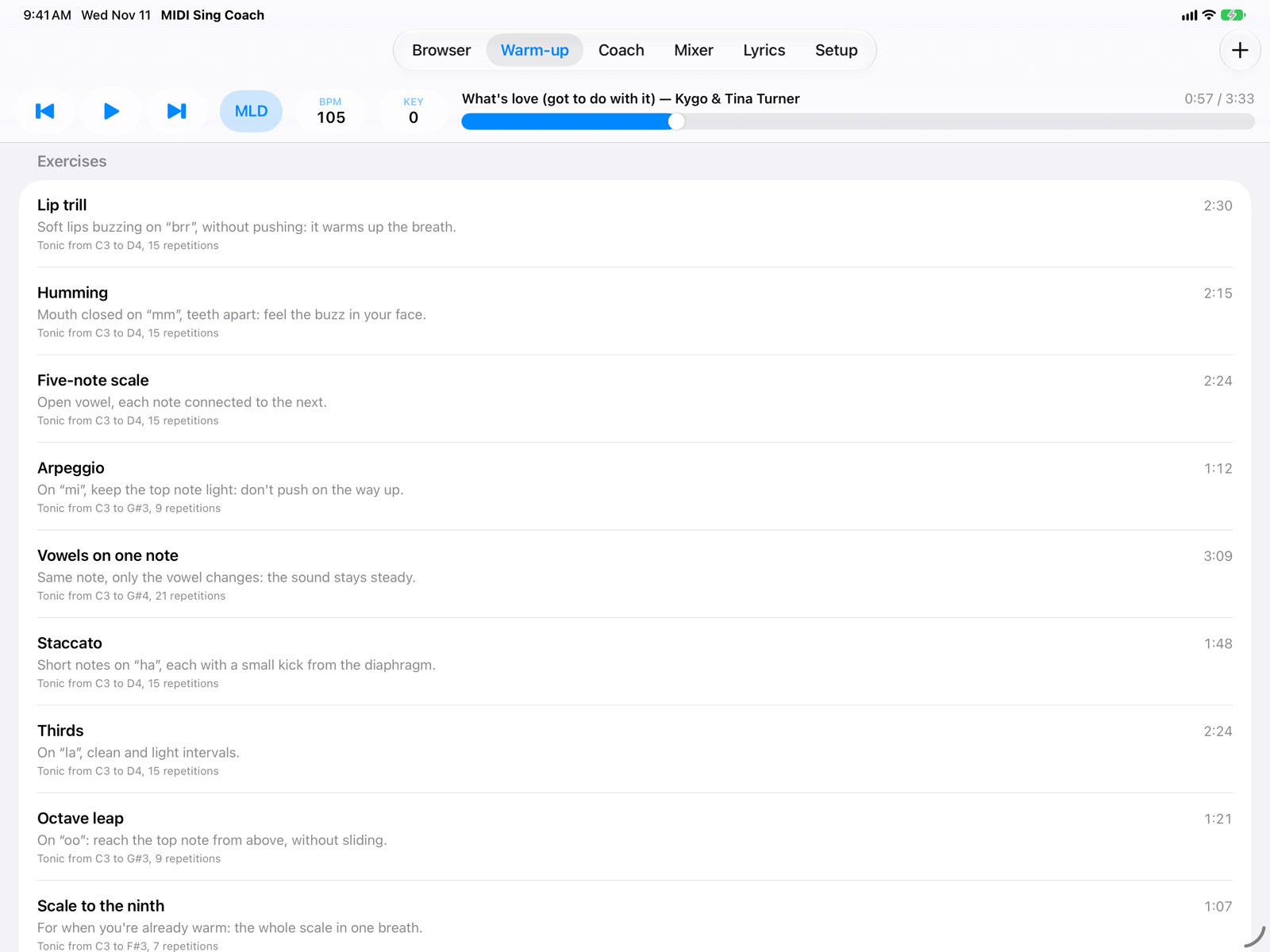
- ExerciseIts name and, below, how to sing it. Tap the row to start.
- KeysThe tonic of the first repetition and the highest one, and how many repetitions you do with your voice.
- LengthHow long the exercise lasts at its tempo.
- New exerciseOpens the editor with an empty exercise.
How an exercise works
An exercise is a short pattern of notes, for example do-re-mi-fa-sol-fa-mi-re-do on “a”, repeated in different keys, the way a teacher does at the piano:
- The piano plays the chords of the key (I–V–I) for one bar.
- You sing the pattern: in the Coach you see the notes, the syllable under each one and the line of your voice.
- The next repetition is a little higher (usually two semitones); at the top, the exercise comes back down.
The keys are chosen so that every note of the pattern is within your range: you are never asked for a note that is too high or too low.
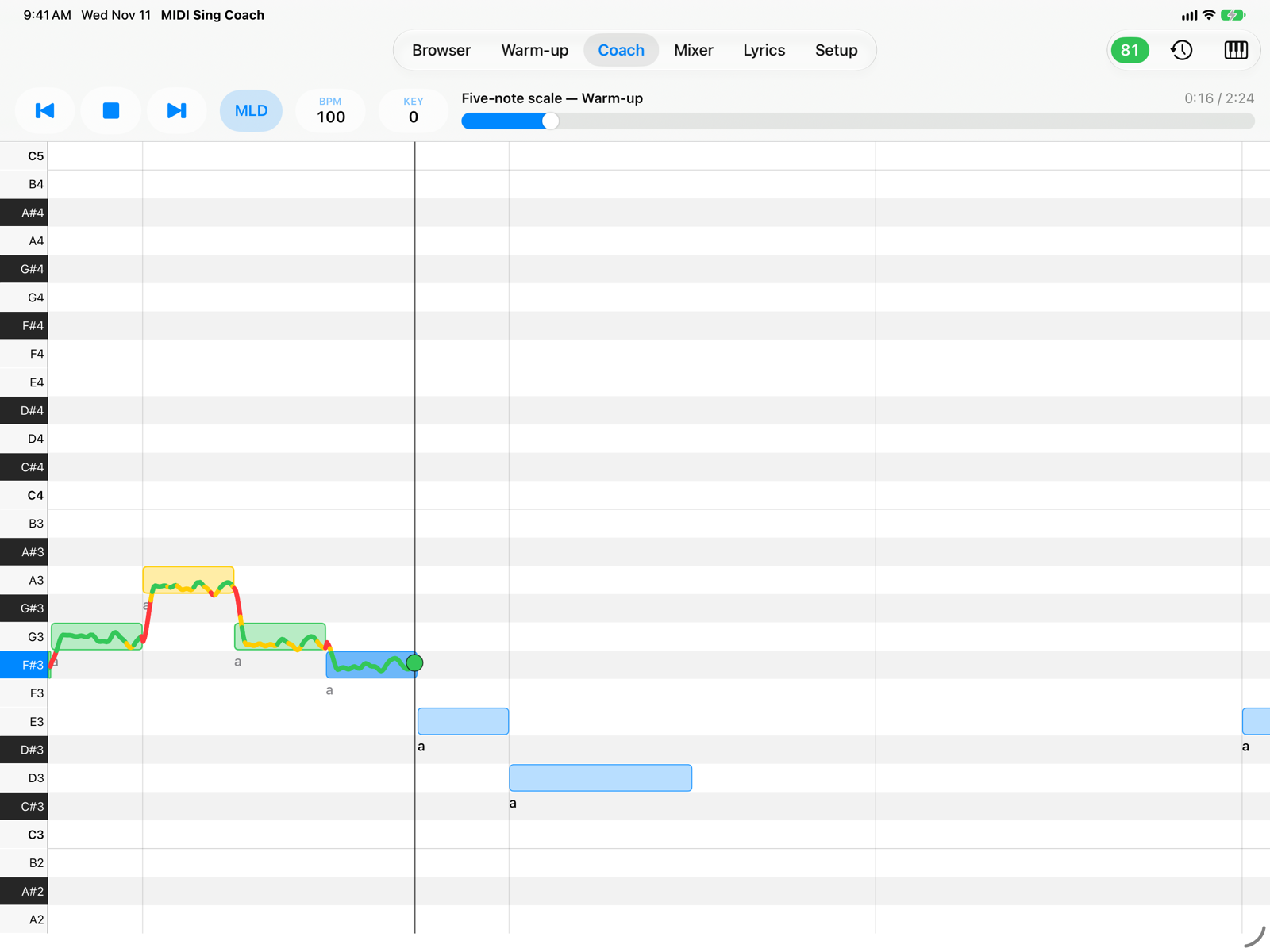
- Current exerciseIn the transport bar, followed by “Warm-up”. ◀ and ▶ go to the previous or next exercise.
- The patternThe notes to sing, with the syllable under each one. Line, colors and score work as with songs: see Coach.
- Play and Stop, BPM and KEY work as with songs. The Melody Octave setting does not apply: exercises are already in your range.
- At the end of a take you get the result: the “phrases to practice” are your weakest repetitions. Exercise takes are saved too.
- Sing with headphones, as with songs: see Headphones and microphone.
Your voice
At the bottom of the tab choose your voice type; the app uses a comfortable range for warming up, not the extreme notes. With Custom you set the lowest and highest note yourself.
| Voice | Range |
|---|---|
| Bass | E2–D4 |
| Baritone | G2–F4 |
| Tenor | C3–A4 |
| Alto | F3–D5 |
| Mezzo-soprano | A3–F5 |
| Soprano | C4–A5 |
If a pattern is wider than your range, the exercise is sung in one key only and the row says so.
Included exercises
| Exercise | Notes | On |
|---|---|---|
| Lip trill | 1-3-5-3-1 | brr |
| Humming | 5-4-3-2-1 | mm |
| Five-note scale | 1-2-3-4-5-4-3-2-1 | a |
| Arpeggio | 1-3-5-8-5-3-1 | mi |
| Vowels on one note | 1-1-1-1-1 | mi me ma mo mu |
| Staccato | 1-3-5-3-1, short notes | ha |
| Thirds | 1-3-2-4-3-5-4-2-1 | la |
| Octave leap | 1-8-1 | u |
| Scale to the ninth | 1…9…1 | a |
| Long note | one note for two bars | a |
The numbers are major-scale degrees: 1 is the tonic, 8 the same note an octave higher. Each exercise moves up and down two semitones per repetition and lasts two to three minutes; the long note only goes up.
Your exercises
Touch and hold an exercise for its menu: Duplicate makes a copy you can edit (also of the included ones, which stay as they are); your own exercises also have Edit and Delete. You can also delete one by swiping its row to the left. Your exercises appear under Your exercises.
The editor
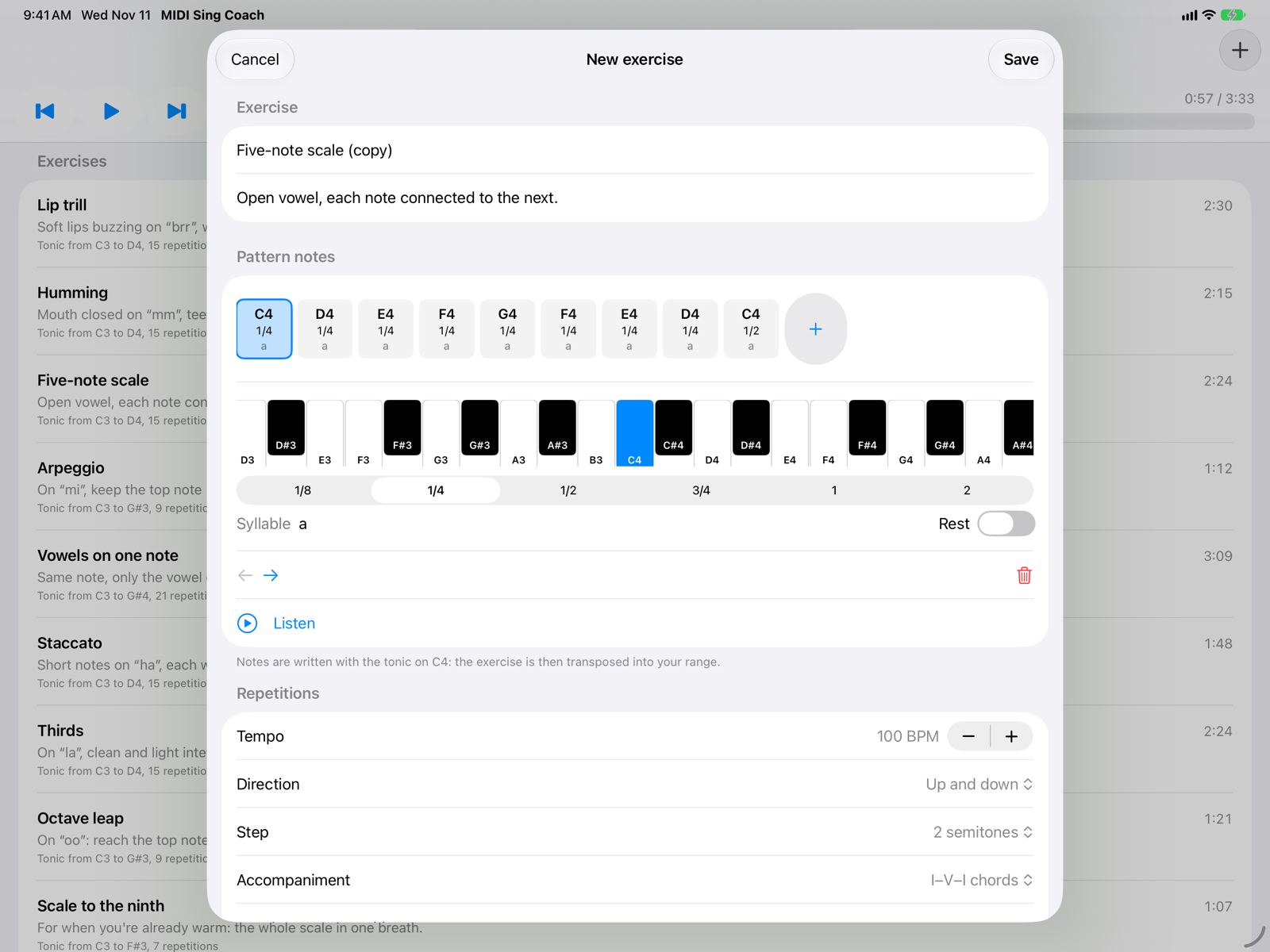
- Name and descriptionThe name is required; in the description write how to sing it.
- Pattern notesOne box per note: pitch, length and syllable. Tap a box to select it; + at the end adds the same note after the selected one.
- KeyboardThe pitch of the selected note. Notes are written with the tonic on C4: the exercise is then transposed into your range. Tapping a key plays the note.
- LengthIn 4/4 bars: 1/8 eighth note, 1/4 quarter note, 1/2 half note, 3/4, 1 whole note, 2 two bars.
- Syllable and restThe syllable shown under the note in the Coach. Rest turns the note into a silence of the same length.
- Move and deleteThe arrows move the selected note left or right; the trash can deletes it.
- ListenPlays the pattern once, with its chords, in the lowest key of your voice. Tap again to stop.
Below, the Repetitions section:
- Tempo: 50 to 180 BPM.
- Direction: Up, Down or Up and down.
- Step: how much the key changes from one repetition to the next, 1 or 2 semitones.
- Accompaniment: I–V–I chords, tonic only or none, for one bar before each repetition.
- Rest between repetitions: none, 1 or 2 bars to catch your breath.
- With your voice: how many repetitions and how long the exercise lasts with the chosen voice.
Save becomes available when the exercise has a name and at least one note.
On iPhone
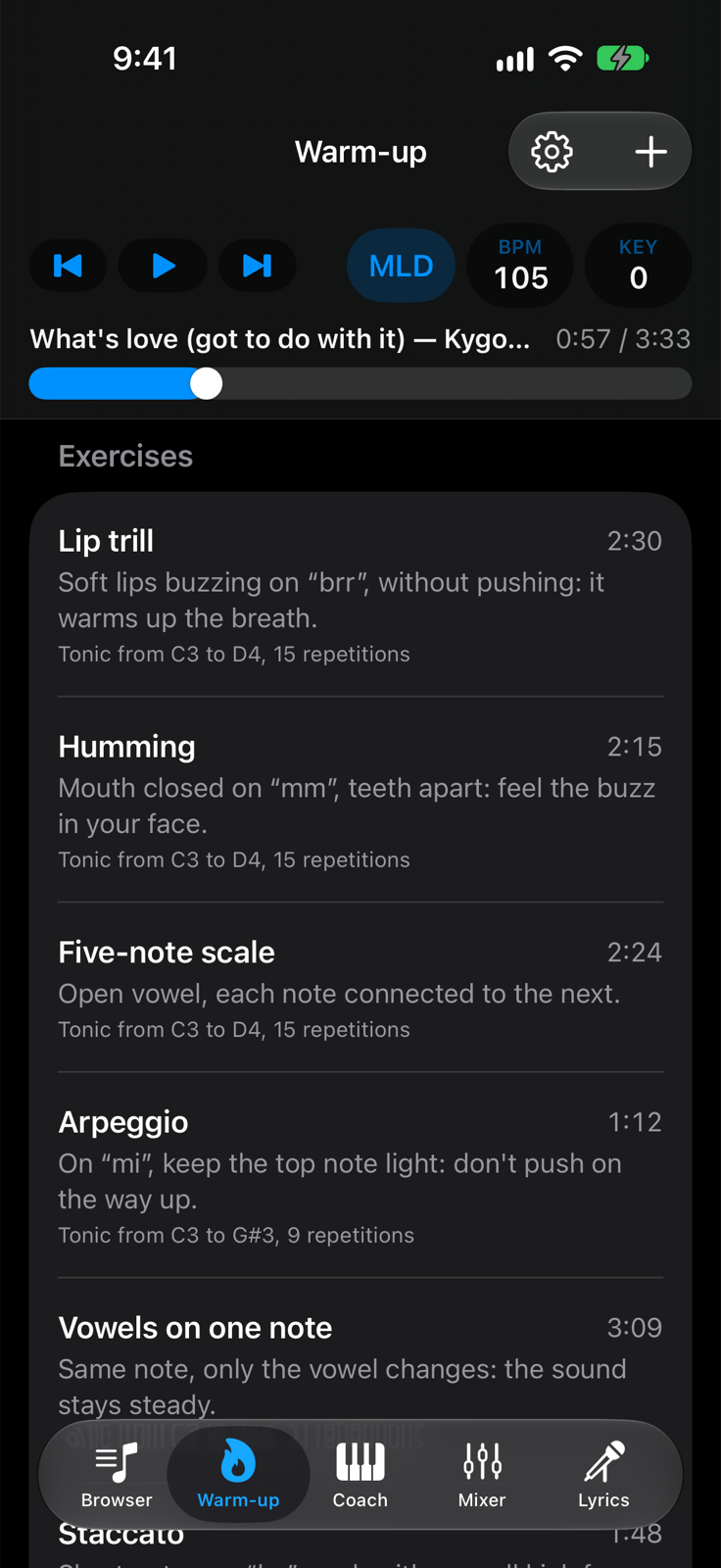
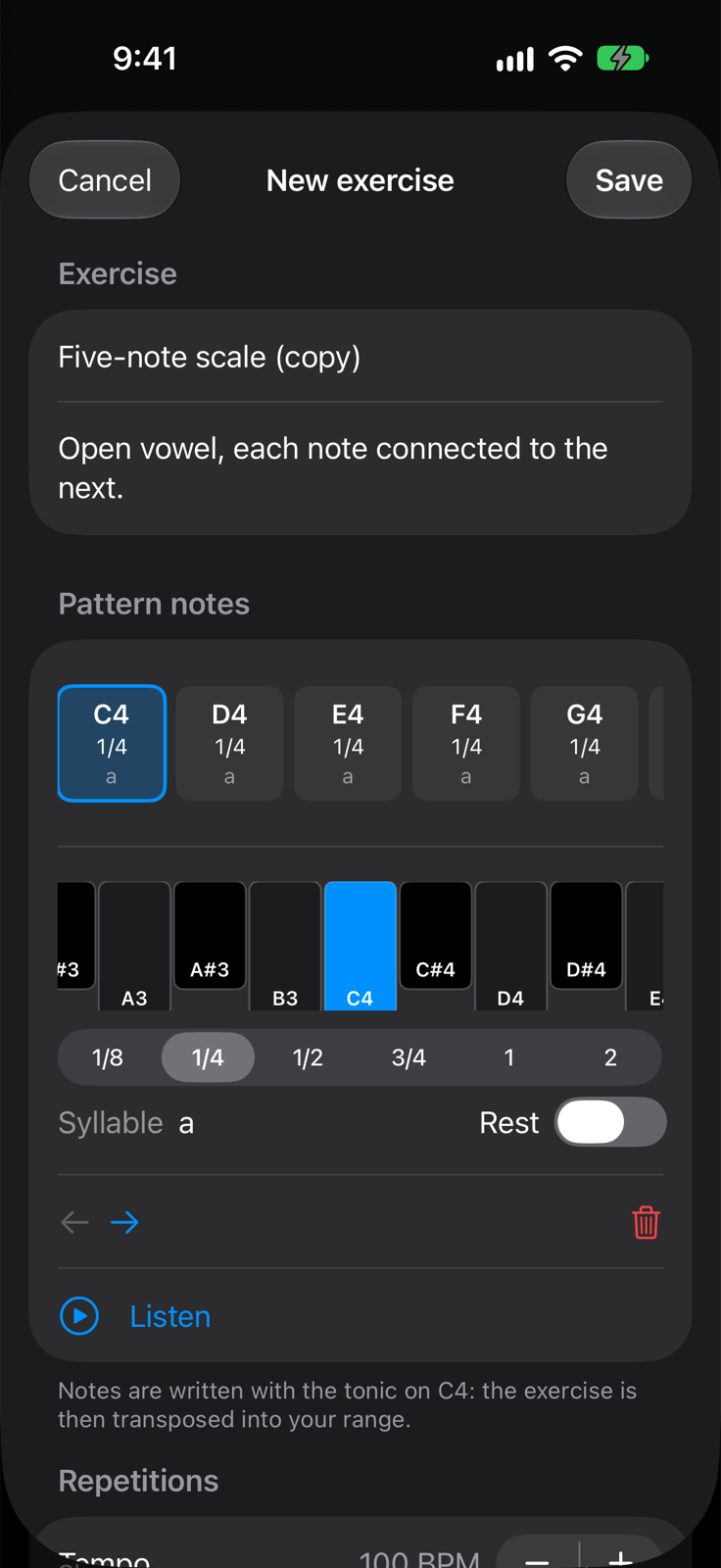
The same controls. The editor opens full screen and the keyboard scrolls sideways.