MIDI Sing Coach
Coming soon to the App Store For iPad and iPhone.
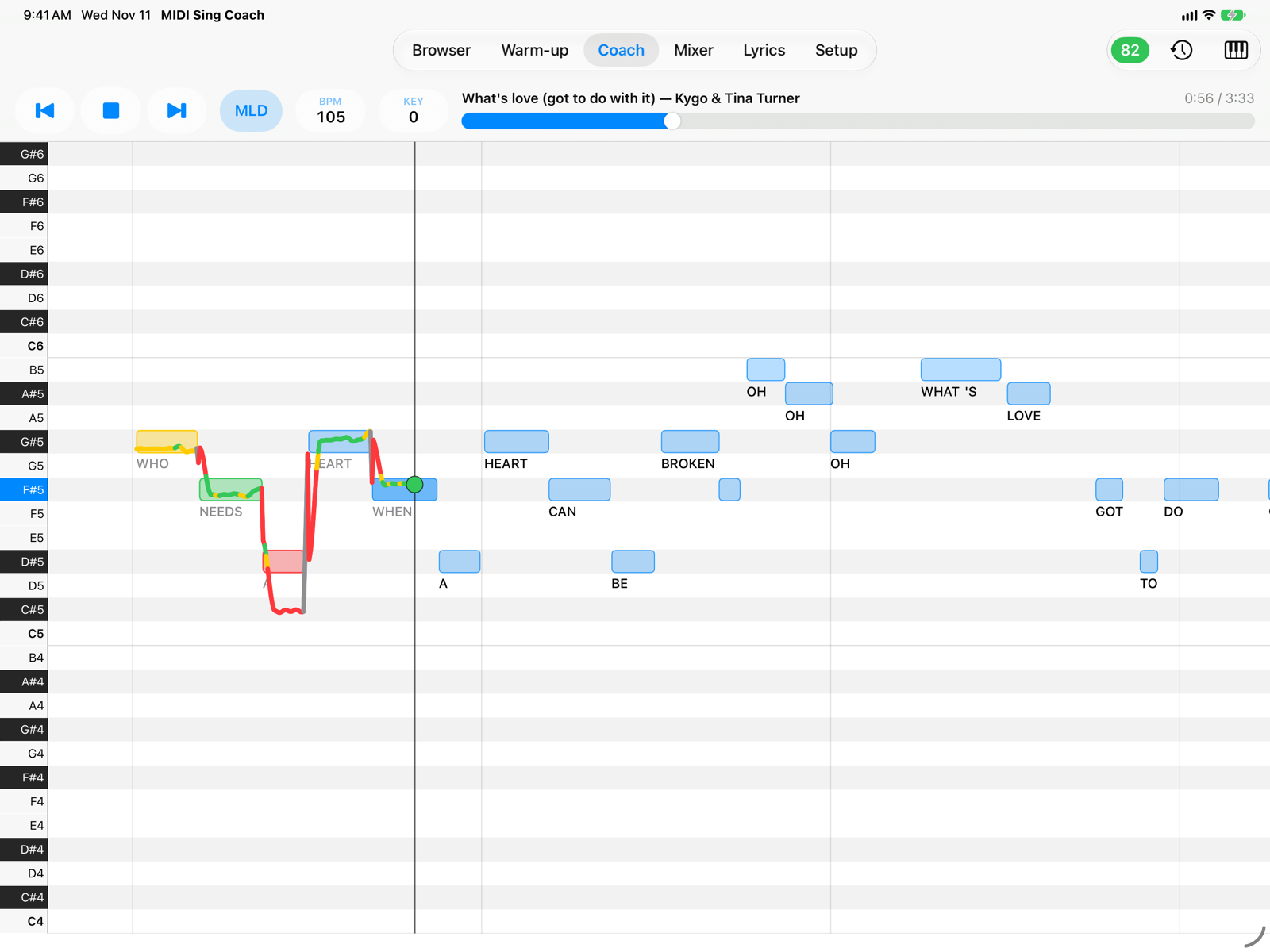
A pitch trainer for iPad and iPhone. While the MIDI backing track plays, the Coach tab shows the melody as a piano roll and, on top of it, the line of your voice: you see right away where you are sharp, flat or out of time, and at the end of the song you get a score and the phrases to practice.
MIDI backing tracks are not included
Apart from two copyright-free examples, the app contains no MIDI files: you use your own backing tracks, ones you buy, or free ones from non-commercial sites. The songs in the screenshots are tracks purchased by the author and are not part of the app. Where to find them and how to copy them →
What you can do
- See how you sing: the song's melody as a piano roll and the continuous line of your voice, green when you are in tune, yellow when you are close, red when you are off.
- Read the lyrics while you sing: syllables under the notes or the current line above the piano roll, and the full-page Lyrics tab.
- Get a score from 0 to 100 for every take, with in-tune, close, off-pitch and unsung notes, your tendency (flat or sharp) and the three phrases to practice.
- Warm up your voice with the Warm-up exercises, transposed into your range, or with the ones you create.
- Review your takes: the last 20 of each song, with their singing line.
- Fit the track to you: key (KEY), tempo (BPM), melody octave, melody on or off (MLD) and a per-channel mixer.
- Great sound: a SoundFont synthesizer with reverb and chorus, your own
.sf2banks, output to MIDI sound modules or keyboards.
Getting started
- Put on your headphones: the microphone must hear your voice, not the backing track. See Headphones and microphone.
- Copy your backing tracks with the Files app into On My iPad › MIDI Sing Coach, or choose a folder in Setup › Library.
- Tap a song in the Browser, open the Coach tab and press Play. The first time, allow the microphone.
- Sing. When you press Stop you see the result of the take.
Requirements: iPad or iPhone with iPadOS/iOS 17 or later. The app is in English and Italian and follows the device language. Your voice is never recorded or sent anywhere: only the pitch line is saved, on the device.