Score and takes
Every time you sing a song in the Coach you make a take: at the end you see the score, the notes in tune and those to work on, your voice's tendency and the phrases to practice. Takes are saved so you can follow your progress.
The result
It appears when you press Stop, when the song ends or when you load another one, if the Coach is open and you have sung at least a few notes.
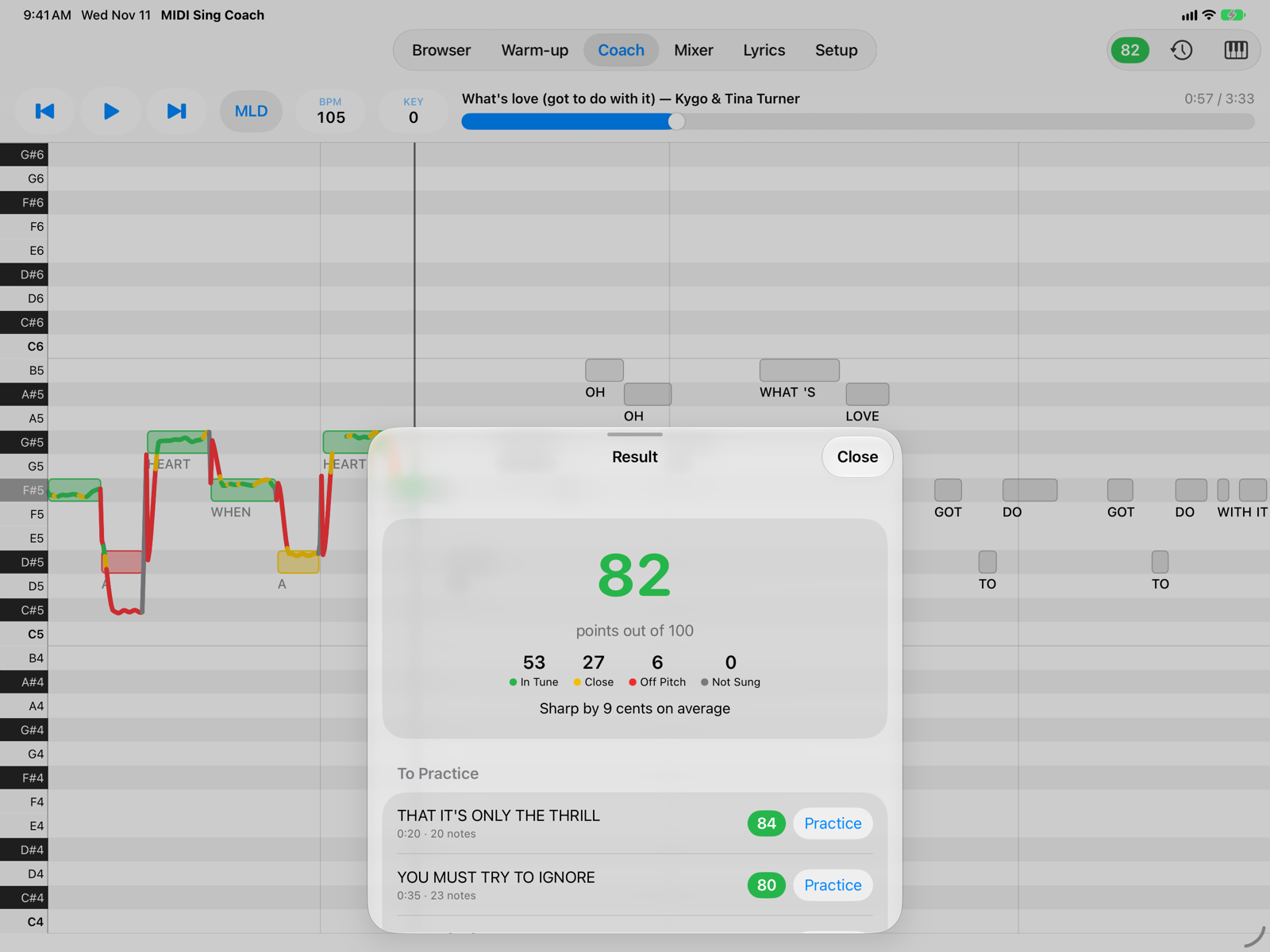
- ScoreFrom 0 to 100, on the melody notes you met while singing.
- NotesIn Tune: for most of the note you are within the green tolerance. Close: within ±50 cents. Off Pitch: further away. Not Sung: the microphone heard almost nothing on the note; they count as zero.
- TendencyWhether on average you sing a little below the note (“flat”) or above it (“sharp”), and by how many cents. A cent is a hundredth of a semitone.
- To PracticeThe three phrases with the lowest score, with their lyrics. Practice closes the result and takes the song back a second and a half before the phrase: press Play and try again.
How it is calculated
- The notes of the melody on the channel shown in the Coach are scored, with the chosen key (KEY) and octave. Very short notes don't count.
- Moving from one note to the next is normal and isn't scored: the start and end of each note are left free. Coming in slightly early or late isn't a mistake either.
- For each note what counts is how long you stay in the green (full value) and in the yellow (half value).
- The song's score is the average of the notes, weighted by their length: long notes count more.
- Only the part you sang counts: if you stop halfway, the score is for that half.
- The green tolerance (±15, ±25 or ±35 cents) and Ignore Octave are set in Setup › Singing.
Saved takes
The Takes button (the clock at the top of the Coach) opens the list of takes for the loaded song: score, date, notes in tune and tendency, recalculated with the tolerance chosen now. To delete one, swipe the row to the left, or open it and use the trash button.
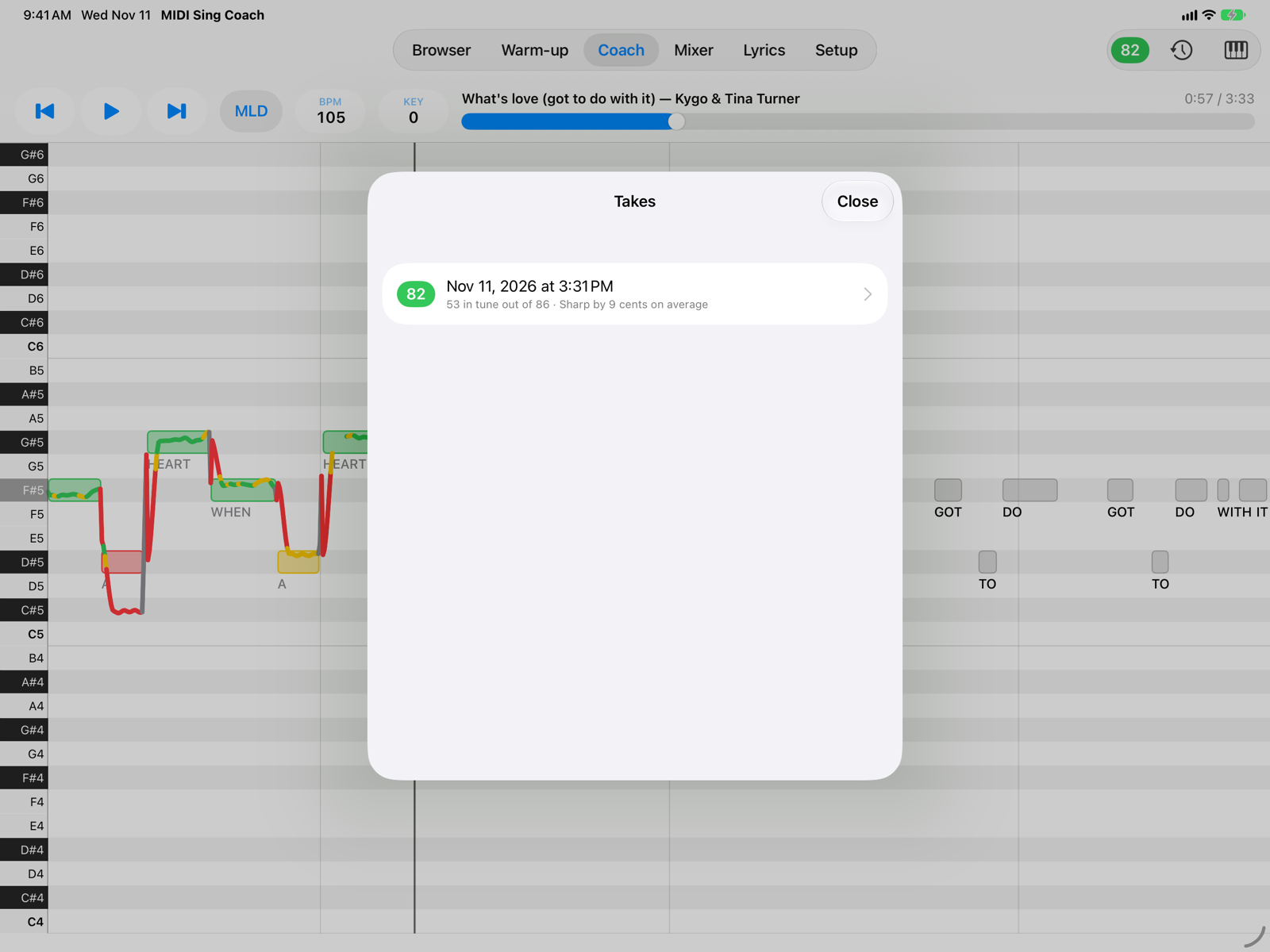
- A takeTap it to review it.
Reviewing a take
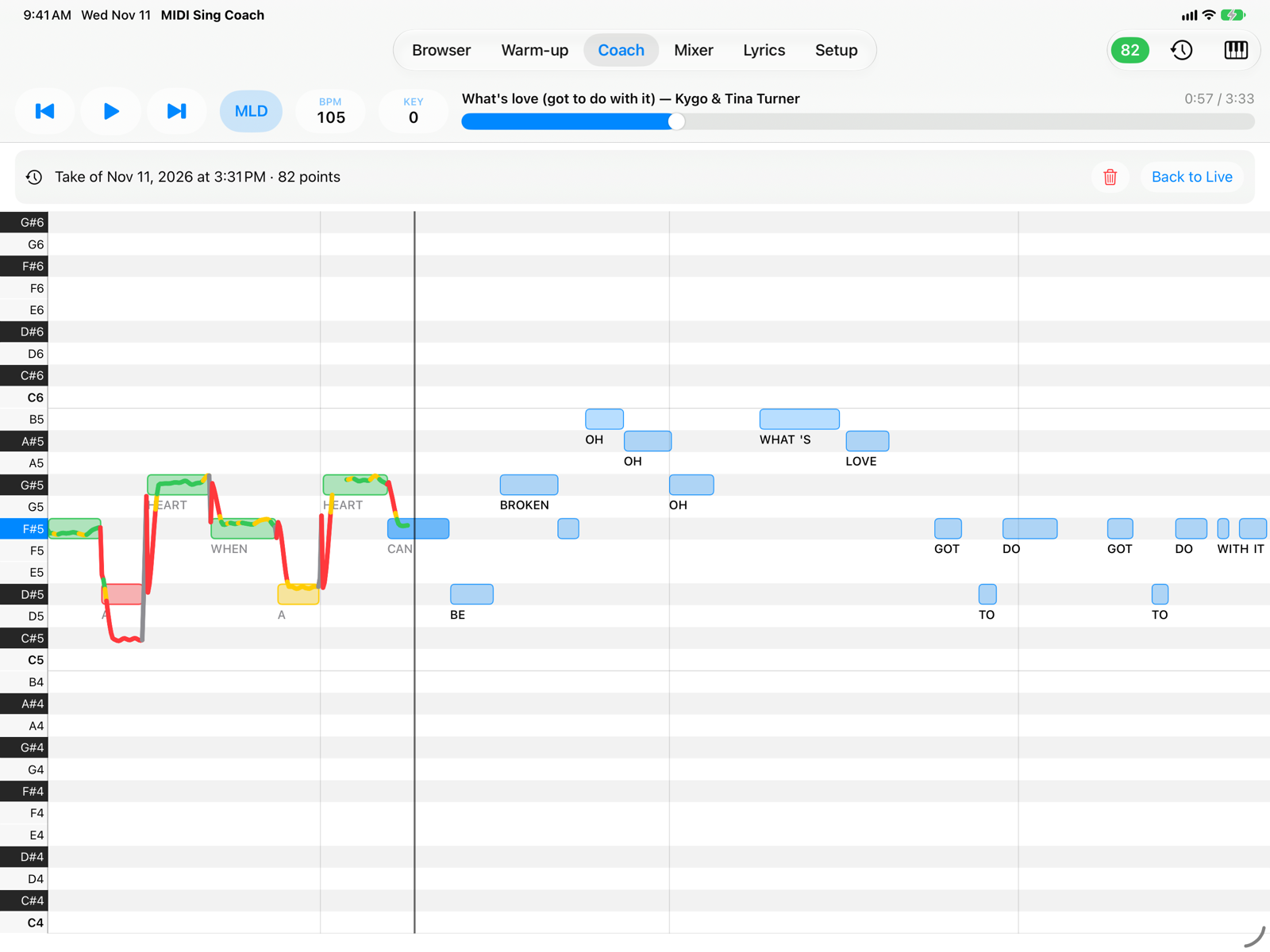
- Take under reviewThe Coach shows that take's line and score instead of the live ones. If you sang it with another KEY or octave, the banner reminds you. Move the song position to see all of it.
- Delete TakeThe trash button deletes the take you are reviewing, after you confirm, and returns to live.
- Back to LiveReturns to the current take. Pressing Play also returns to live.
Up to 20 takes per song are kept: the oldest are deleted automatically. If you stop the song and restart from the same point, you continue the same take; going back to the start begins a new one.
Your voice is not recorded: each take keeps only the score and the pitch line, on the device.