Transport and menus
The toolbar at the top of the window is the same in every section: from any screen you can start and stop the song, skip to the next one, change tempo and key and mute the melody. The same commands are in the menus and on the keyboard.
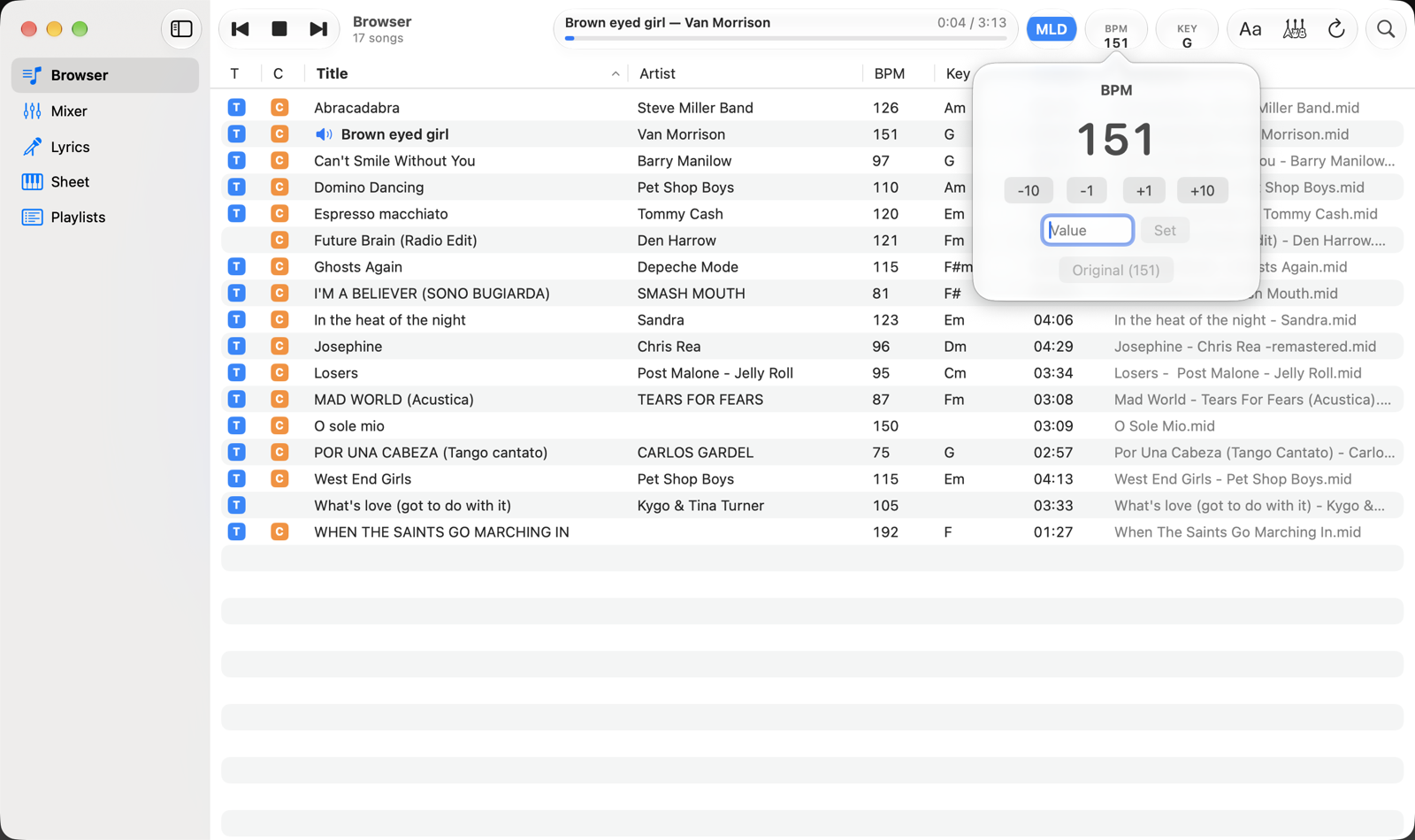
- BPMThe song's tempo. Click it to change it; the number turns blue when it differs from the original.
- BPM popover−10, −1, +1, +10 change the tempo in steps; you can also type the value and press Return or Set. Original goes back to the file's tempo. The tempo changes without changing the pitch. Click outside the popover to close it.
Toolbar commands
- Previous song, Play/Stop, next song. Previous and next follow the list in use: the Browser, with the current search and filters, or the playlist you loaded the song from. After the first 3 seconds, previous song goes back to the start of the current song.
- Progress. Title, artist, elapsed time and duration. Click or drag on the bar to go anywhere in the song.
- MLD (melody), with three states: blue, the melody plays; light blue, the melody goes only to the expander on MIDI Output and not to the Mac's synthesizer; grey, the melody channel is silent so you can sing or play the part yourself. Each click moves to the next state. The melody channel is chosen in Settings (usually 4).
Key (KEY)
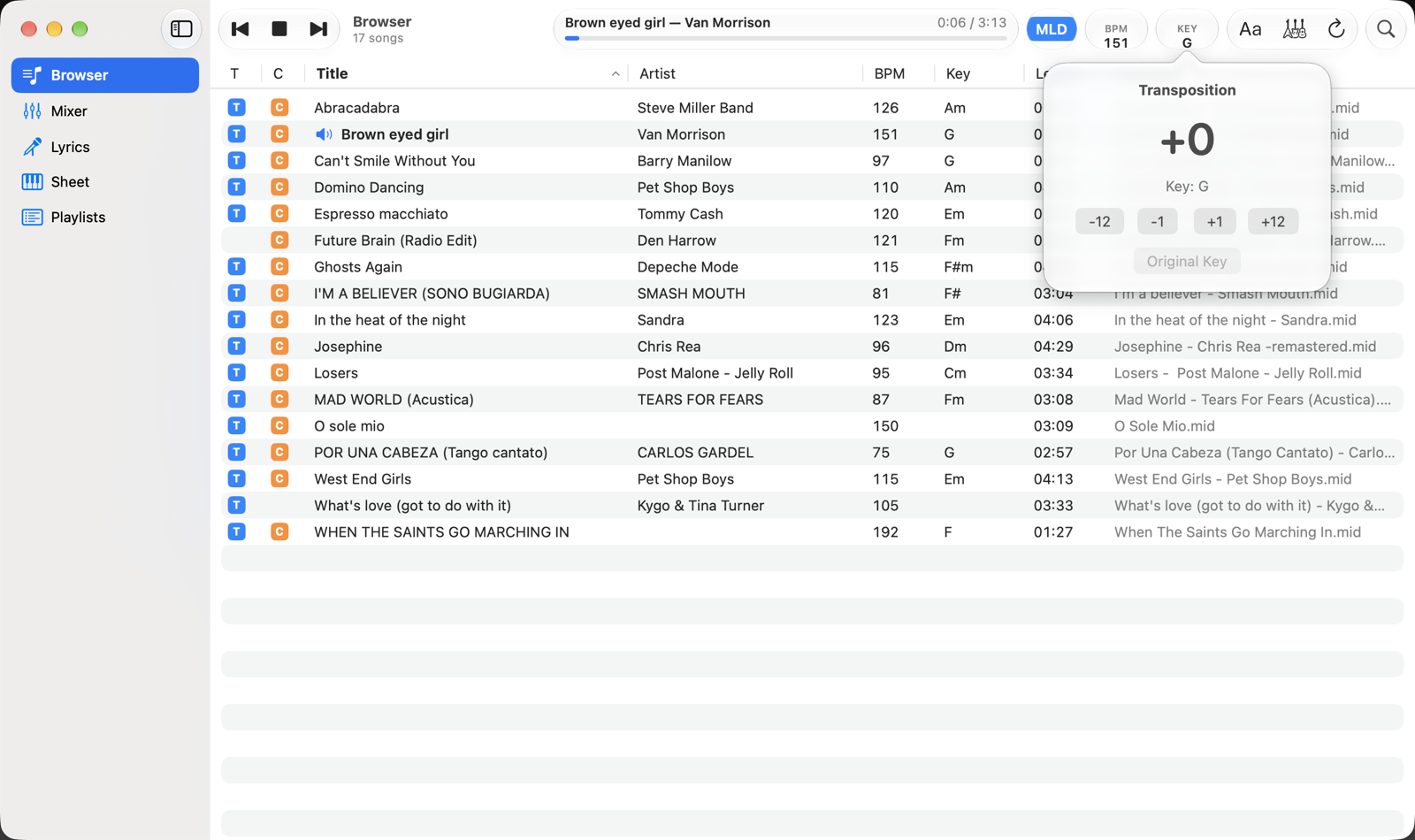
- KEYThe song's key and transposition. It turns blue when the song is transposed.
- Transposition−1 and +1 move by a semitone, −12 and +12 by an octave, up to ±24 semitones. The line below the value shows the resulting key. Original Key cancels the transposition.
Transposition applies to the audio, the MIDI outputs, the chords in Lyrics and the notes in Sheet. Drums (channel 10) are never transposed. The displayed key comes from the file; if the file doesn't specify one, the app estimates it from the chords.
Menus and shortcuts
| Command | Where | Keys |
|---|---|---|
| Play / Stop | Controls | space bar |
| Previous Song | Controls | ⌘ ← |
| Next Song | Controls | ⌘ → |
| Open a File… | File | ⌘ O |
| Karaoke Second Screen | Window | ⌘ K |
| Settings… | AR MIDI Player | ⌘ , |
| Load the selected song or entry | Browser, Playlists | Return |
| Delete the selected entry or playlist | Playlists | ⌫ |
The space bar does Play/Stop everywhere, except while you're typing in a text field (search, notes, values): there it types a space.
Count-in and metronome
If you've chosen a Count-In of one or two bars in Settings › General › Metronome, pressing Play first gives you the count, at the song's tempo where you start, then the song. There you can also turn on the metronome for the whole song.