Sheet
A channel's notes fall towards a piano keyboard and reach it the moment they play: to learn a part or follow the melody.
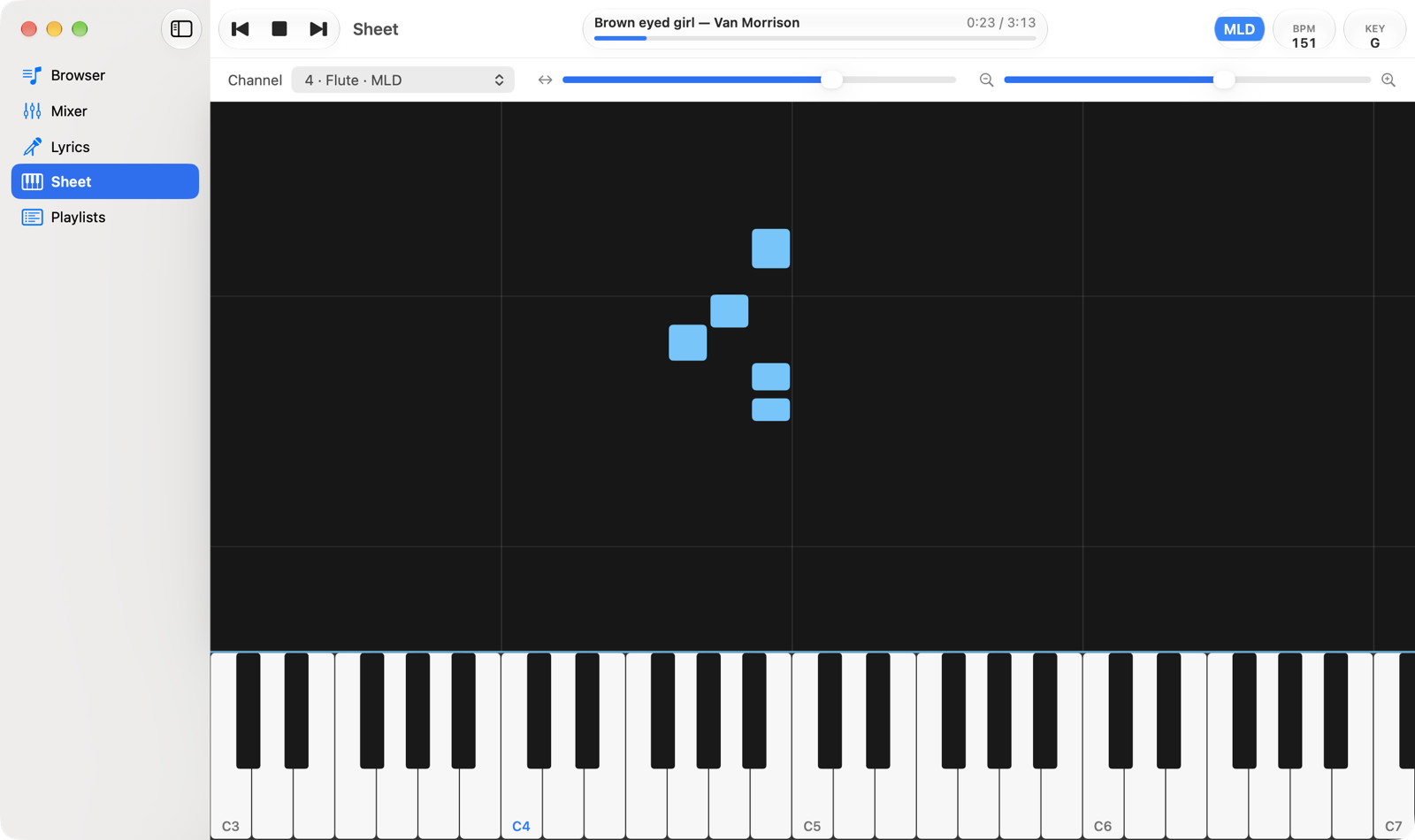
- ChannelThe channel whose notes you see, with the same labels as the Mixer. When a song opens it's the melody channel (MLD).
- ScrollMoves the keyboard towards the bass or the treble.
- ZoomHow many octaves are visible: towards the magnifier with + the keys get wider. Zooming keeps the centre of the view in place.
- NotesThe length of a bar is the note's duration; thin horizontal lines mark the start of each bar.
- KeyboardKeys light up while the note plays. The Cs are labelled with their octave (C4 is middle C, Do4 in Italian notation).
Notes follow the transposition (KEY), like the audio; drums are not transposed. Scroll and zoom stay as you left them when you change song. A wider window gives the keyboard more room.