AR MIDI Player for Mac
A MIDI player for live performance, in its Mac version: browse your library of MIDI and karaoke files, play them with a quality synthesizer, adjust key, tempo and mixer, follow synchronized lyrics and chords and organize your set lists. All in one window, with the menus and keyboard shortcuts of the Mac.
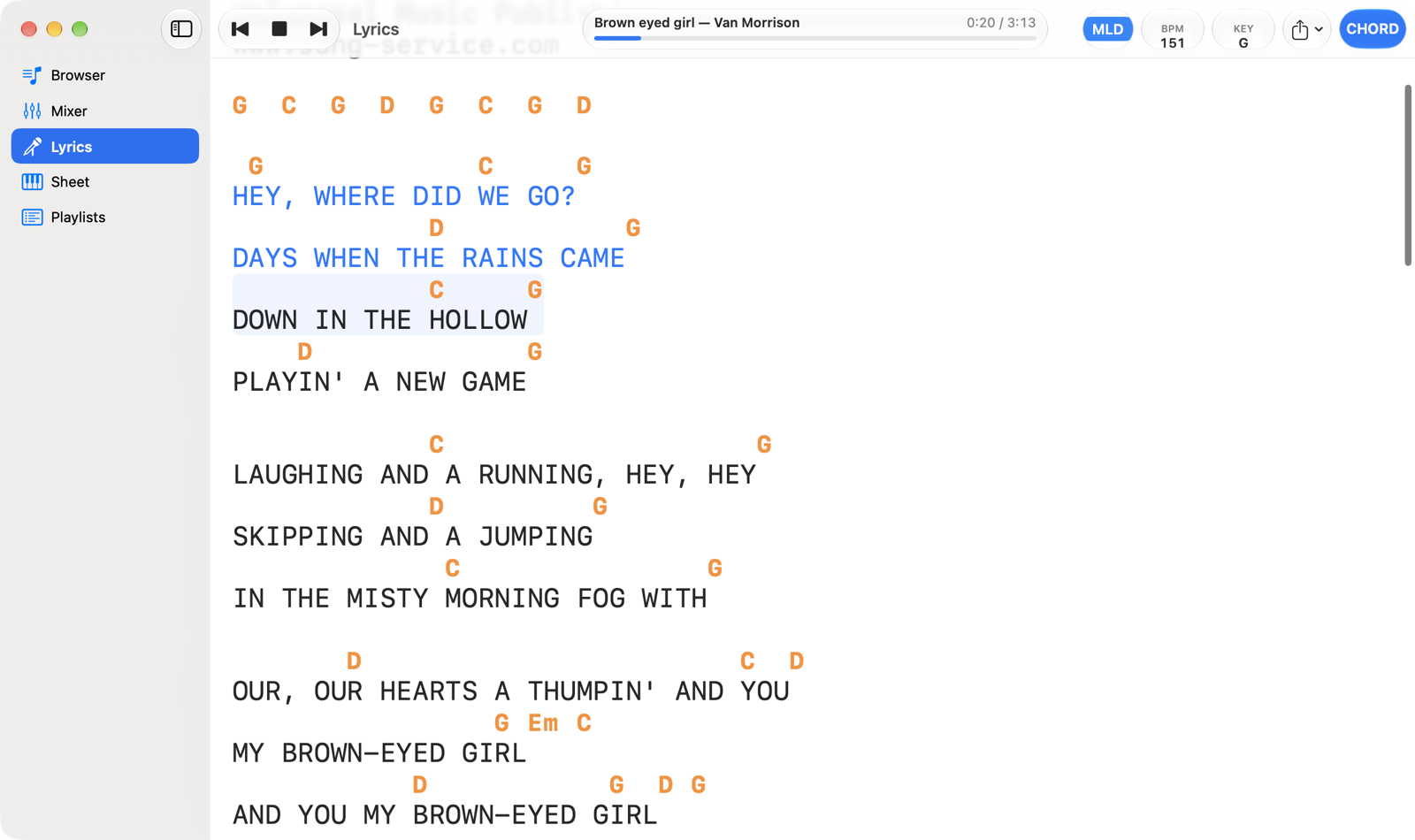
MIDI backing tracks are not included
Apart from two copyright-free examples (O Sole Mio and When The Saints Go Marching In), the app contains no MIDI files: you use your own songs, the ones you buy or free ones. The songs in the screenshots are backing tracks bought by the author and are not part of the app. To get started you can try the free backing tracks that Song Service offers on its home page: download them in the M-Live instruments format, the only one that also contains the chords. Where to copy them →
What you can do
- A library of
.mid,.midiand.karfiles, even thousands of songs, in a sortable table with icons that tell you whether a song has lyrics and chords. - Playback with the built-in SF2 synthesizer (or your own sound bank), on the audio output you choose, or to an expander or keyboard over MIDI, even on two different outputs.
- Key and tempo: transpose by ±24 semitones, any BPM, mute the melody with one click.
- A mixer per channel, with volume, pan, reverb, chorus, mute, solo and a light that turns on when the channel plays.
- Synchronized lyrics and chords for M-Live, GM karaoke,
.kar, Yamaha XF and Solton files, in Italian or international notation, with export to.txtor ChordPro. - Playlists where every song remembers its key, tempo and mixer.
- A full-screen karaoke second screen on a TV, monitor or projector connected to the Mac.
Getting started
- Open the app: the Browser already has the two demo songs.
- Open AR MIDI Player › Settings… (⌘ ,), General tab: Show in Finder opens the app's folder (Music › AR MIDI Player) so you can copy your songs into it, or Choose Folder… uses a folder you already have, for example in Music or on an external drive.
- Double-click a song in the Browser and press the space bar or Play.
The trial version plays each song up to 60% (the two demos in full); with the in-app purchase songs play to the end. See Settings.
Requirements: a Mac with macOS 14 Sonoma or later, Apple silicon or Intel. The app is in English and Italian and follows the language of the Mac. Using an iPad or iPhone? There's a guide for iPad and iPhone.