Lyrics
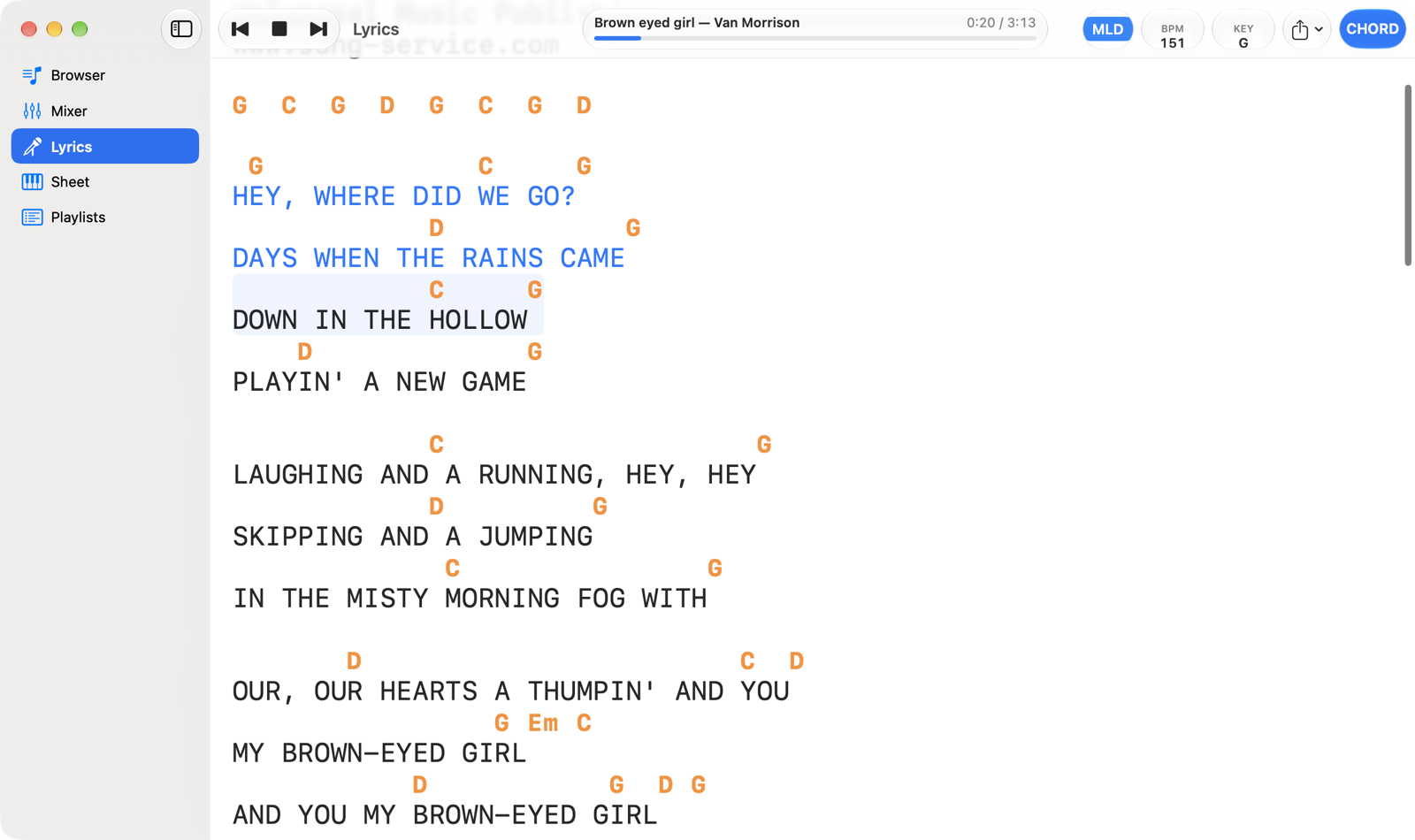
The song's lyrics with the chords above the syllables, in sync with the music: the part already sung changes colour as the song goes on and the page scrolls by itself.
- Export LyricsSaves the lyrics with chords to a file: Lyrics with Chords (.txt)… or ChordPro (.crd)…, with the transposition and notation you see.
- CHORDShows or hides the chords. Without chords the instrumental break lines disappear too.
- Instrumental breakThe chords played between two sung lines, when the gap is longer than the threshold chosen in Settings.
- Current lineHas a highlighted background and changes colour as it's sung. Lines already sung stay blue.
- ChordsAbove the syllable where they change. They follow the transposition (KEY) and the notation in Settings: international (C D E) or Italian (DO RE MI).
Scrolling and jumping
- The page scrolls by itself to keep the current line about a third of the way down.
- If you scroll with the mouse wheel or trackpad, automatic scrolling pauses for a few seconds; the Follow button, bottom right, resumes it straight away.
- Click a line to restart the song from there, a second early so you hear the lead-in. You can turn this off in Settings › Lyrics › Click a Line to Jump There.
- Lines wider than the window wrap, with the chords staying above their syllables.
Supported formats
M-Live, GM karaoke and .kar, Yamaha XF, Solton and Soft Karaoke. Depending on the format, highlighting goes syllable by syllable, follows the cursor of M-Live backing tracks or colours the whole line (Solton). A song without the T icon in the Browser has no lyrics to show.
In Settings › Lyrics you'll find the size and colour of lyrics and chords, the Chord Offset (for backing tracks that play chords early), the instrumental break threshold and the Lyrics/Chords Delay, which moves the highlighting earlier or later than the audio.
If the song comes from a playlist and the entry has a note, the note appears at the top of the lyrics in purple italics, and it's included in exported files too.