Songs and playlists
Songs are streamed from Apple Music: everyone gets the preview of about 30 seconds, subscribers can also play the full song. Tunestrike never downloads or stores audio.
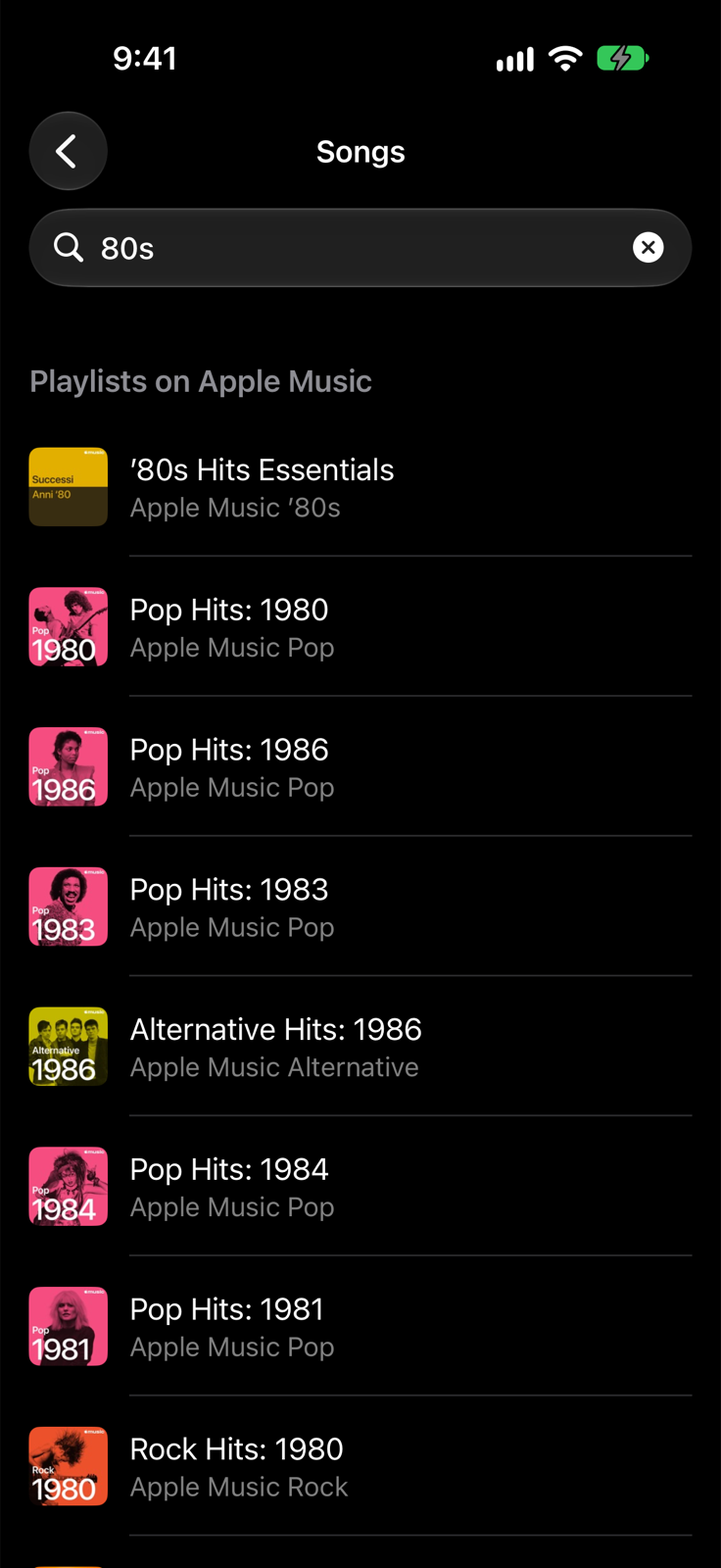
Where to pick the songs
In the setup tap Songs. You'll find:
- Categories: Top right now (the Apple Music chart of your country) and ready-made international categories: 70s, 80s, 90s and 2000s, rock classics, disco, dance and pop hits.
- Search playlists on Apple Music: type an artist, a genre or a decade (for example “Queen”, “disco”, “70s”) and pick one of the catalog playlists. Apple's own playlists come first: they almost always have previews.
- Saved playlists: playlists chosen from the search stay here. Swipe a playlist to remove it.
- My playlists: the playlists in your Apple Music library.
Search and categories work without a subscription: access to Apple Music is all you need. Songs without a preview are skipped; if a playlist has too few, Tunestrike tells you before the game starts.
With an Apple Music subscription
If the device's account has a subscription, the setup shows an Apple Music subscription section:
- Listen: Preview or Full song.
- Start from: Beginning or Random (a point between 20% and 60% of the song). The 30 seconds of the question count from the starting point.
The full song is prepared while the Go button is on screen: the button waits for half a second, then the music starts as soon as you tap.
No repeated songs
Tunestrike remembers the latest songs played (only their identifier) and offers new ones first in the next games. The same answer never comes up twice in a game.