Second screen
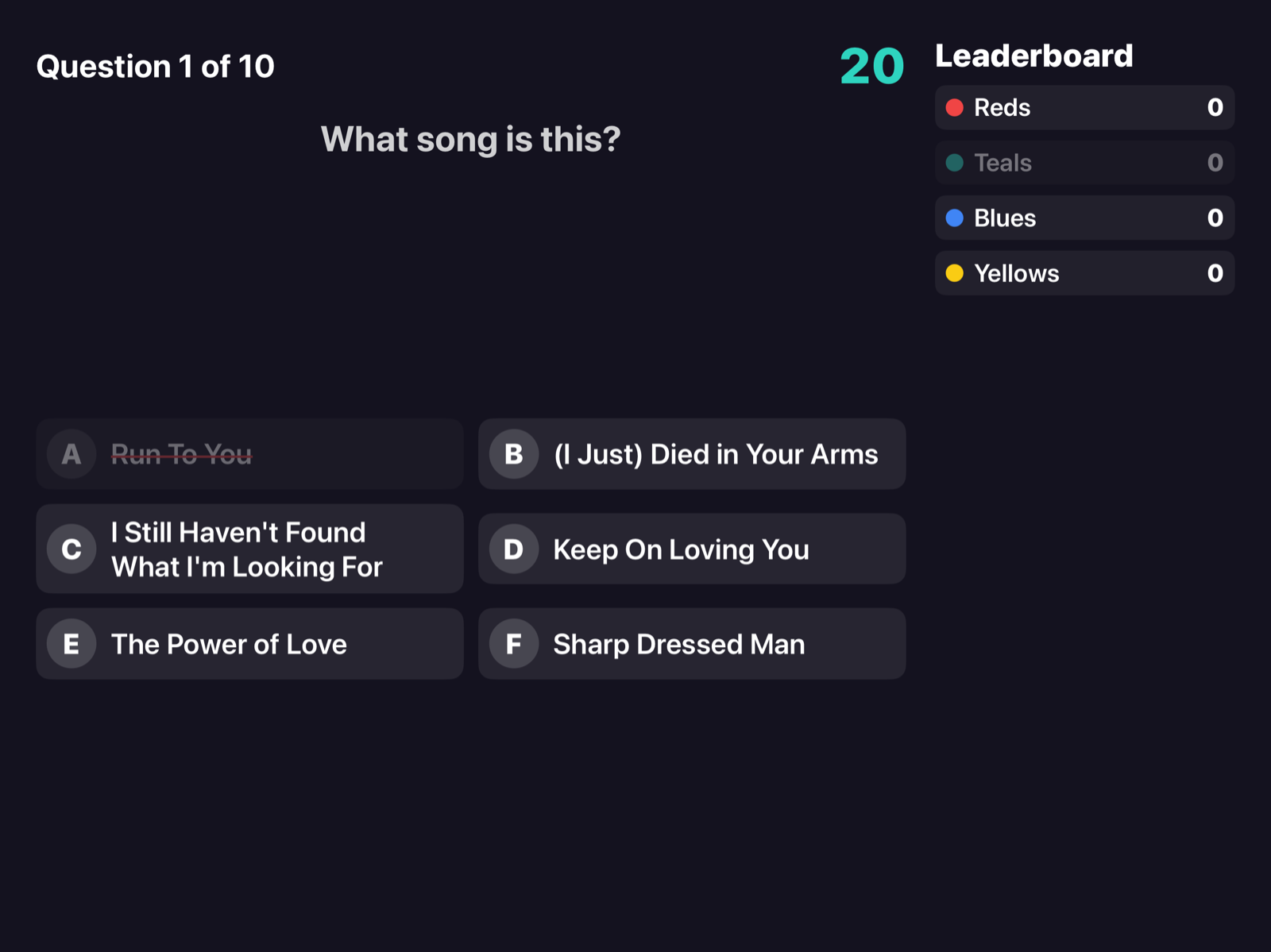
In Party mode the TV shows the game to everyone, while the device stays the host's control room.
Connecting the TV
- AirPlay (Apple TV or a compatible TV): Control Center › Screen Mirroring and pick the TV.
- Cable: a USB-C → HDMI (or Lightning → HDMI) adapter.
During a Party the TV shows its own view instead of mirroring the device. The TV icon at the top of the control room tells you whether an external display is connected. If you disconnect it, the game goes on.
What's on screen
- Question number, seconds left and the team that is answering.
- The six options A–F, with the ones already wrong struck out (spoken answers have no options).
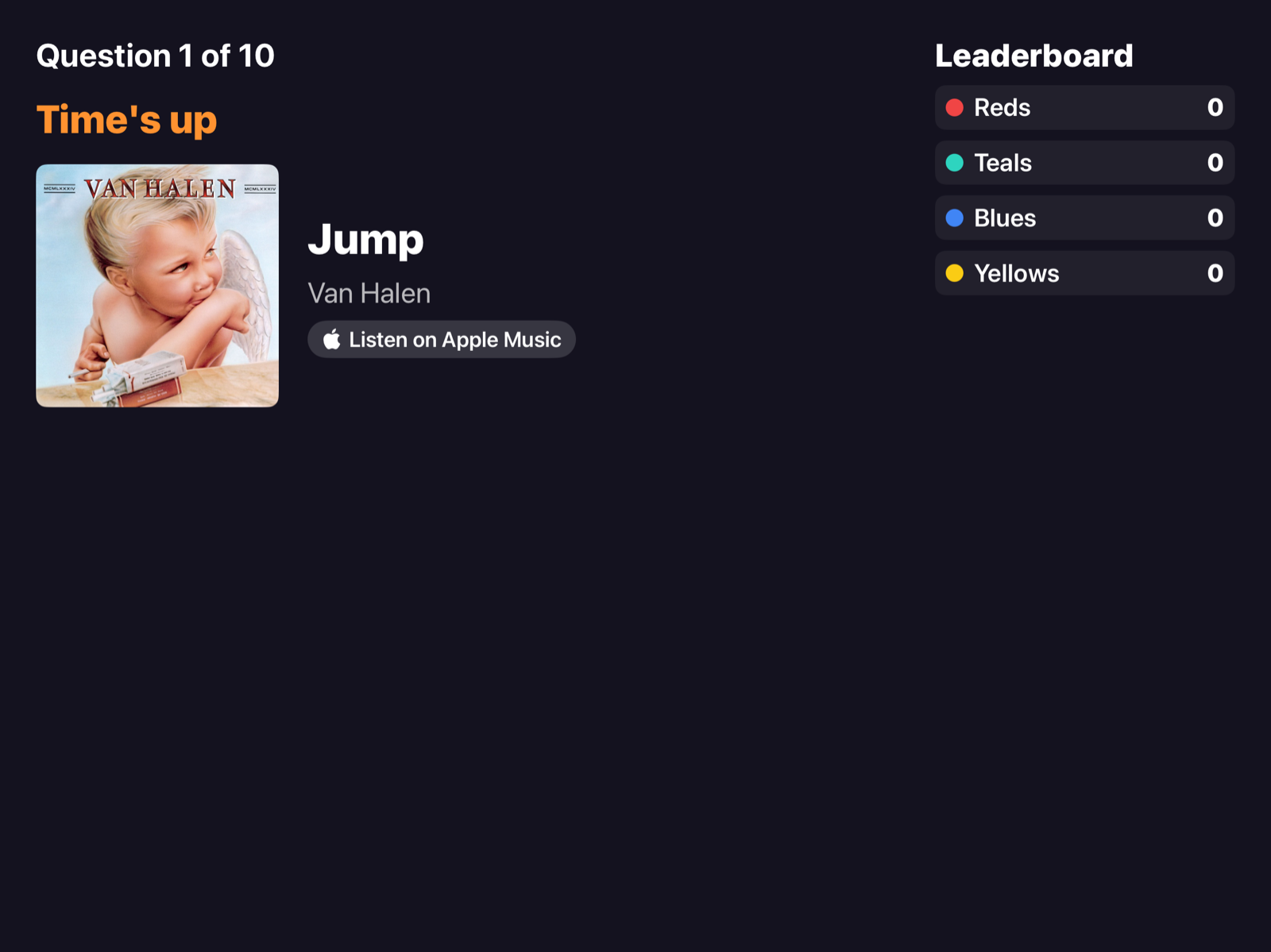
- The answer with artwork, title, artist and Apple Music.
- The standings on the side and the final standings.
With AirPlay the sound can also go to the TV, with a small delay that is the same for everyone: buzzing stays fair.