Tunestrike
The music quiz for iPhone and iPad. An Apple Music song starts playing and whoever recognises it first wins: the title, the artist or the decade. Play alone, two on the same device, or with a crowd using buzzers and the TV as the game screen.
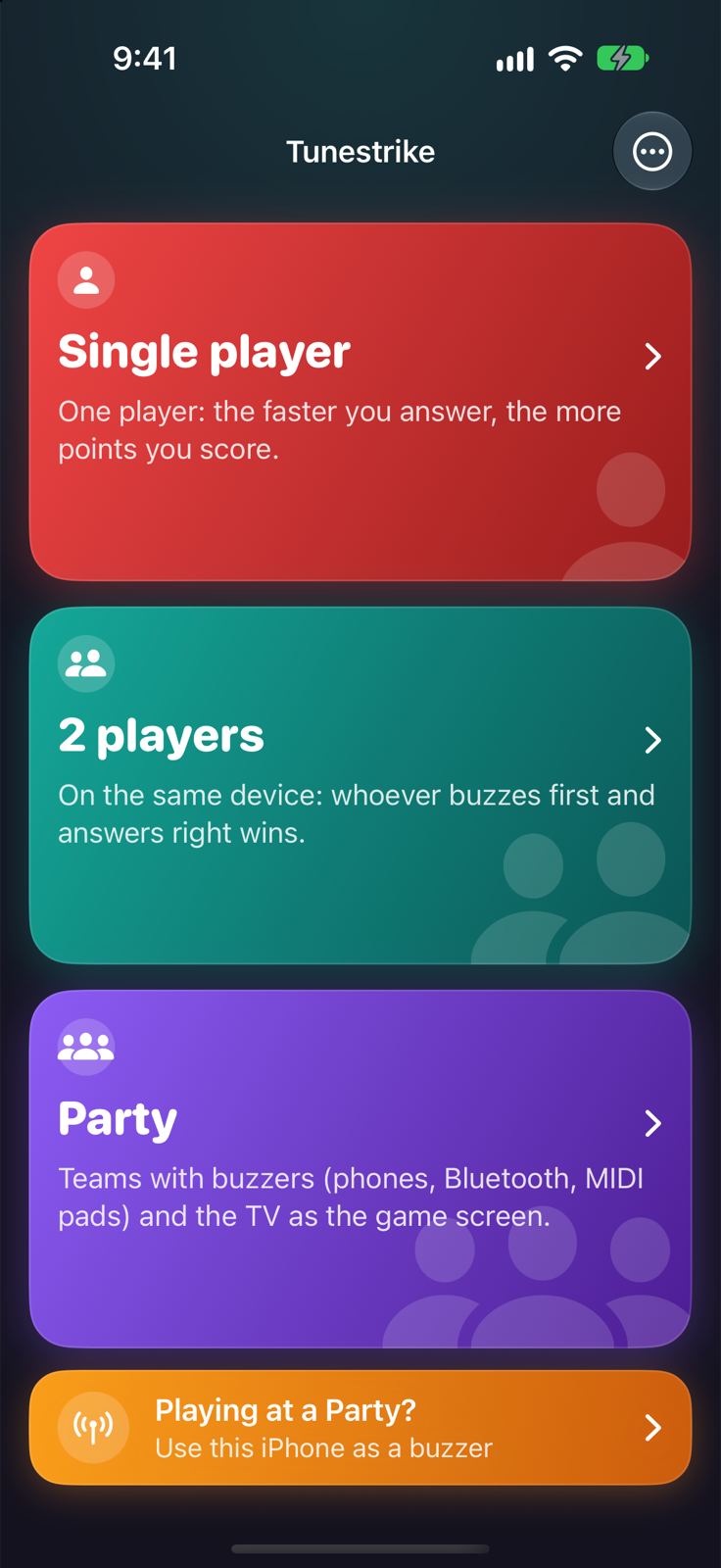
Three ways to play
- Single player: one player. Points start at 1000 and drop while the song plays: the faster you answer, the more you score. Single player.
- 2 players: the screen splits into two big buttons, one per player. Whoever taps first buzzes in and answers. 2 players.
- Party: teams with phones as buzzers (in the browser, no app needed), Bluetooth or MIDI pads, and the TV over AirPlay or HDMI. Party.
Getting started
- Open Tunestrike and pick a mode.
- The first time, the app asks for access to Apple Music: it is needed to play previews from the catalog. No subscription required.
- In the setup choose the Songs (a category, one of your playlists or a playlist found on Apple Music), what to guess and how many questions.
- Tap Play, then Go for each question: the song starts only when you decide.
Requirements: iOS/iPadOS 26 or later, an internet connection for the songs. Single player and 2 players are free; Party is unlocked with a subscription or a 24-hour pass (SetupAll the app's options. Free and Party). In English and Italian, following the device language.
Pages
Songs and playlistsCategories, Apple Music search, subscribers.
Single playerDropping points, options or voice.
2 playersTwo big buttons on one screen.
PartyTeams, control room and host.
BuzzersPhones, Bluetooth and MIDI pads.
Second screenThe TV over AirPlay or HDMI.
Spoken answersSpeak and recognition judges.
Free and PartyWhat's included and prices.
FAQCommon problems and fixes.