Party
For a night with friends: teams buzz in with the buzzers, the TV shows the question, options and standings, and the iPhone or iPad becomes the host's control room.
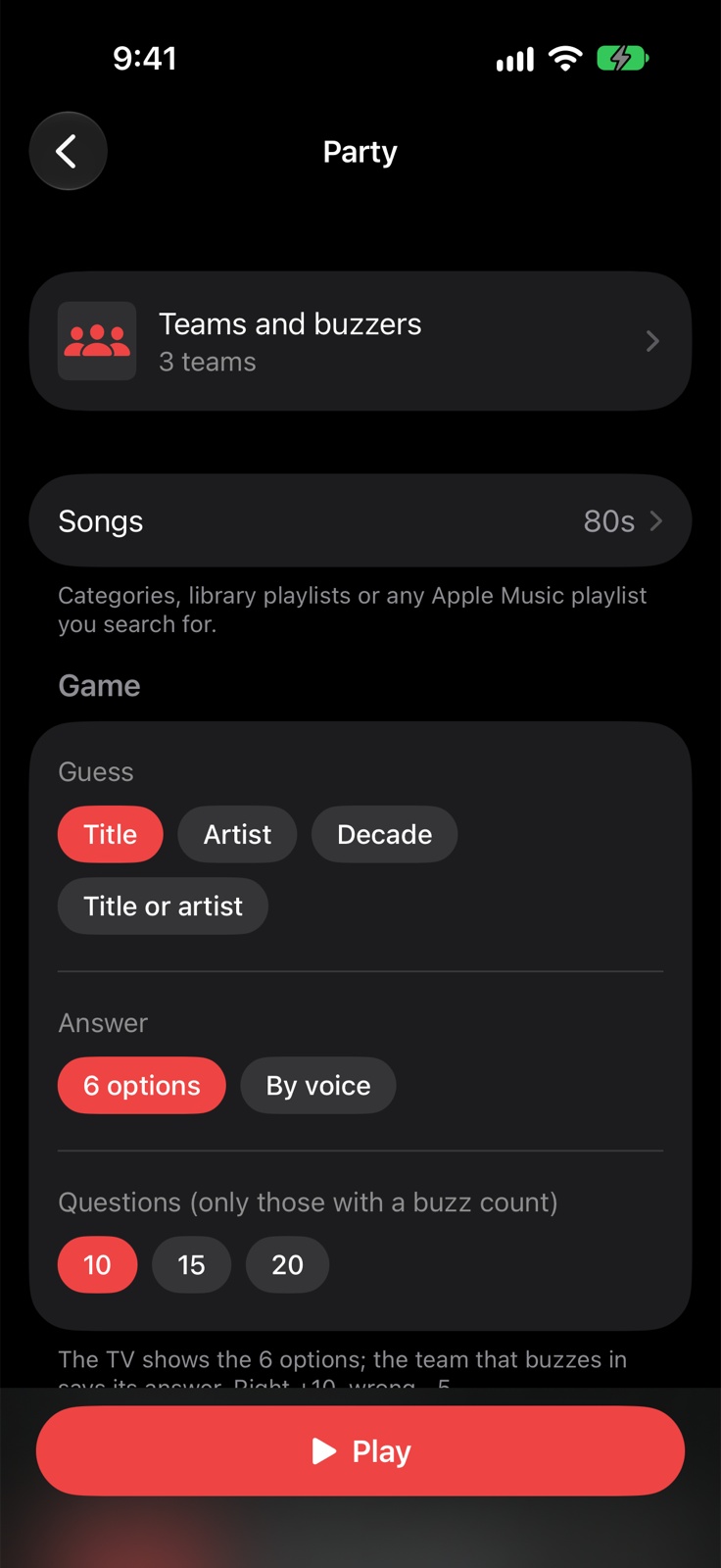
Getting the game ready
- Open Teams and buzzers and turn on a connection: every phone that joins shows up under Requests and, once you accept it, becomes a team with its name. MIDI pads are added with Add team with a pad.
- Connect the TV with AirPlay or an HDMI cable.
- Choose the songs, what to guess and Who judges the answer.
- Tap Play.
Teams stay saved even if you close the app; for a new night use Delete all teams. While you're in the setup and in a game the screen stays on.
Who judges the answer
- The host: the team that buzzed in says its answer out loud and the host taps the option they said on the device, or Right / Wrong. Works with every buzzer.
- From the buzzer: the team that buzzes in sees the 6 options on its phone (page or app) and taps its choice; the host gets it right away. With MIDI pads, which have no screen, and with spoken questions the host chooses, and can always tap the option for the team.
- Speech recognition: the host taps Listen to the answer, the music stops, the team speaks and recognition judges. The host can always correct it.
The control room
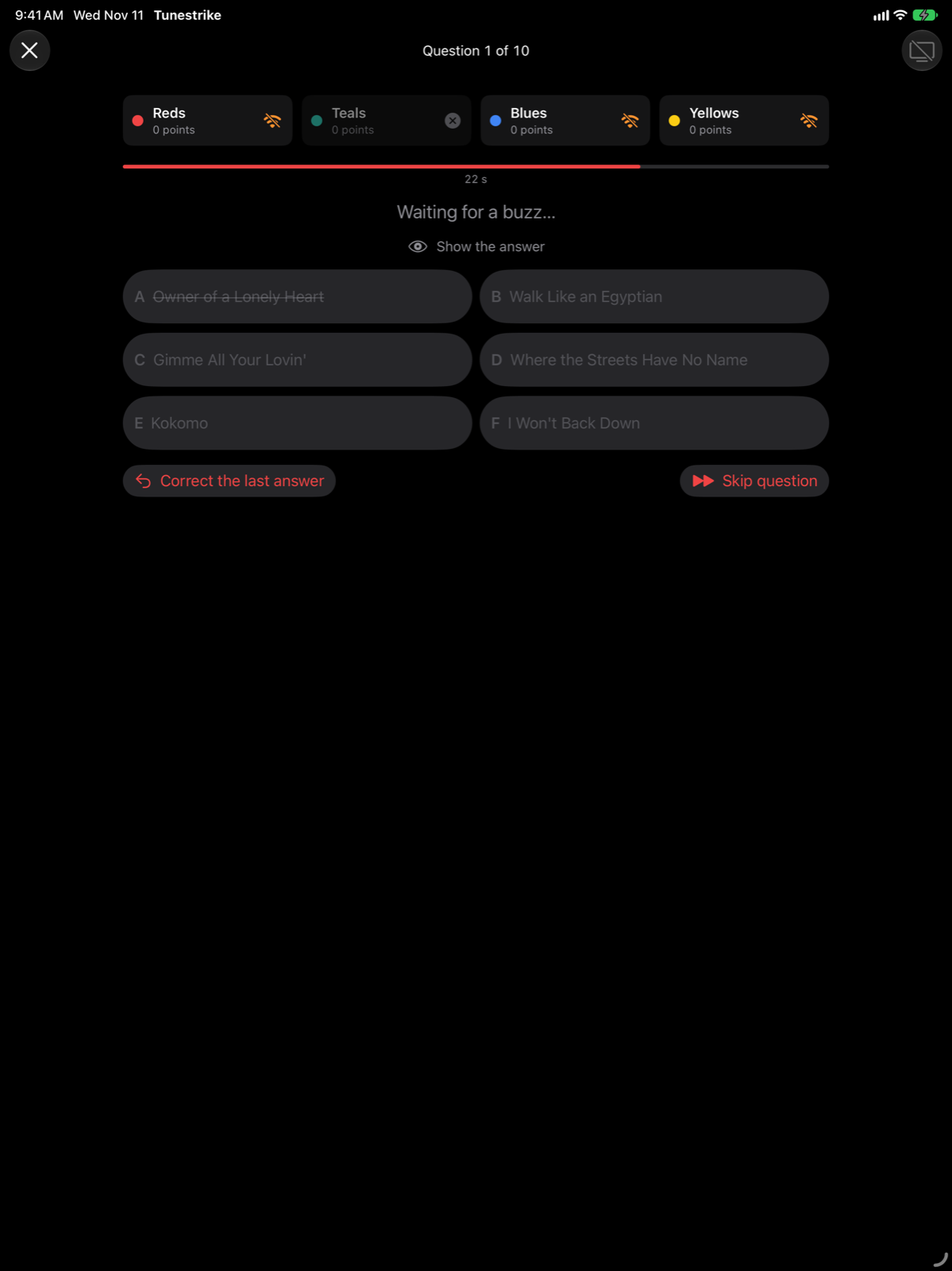
- The teams at the top: a tile lights up when the team buzzes in, dims when it is out, shows an icon if its buzzer is disconnected.
- Show the answer: the right answer for the host, hidden until you tap it.
- Skip question (no penalty) and Correct the last answer.
- Every buzzer shows its state: you can buzz, you're in, another team was first, you're out.
Scoring as in 2 players: right +10, wrong −5, never below zero; only questions where someone buzzes in count.