Setup
All of the app's options, in a single tab divided into sections. Your choices are remembered between launches.
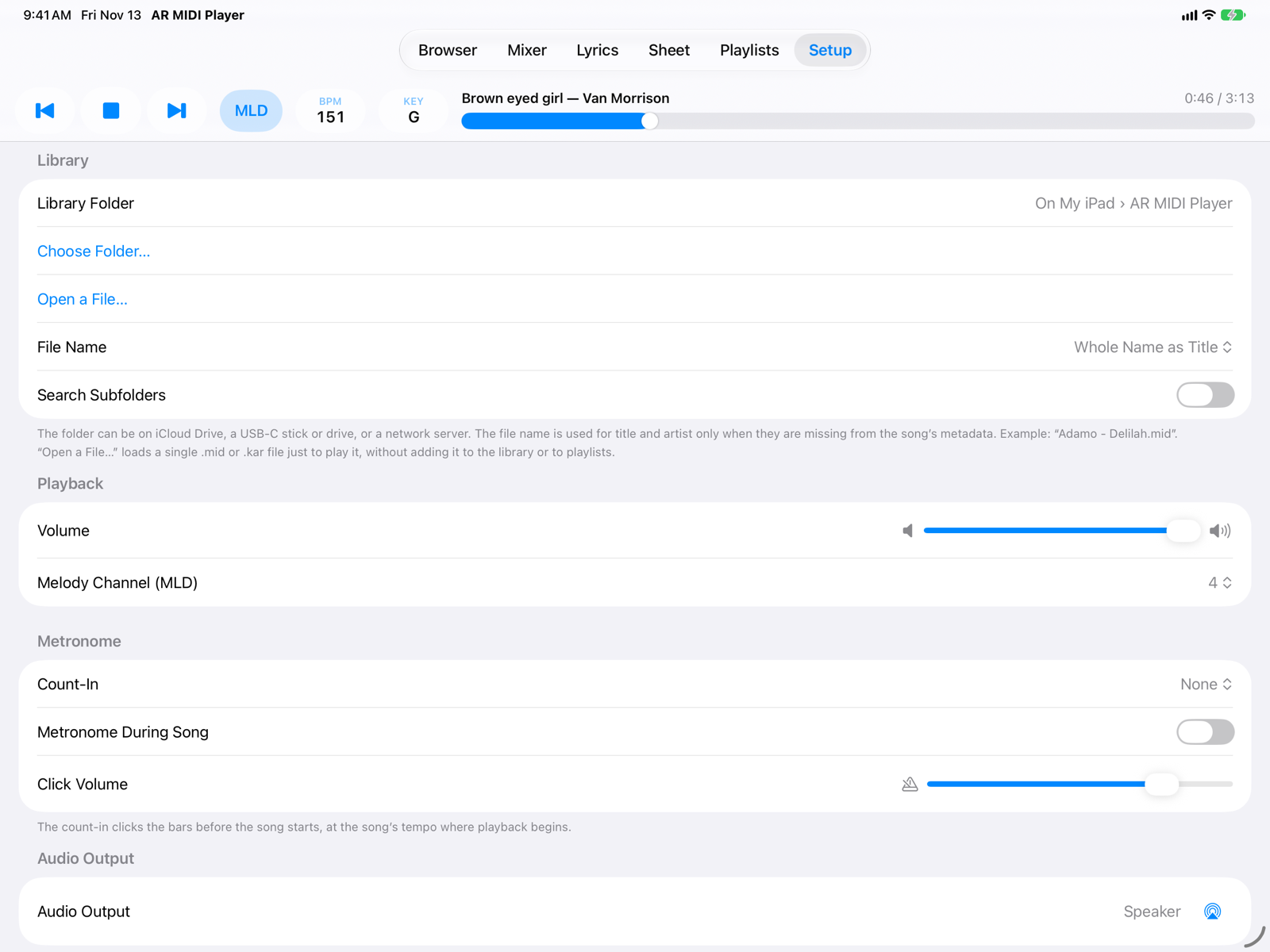
- Library
Library Folder: the app's own folder (in the Files app, On My iPad › AR MIDI Player) or one chosen with Choose Folder… on iCloud Drive, a USB-C stick or drive, or a network server; Use App Folder goes back to the app's folder.
Open a File… loads a single file just to play it, without adding it to the library or to playlists.
File Name: how to take title and artist from the file name when they are missing from the metadata (
Artist - Title,Title - Artistor whole name as title). Search Subfolders includes songs in subfolders. - PlaybackOverall Volume and Melody Channel (MLD), the channel that the MLD button mutes (usually 4).
- MetronomeCount-In: none, one or two bars of count before the song starts. Metronome During Song and Click Volume. Clicks always play on the iPad, even with an expander connected.
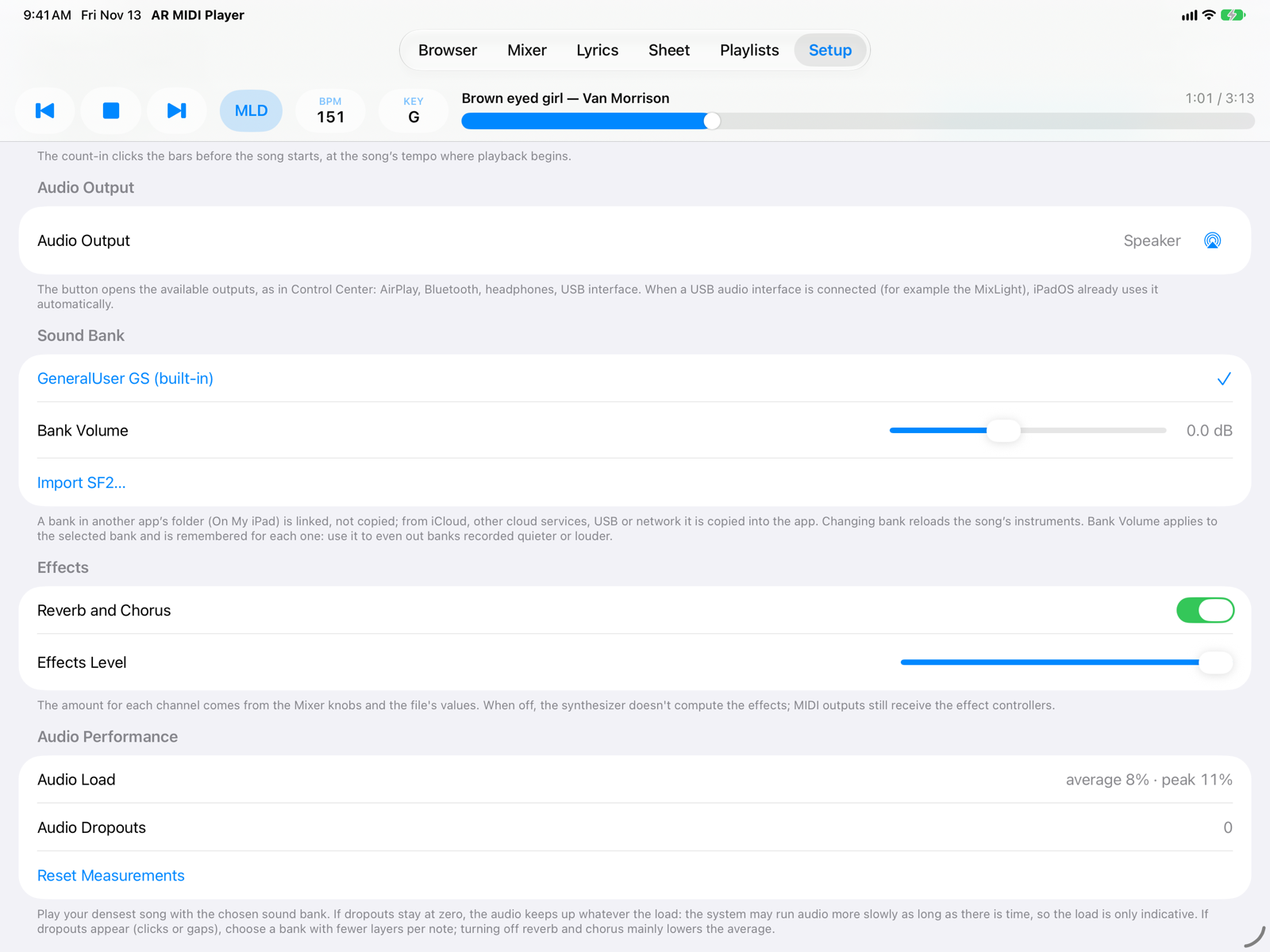
- Audio OutputThe button opens the available outputs, as in Control Center: AirPlay, Bluetooth, headphones, USB audio interface. With a USB interface connected, iPadOS already uses it automatically.
- Sound BankThe synthesizer uses GeneralUser GS, built in. With Import SF2… you add your own SoundFont bank (
.sf2). If the file is in another app’s folder (On My iPad) it is only linked, taking no extra space, and a link icon appears next to its name; from iCloud, other cloud services, a USB drive or network it is copied into the app. Tap a bank to use it, swipe it left or touch and hold to delete it (for a linked bank only the link is removed, the file stays where it is). If the linked file has been moved or deleted, the bank shows as Not available. Bank Volume (in dB) is remembered for each bank: use it to even out banks recorded quieter or louder. - EffectsReverb and Chorus of the internal synthesizer and their overall Effects Level. The amount for each channel is set with the Mixer knobs and starts from the file's values; the reverb and chorus type follows the one the song asks for (GS backing tracks). When off, the synthesizer doesn't compute the effects; MIDI outputs still receive the effect controllers.
- Audio PerformanceTo test a sound bank: play your densest song with the chosen bank. Audio Dropouts counts the gaps in the audio and is the indicator that matters: if it stays at zero, the audio keeps up. Audio Load (average and peak) is only indicative, because iPadOS runs audio more slowly while there is time. If dropouts appear, choose a bank with fewer layers per note; turning off effects mainly lowers the average. Reset Measurements starts counting again.
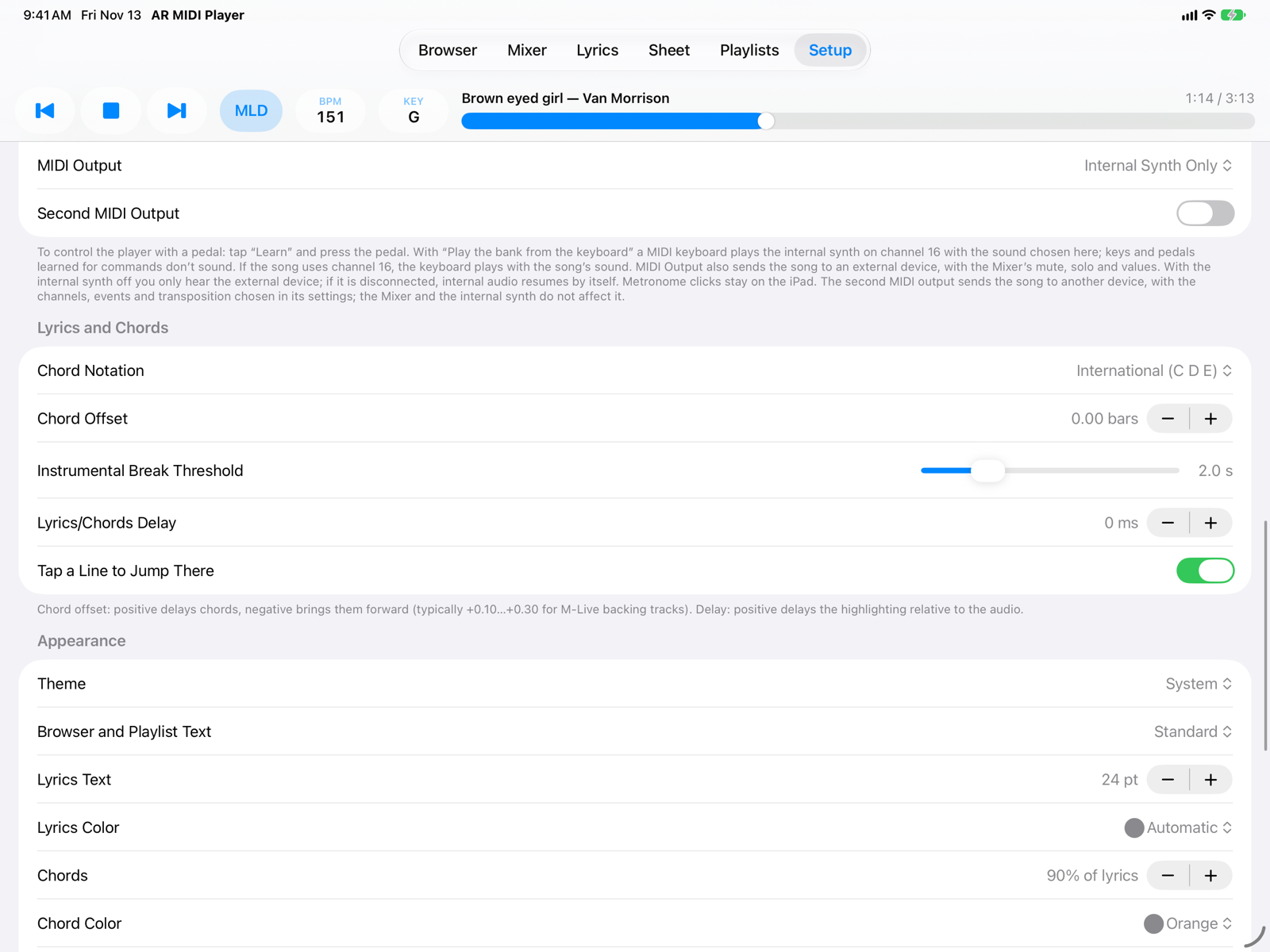
- MIDI MIDI Input: the pedal or controller that commands the player. Once the device is chosen, for Play/Stop, next and previous song tap Learn and press the pedal; below you see the last message received. MIDI Output: also sends the song to an expander or keyboard, with the Mixer's mute, solo and values. With a device chosen, Internal Synth appears: off, you only hear the external device (and if you unplug it, internal audio resumes by itself). Second MIDI Output: see below.
- Lyrics and Chords Chord Notation: international (C D E) or Italian (DO RE MI). Chord Offset: from −2 to +2 bars; positive delays the chords (typically +0.10…+0.30 for M-Live backing tracks, which send them early). Instrumental Break Threshold: the pause after which chords between two lines form an instrumental line. Lyrics/Chords Delay: moves the highlighting earlier or later than the audio. Tap a Line to Jump There.
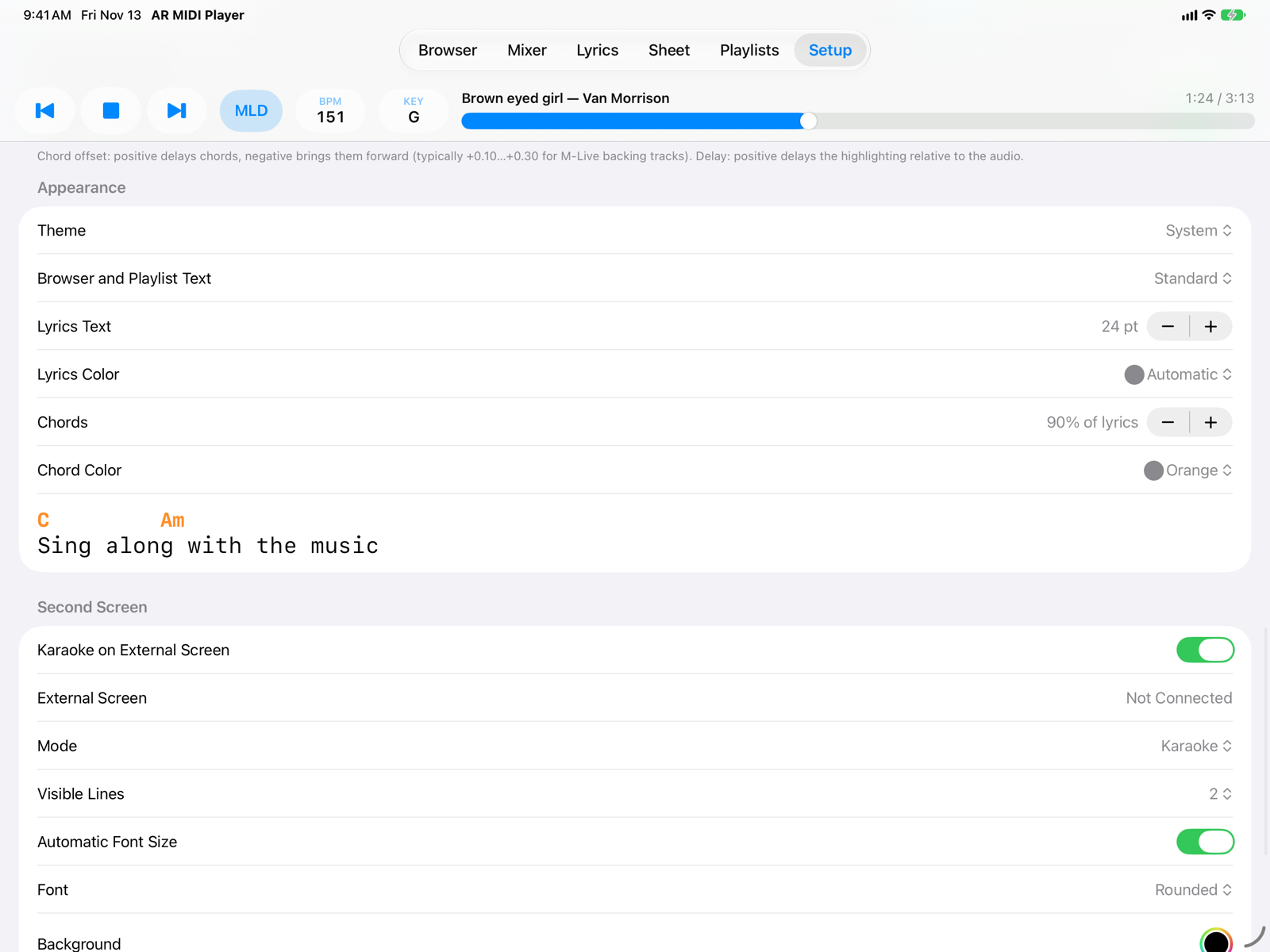
- AppearanceTheme: System (follows the iPad setting), Light or Dark; Dark has colours made for the stage, with an orange accent. Then text size in Browser and Playlists; size and colour of lyrics and chords in Lyrics, with a preview.
- Second ScreenKaraoke on a TV or monitor connected to the iPad: see Second screen.
Second MIDI output
Turn on Second MIDI Output to send the song to a second device, different from the MIDI Output one. With Output 2 Settings… you choose:
- Channels: all 16 by default; tap a channel to exclude it.
- Event types: Notes, Control Change, Program Change, Pitch Bend, Aftertouch, SysEx.
- Transposition: from −24 to +24 semitones, added to KEY (drums stay as they are).
The second output is independent of the Mixer: mute, solo and knobs do not affect it. It is the only output that also receives the file's SysEx messages.
Trial version and full version
In the trial version every song stops at 60%: the app goes back to the start of the song and offers the full version. The progress bar and the lines in Lyrics don't take you past 60% either. The two demo songs play in full. Everything else in the app works without limits.
At the top of Setup, the Trial Version section has the Buy, Restore Purchases (for example on a new iPad with the same Apple Account) and Redeem Code buttons. After the purchase the section disappears. The purchase covers iPad and iPhone; the Mac app is purchased separately.
On iPhone
Setup is under More, bottom right. The options are the same.