
MIDI Sing Coach
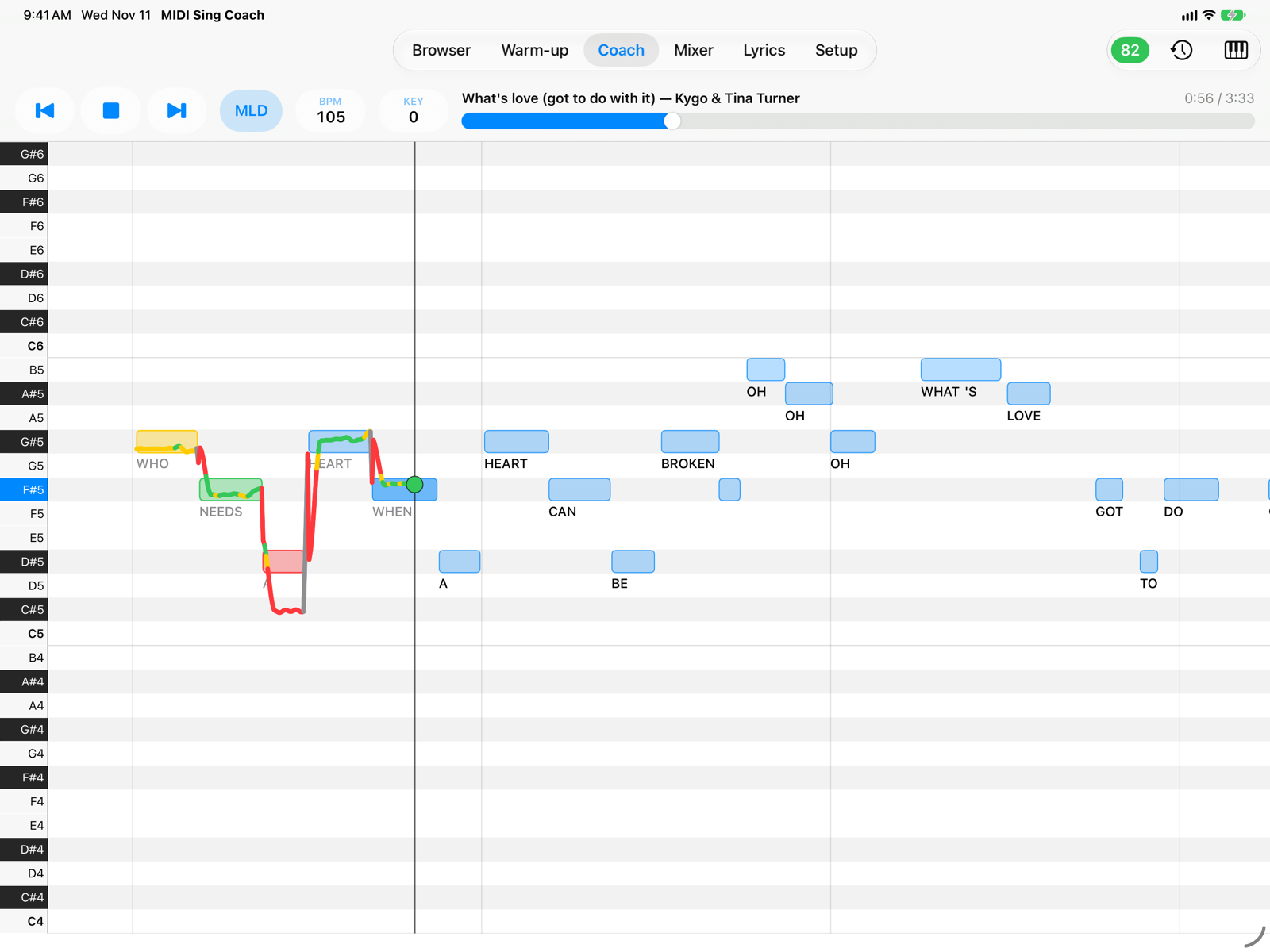
The pitch trainer that listens while you sing. Your MIDI backing track plays, the melody scrolls as a piano roll and your voice is drawn on top of it, note by note: green when you are in tune, yellow when you are close, red when you are off.
Pay once. No subscription.
You buy MIDI Sing Coach once and it's yours: no monthly fee, no song credits, no account. It works offline, on your iPad and on your iPhone.
Sing any song, not just the hits
There is no closed song catalogue. If a MIDI file of a song exists, you can sing it: a local or regional song, a classic from decades ago, a song in your language that the big song catalogues leave out.
Bring your own MIDI backing tracks
MIDI Sing Coach does not include MIDI files, apart from two copyright-free examples. To sing, use your own backing tracks: files you already have, tracks you buy from a MIDI backing track store, or free tracks from non-commercial sites, following their terms of use.
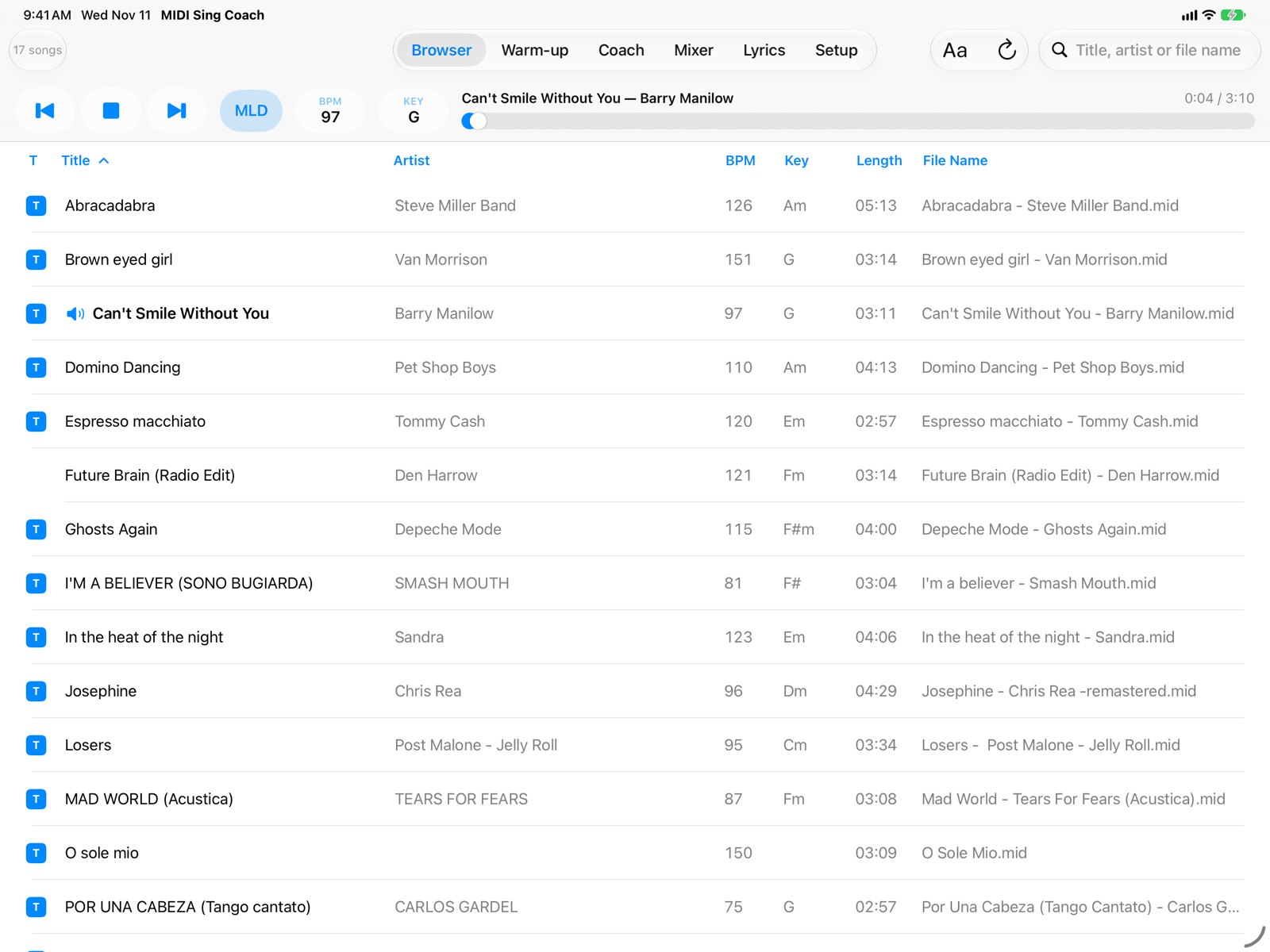
The songs shown in the screenshots are backing tracks purchased by the author for personal use and are not part of the app. How to add your tracks →
How it works
See your voice on the melody, live
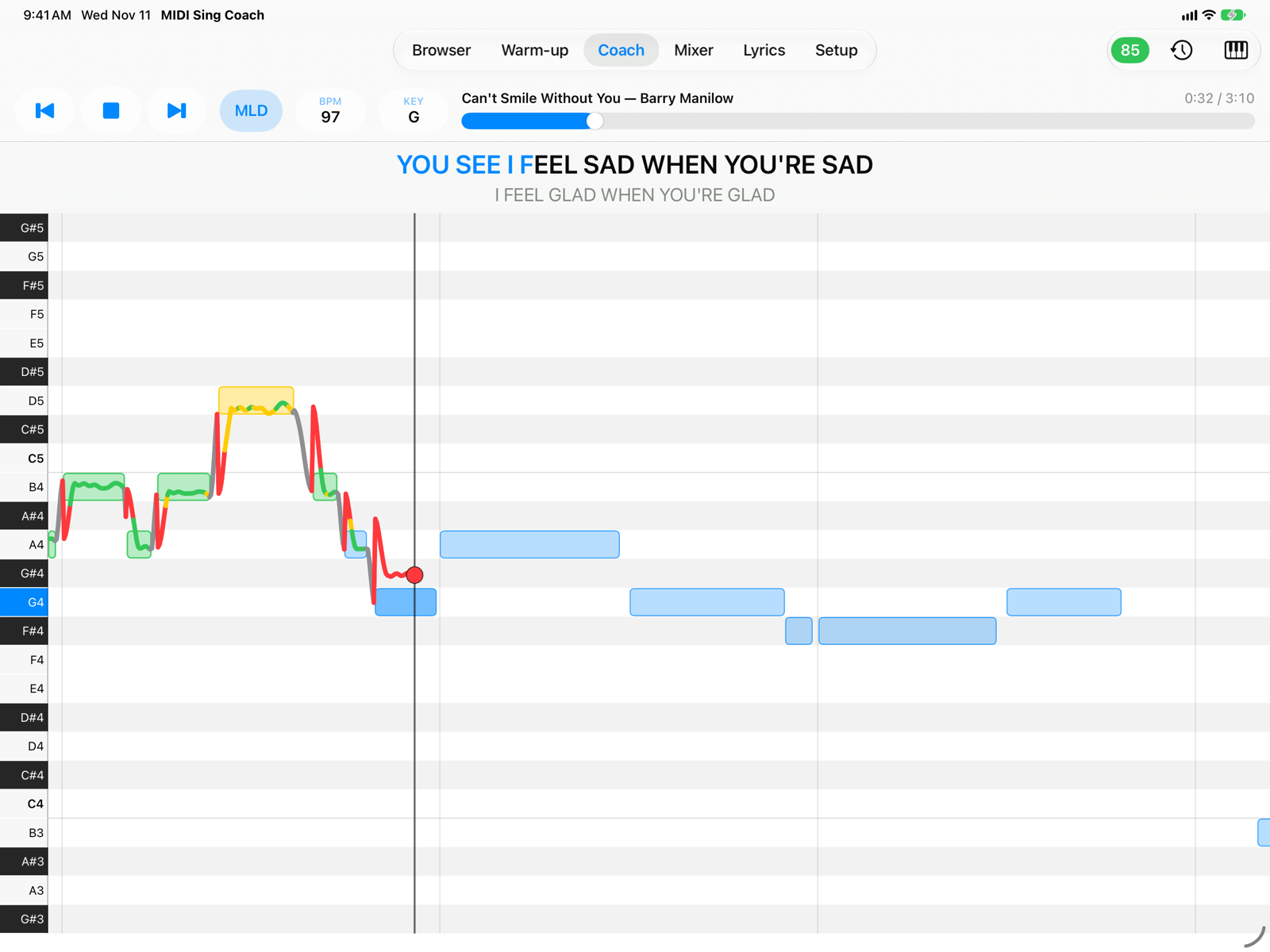
The melody of the song scrolls from right to left as a piano roll and, while you sing, the app draws the line of your voice over the notes. You see at once whether you are sharp, flat, early or late, and a dot on the “now” line shows the note you are singing right now.
- Green within the tolerance you choose (±15, ±25 or ±35 cents), yellow within ±50 cents, red beyond.
- Lyrics under the notes, or the current line above the piano roll for M-Live and Solton tracks.
- Ignore Octave, for singing an octave above or below the melody.
A score for every take, and the phrases to practice
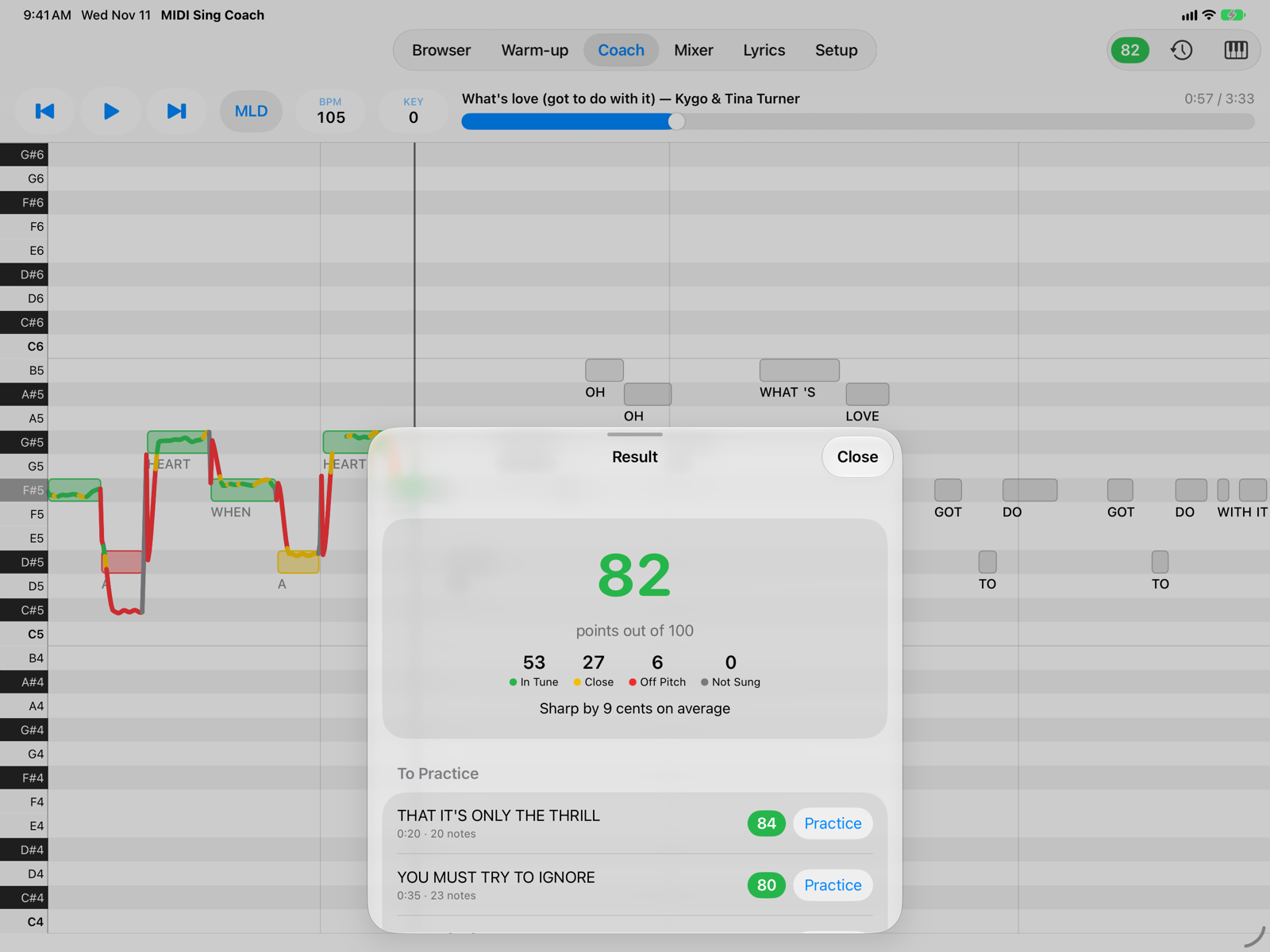
When you press Stop you get a score from 0 to 100, the notes in tune, close, off pitch and not sung, and your tendency (“flat by 12 cents on average”).
- The three weakest phrases, with their lyrics: Practice takes you back just before the phrase.
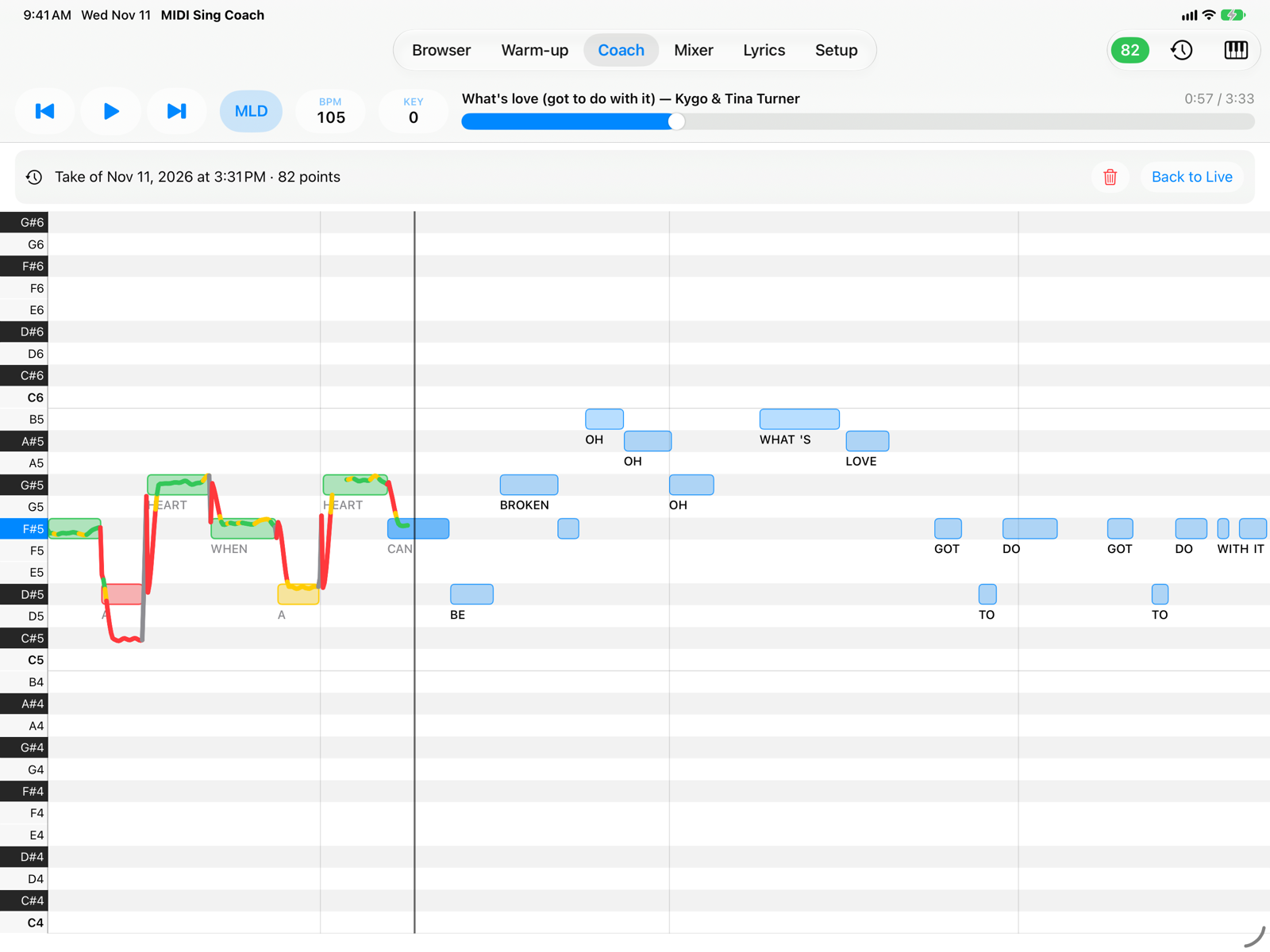
- The last 20 takes of every song are saved, to review with their singing line.
- Your voice is never recorded: only the pitch line is kept, on the device.
A backing track that fits your voice
Change the key to bring the song into your range and the notes in the Coach move with the music. Slow down the tempo to learn a hard passage, without changing the pitch.
- Melody on or off with one tap (MLD): let it guide you, then sing alone.
- Melody Octave for tracks whose melody is written an octave too high or low.
- A SoundFont synthesizer with reverb and chorus, your own
.sf2banks and MIDI output to a sound module.
Made for singing with headphones
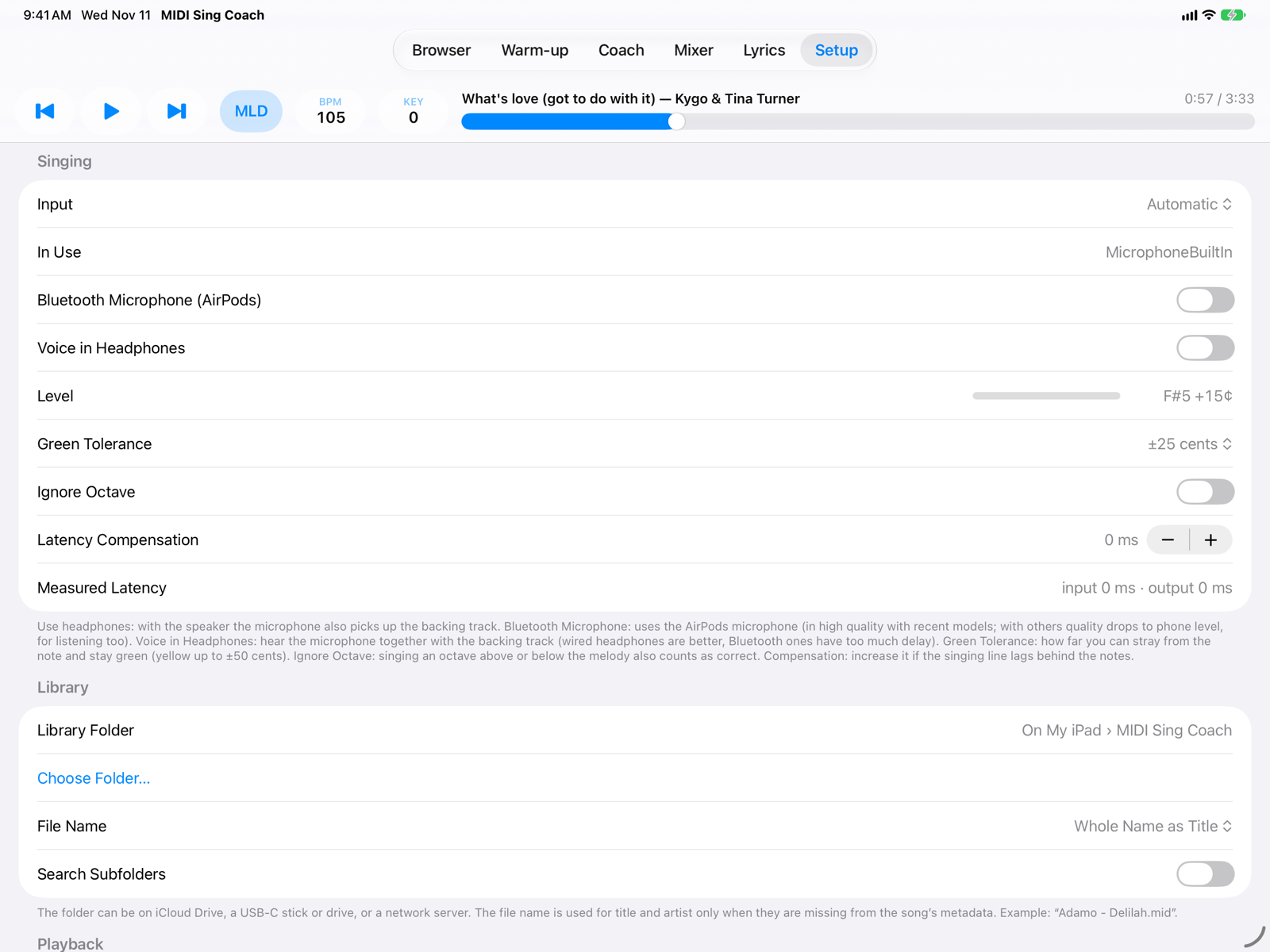
With headphones the microphone hears only your voice. Wired and USB headphones work best; Bluetooth headphones and AirPods work too, with latency compensation.
- Voice in Headphones: hear yourself together with the backing track.
- The iPad's or iPhone's microphone, the headphones' one or an audio interface.
- Without headphones the app warns you and offers to mute the melody.
Everything for practice
Your library
Your .mid, .midi and .kar files from the app's folder, iCloud Drive, a USB drive or a network server, with search and a lyrics filter.
Karaoke formats
M-Live, GM karaoke and .kar, Yamaha XF, Solton and Soft Karaoke lyrics, highlighted in sync.
Key and tempo
Transpose by ±24 semitones and change the tempo without changing the pitch.
Warm-up
Vocal warm-up exercises transposed into your range, sung in the Coach with a score, and an editor to create your own.
Mixer
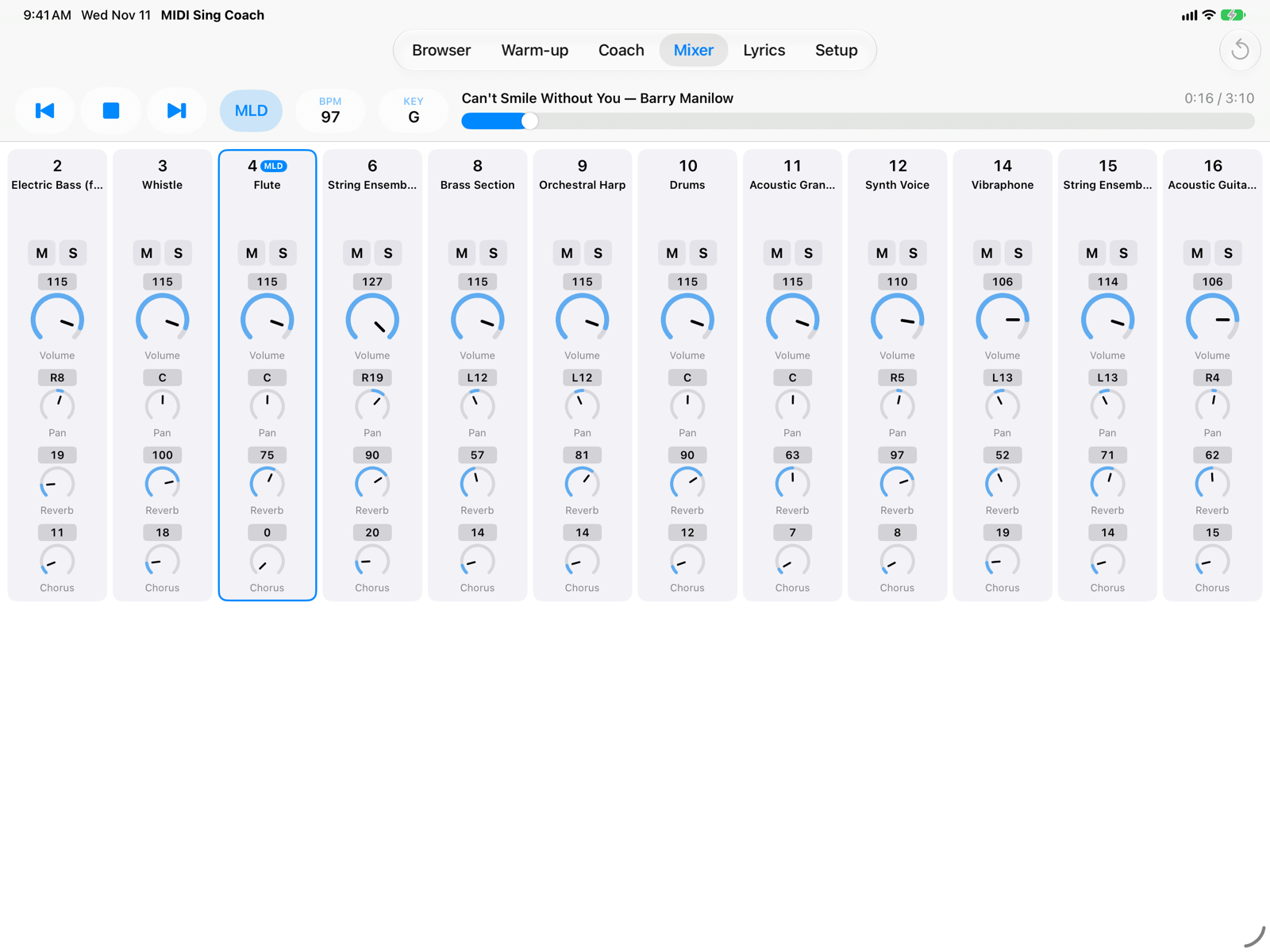
Volume, pan, reverb, chorus, mute and solo for every channel.
Lyrics
The full-page lyrics, to learn the words before practising.
iPad and iPhone
Landscape and portrait on both. In English and Italian.
Coming soon
MIDI Sing Coach is coming soon to the App Store for iPad and iPhone. In the meantime, the user guide shows every screen in detail. Questions: info@armusic.dev.