
AR MIDI Player
The MIDI and karaoke player for live performance. Your whole song library on the iPad, synchronized lyrics and chords, a real SoundFont synthesizer, your sound modules and a karaoke screen for the audience.
On the Mac? See AR MIDI Player for Mac.
What makes it different
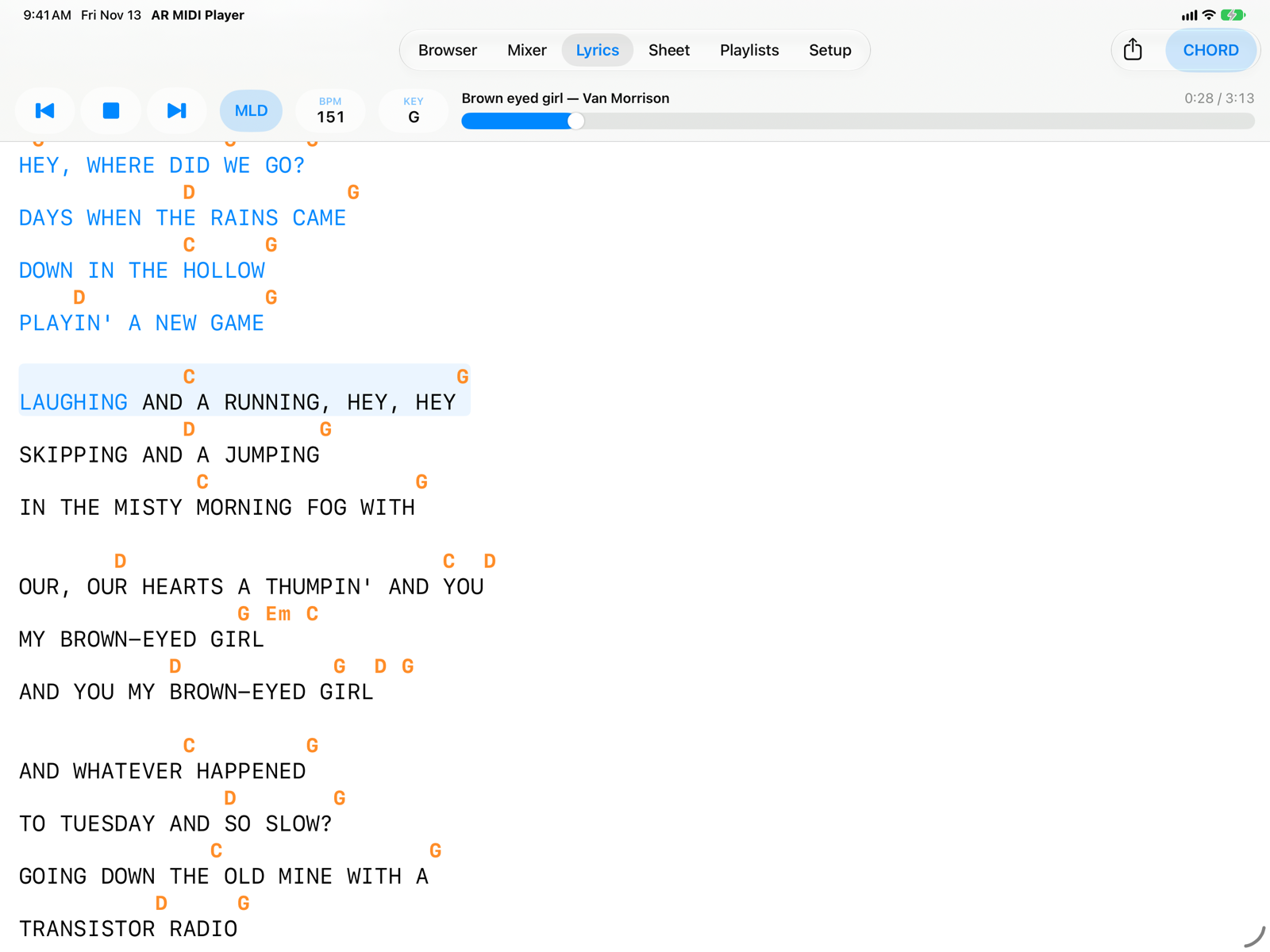
Chords right above the lyrics, and export to .txt or ChordPro
AR MIDI Player shows the chords directly above the syllables where they change, in sync with the music: the part already sung changes colour and the page scrolls by itself.
- Chords follow the transposition you choose, in international (C D E) or Italian (DO RE MI) notation.
- Export the lyrics with chords as a .txt file or in ChordPro format, exactly as you see them: ready to print, share or open in your chord app.
- Works with M-Live, GM karaoke and .kar, Yamaha XF, Solton and Soft Karaoke files.
A SoundFont synthesizer and two MIDI outputs
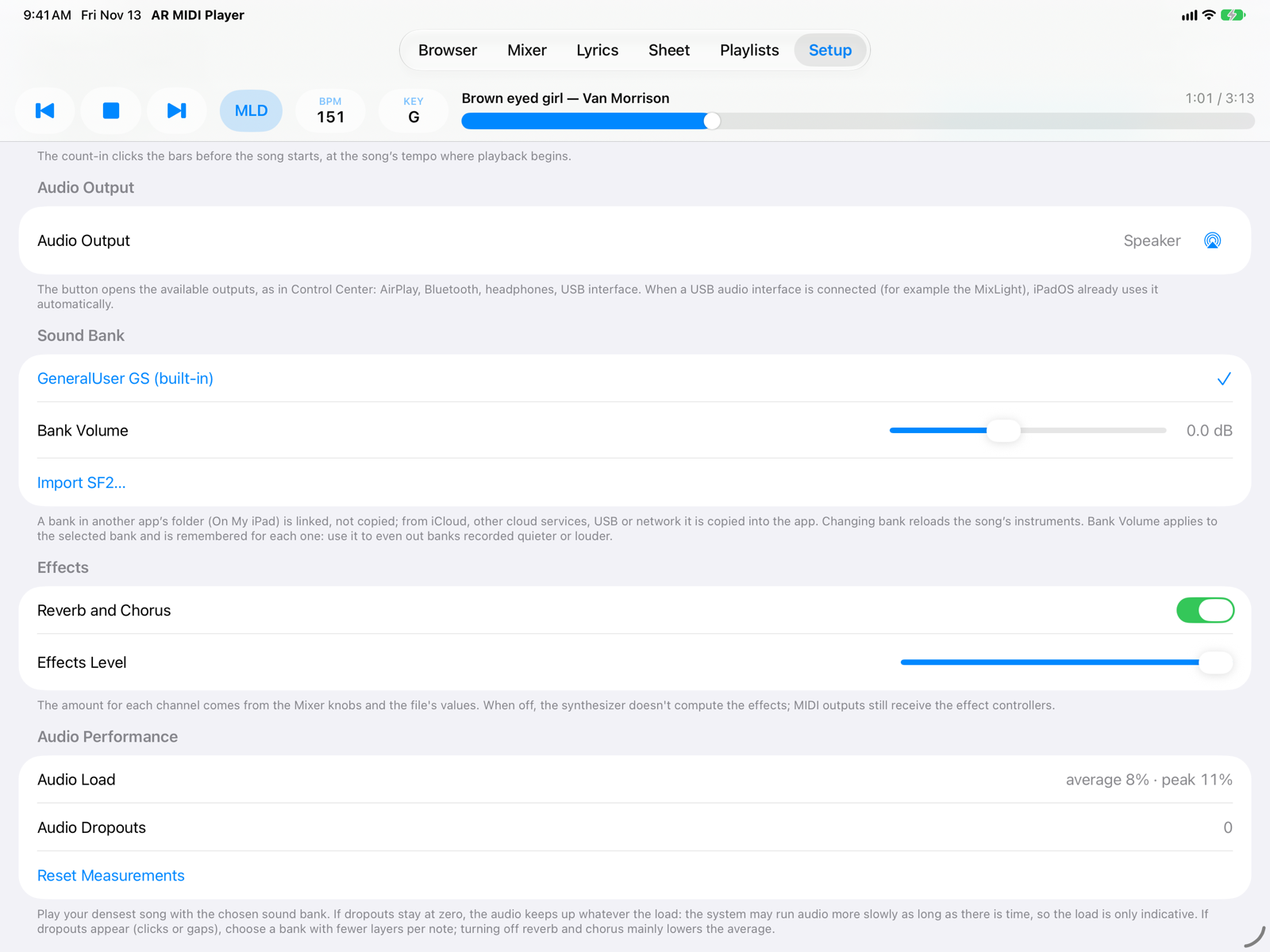
The built-in synthesizer plays the GeneralUser GS bank, and you can import any SoundFont (.sf2): from another app's folder it is just linked, from iCloud or a USB drive it is copied.
- MIDI Output sends the song to your expander or keyboard, with the mixer's mute, solo and values.
- A Second MIDI Output sends only the channels you choose to another instrument, even transposed.
- Turn off the internal synth to hear only your sound modules: if one is disconnected on stage, internal audio resumes by itself.
A second screen, also over AirPlay
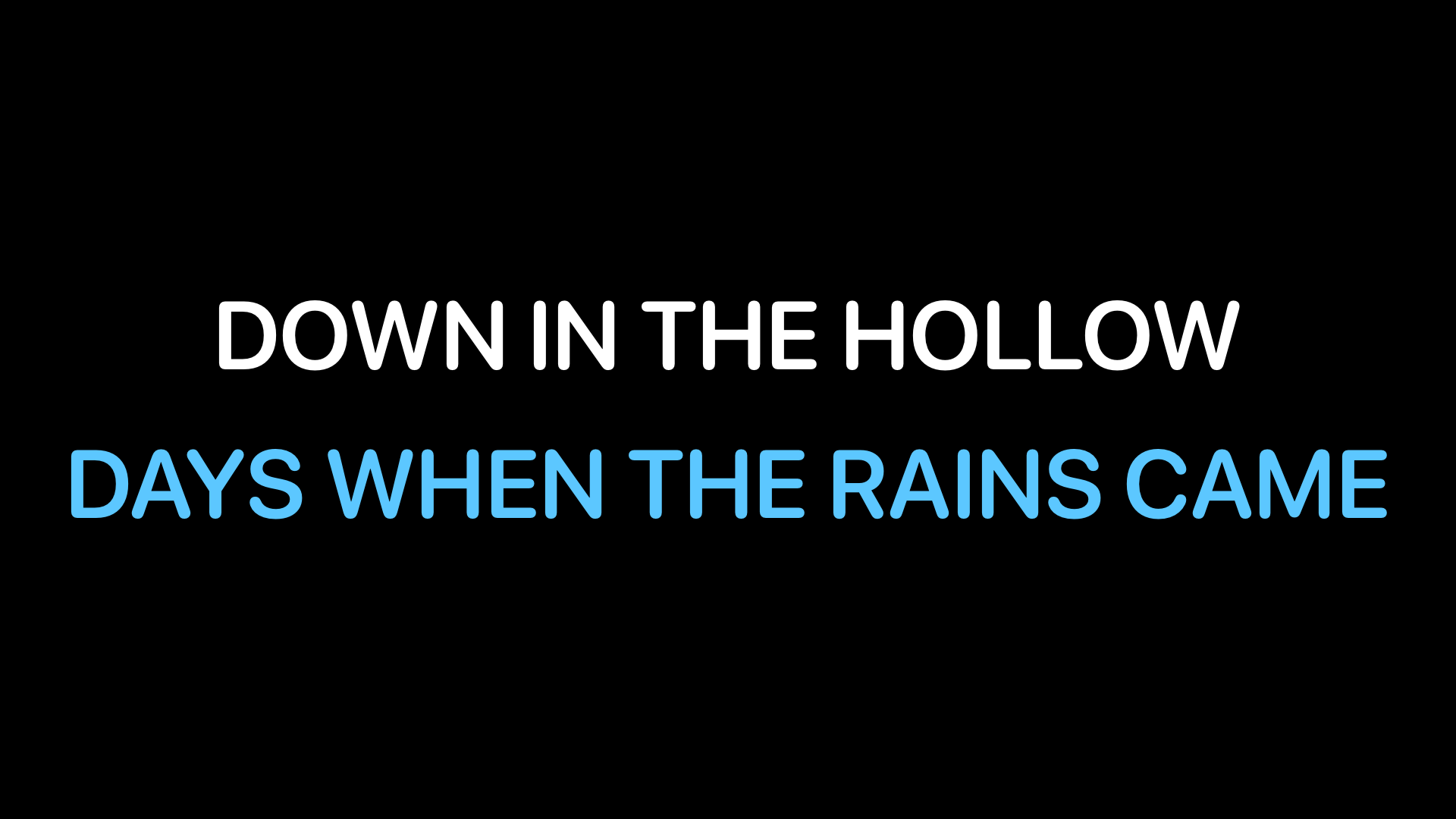
Connect a TV, monitor or projector with a cable or AirPlay: the external screen shows the karaoke while you keep using the app on the iPad.
- Karaoke: big centred lines for the singer or the audience, 2 to 4 at a time, with title and artist between songs.
- Lyrics Copy: the lyrics page with chords, full screen and enlarged up to 300%, for the musicians on stage.
- Font, colours and size are yours to choose.
Playlists that remember every change, without touching your files
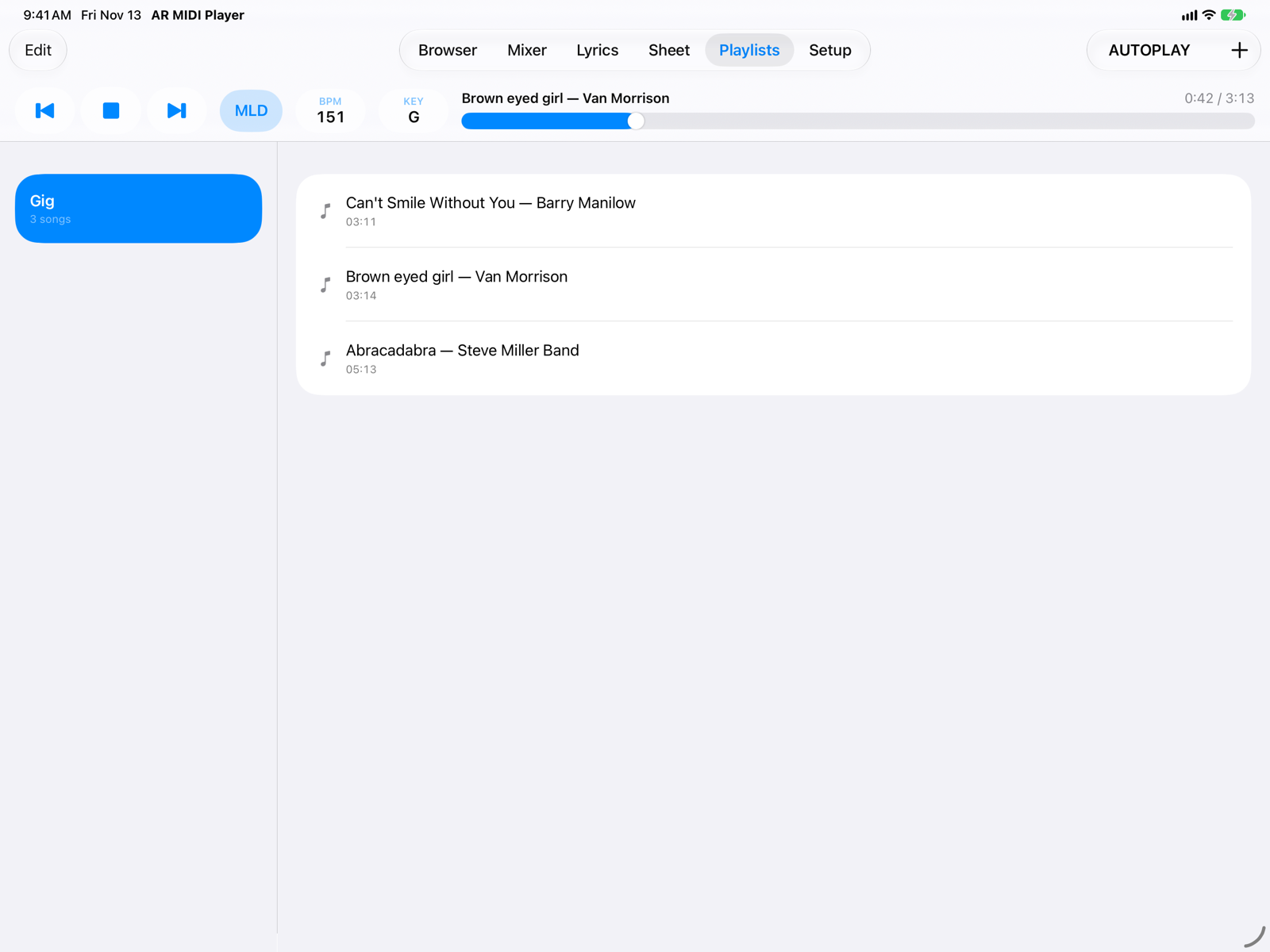
Load a song from a playlist and change key, tempo or mixer: the change is saved in the playlist entry right away, and comes back every time you load it. The original MIDI file is never modified.
- The same song can be in several playlists, or twice in the same one, with different settings ("no piano", "no piano and guitar").
- Each entry can have a note: the keyboard registration, who starts, the repeats.
- Autoplay moves to the next song by itself; Restore Original goes back to the file's values.
Everything for the gig
Your whole library
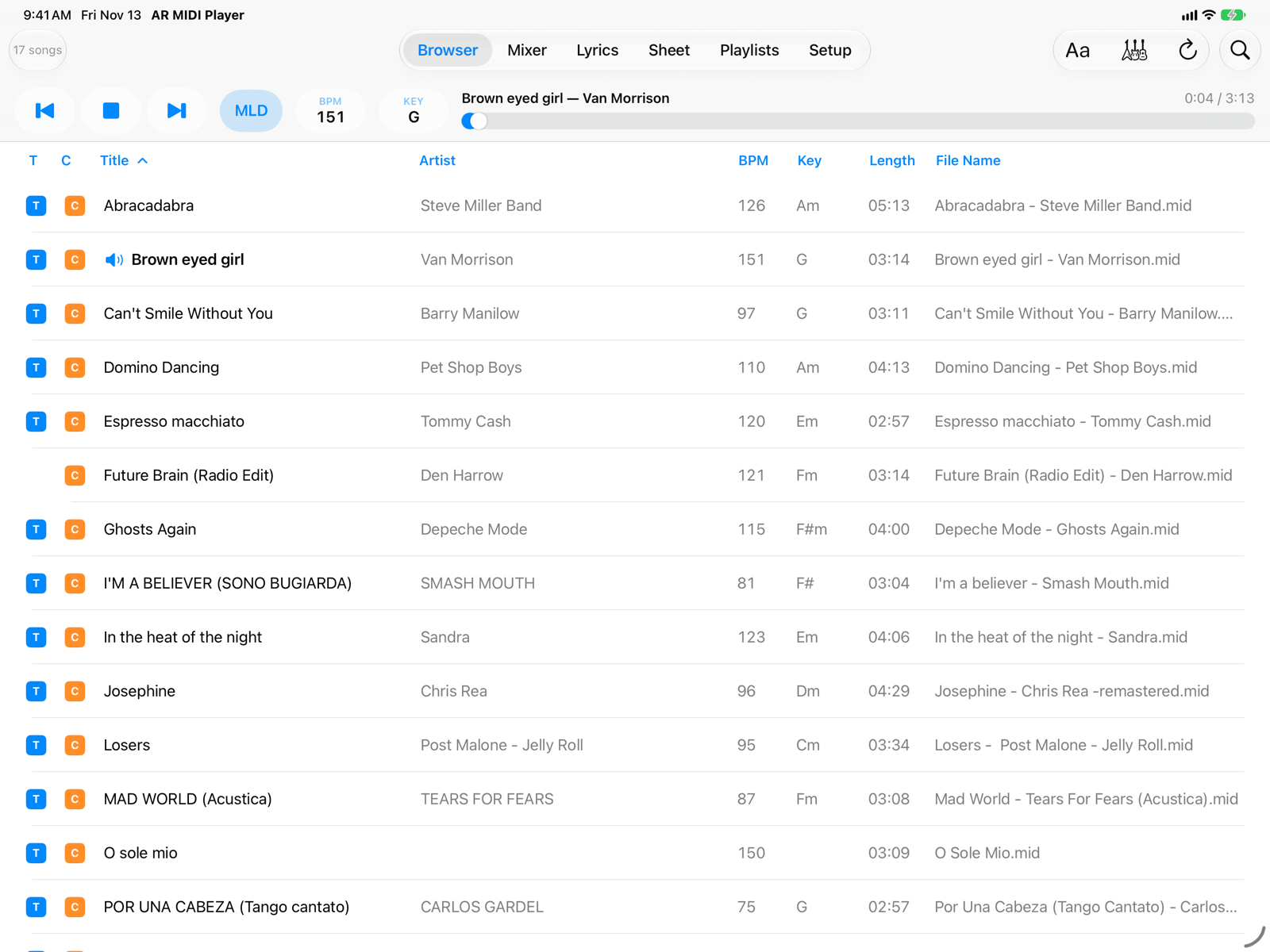
Thousands of .mid, .midi and .kar files from the app's folder, iCloud Drive, a USB drive or a network server, with search and lyrics/chords filters.
Key and tempo
Transpose by ±24 semitones and change the tempo without changing the pitch; the melody is muted with one tap (MLD).
Mixer
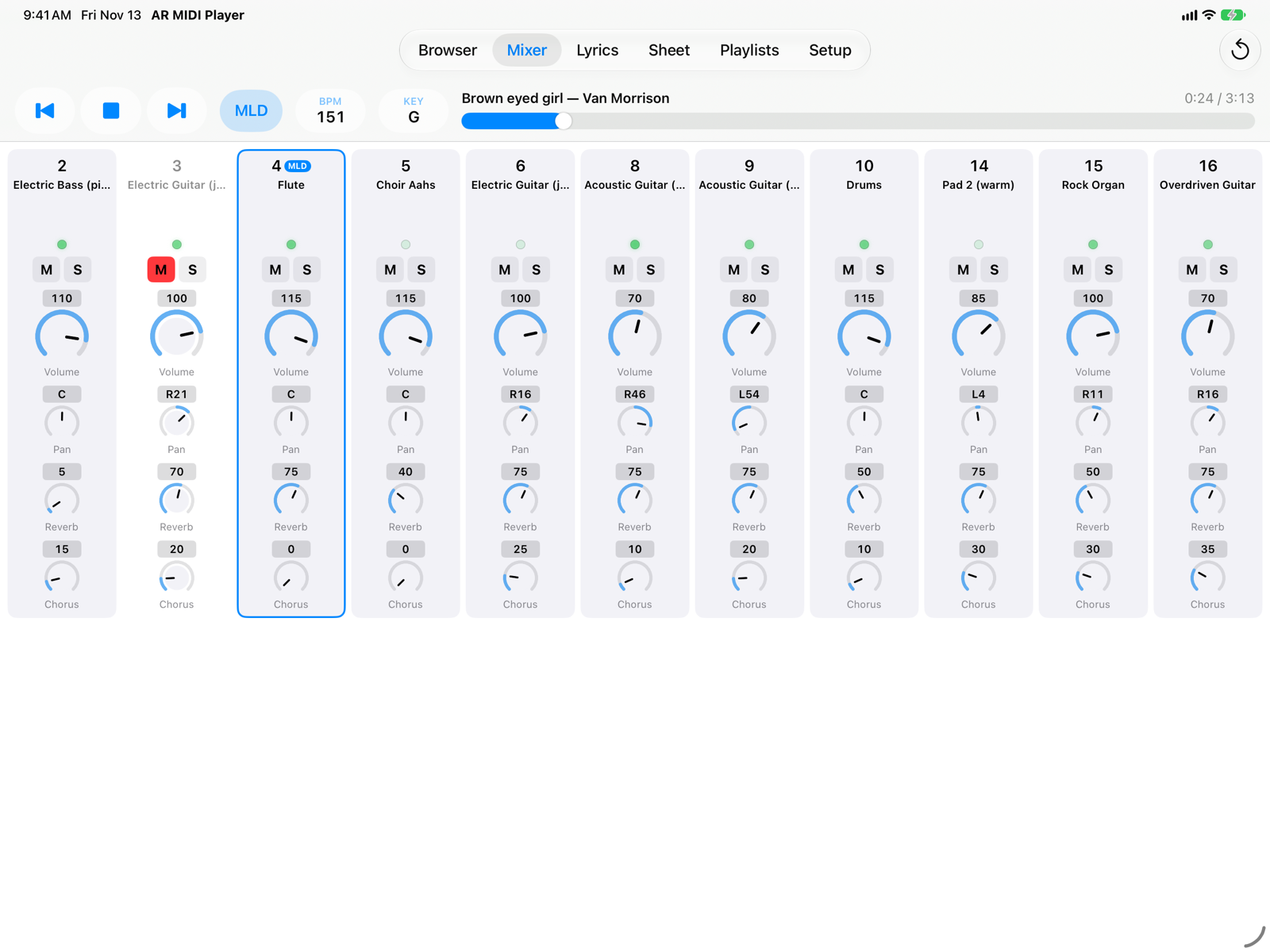
Volume, pan, mute and solo for every channel, with a light that shows when it plays.
Sheet
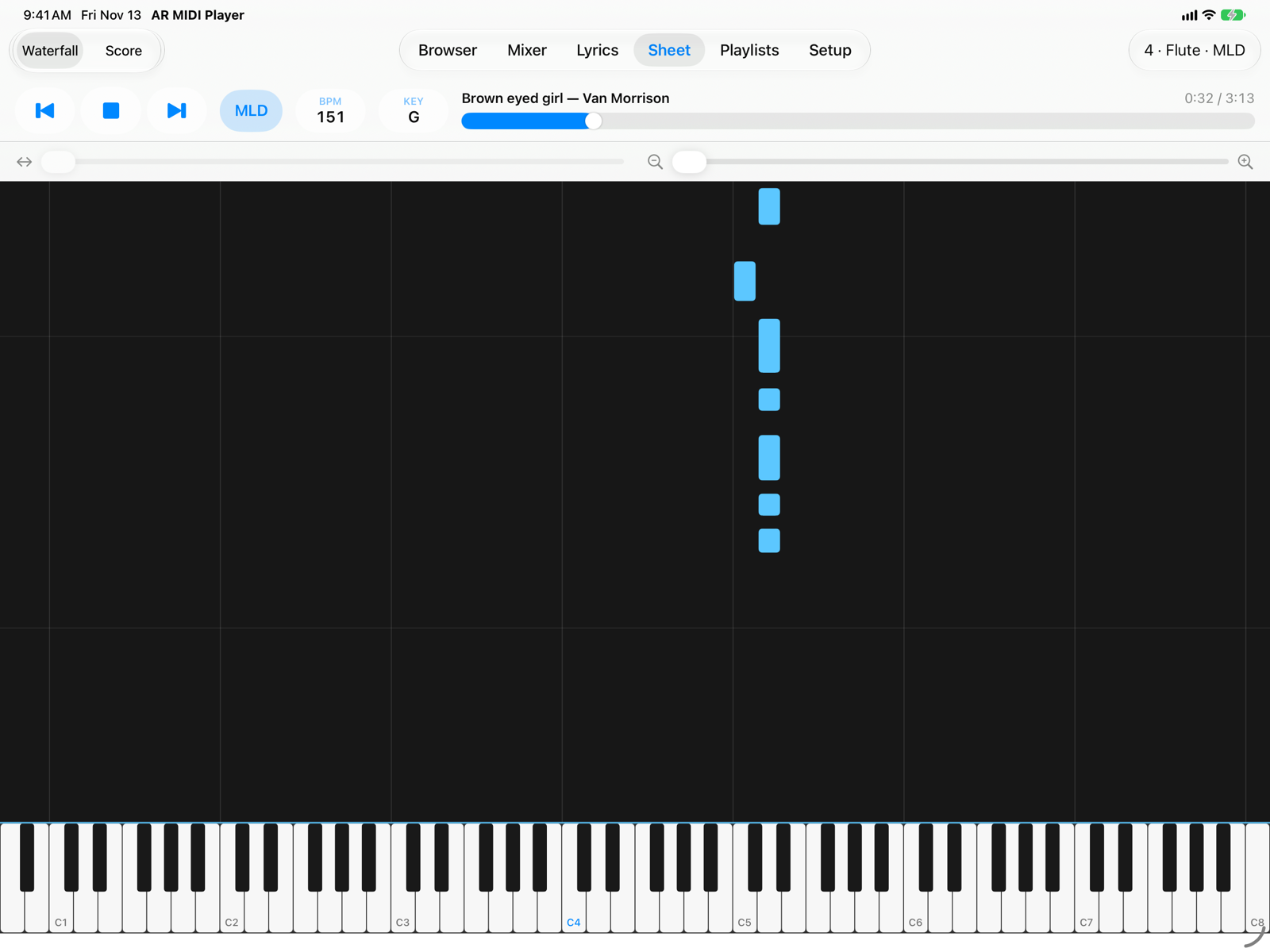
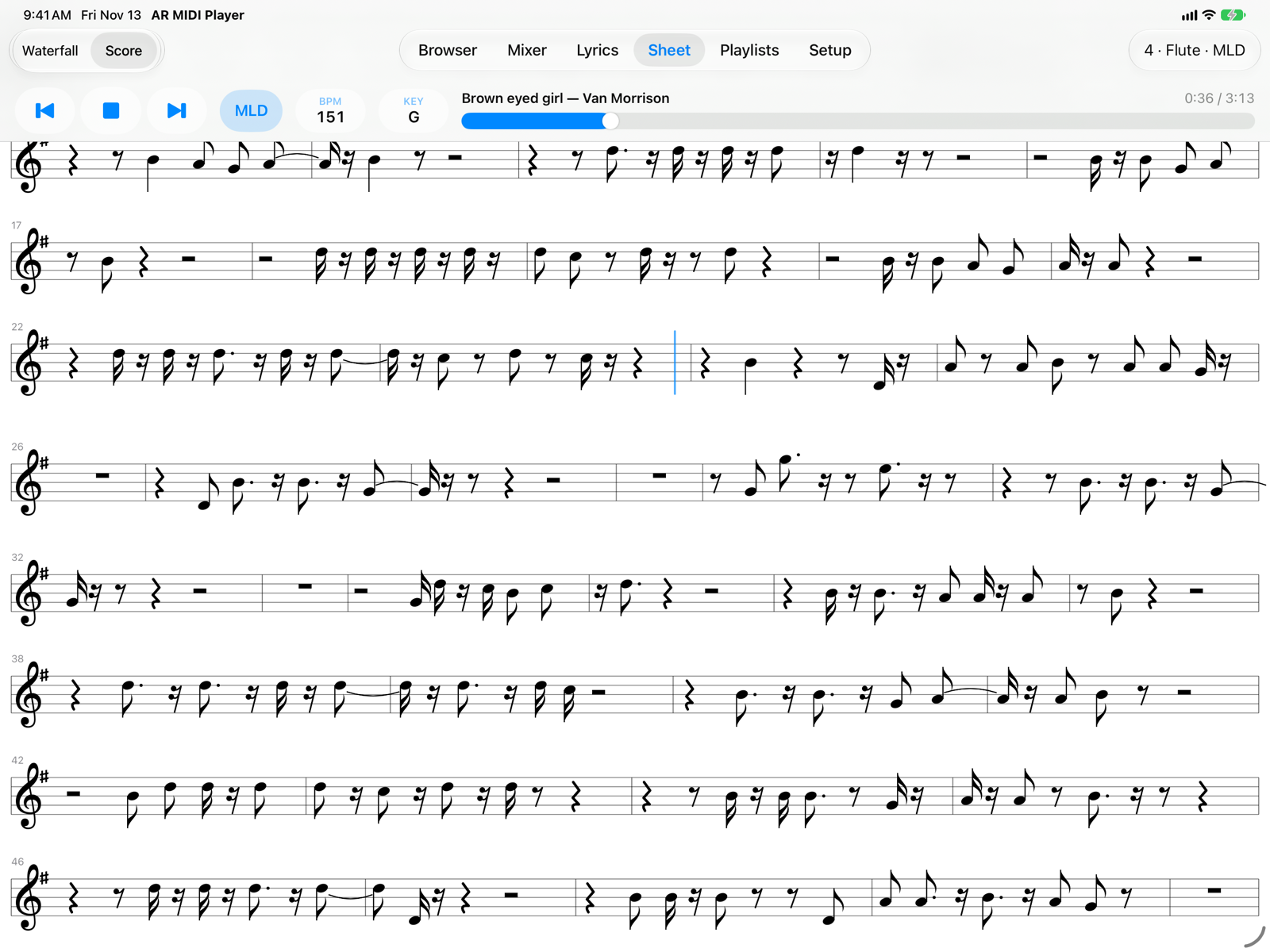
The notes of any channel fall onto a piano keyboard, or read them as a simplified score on the staff, to learn or follow a part.
Dark theme
A dark theme with an orange accent for dim stages, besides the light one, or let the app follow the system.
Pedals and controllers
Play/Stop, next and previous song from a MIDI pedal or controller, assigned with Learn.
Count-in and metronome
One or two bars of count before the song, and a metronome during the song if you want it.
Karaoke formats
M-Live, GM karaoke and .kar, Yamaha XF, Solton and Soft Karaoke lyrics and chords, syllable by syllable.
iPad and iPhone
Designed for iPad, with a compact interface on iPhone. In English and Italian.
Coming soon
AR MIDI Player is coming soon to the App Store for iPad and iPhone. In the meantime, the user guide shows every screen in detail. Questions: info@armusic.dev.